Group 8 Job editor Page 204
Release R1.03e LEIBINGER JET3
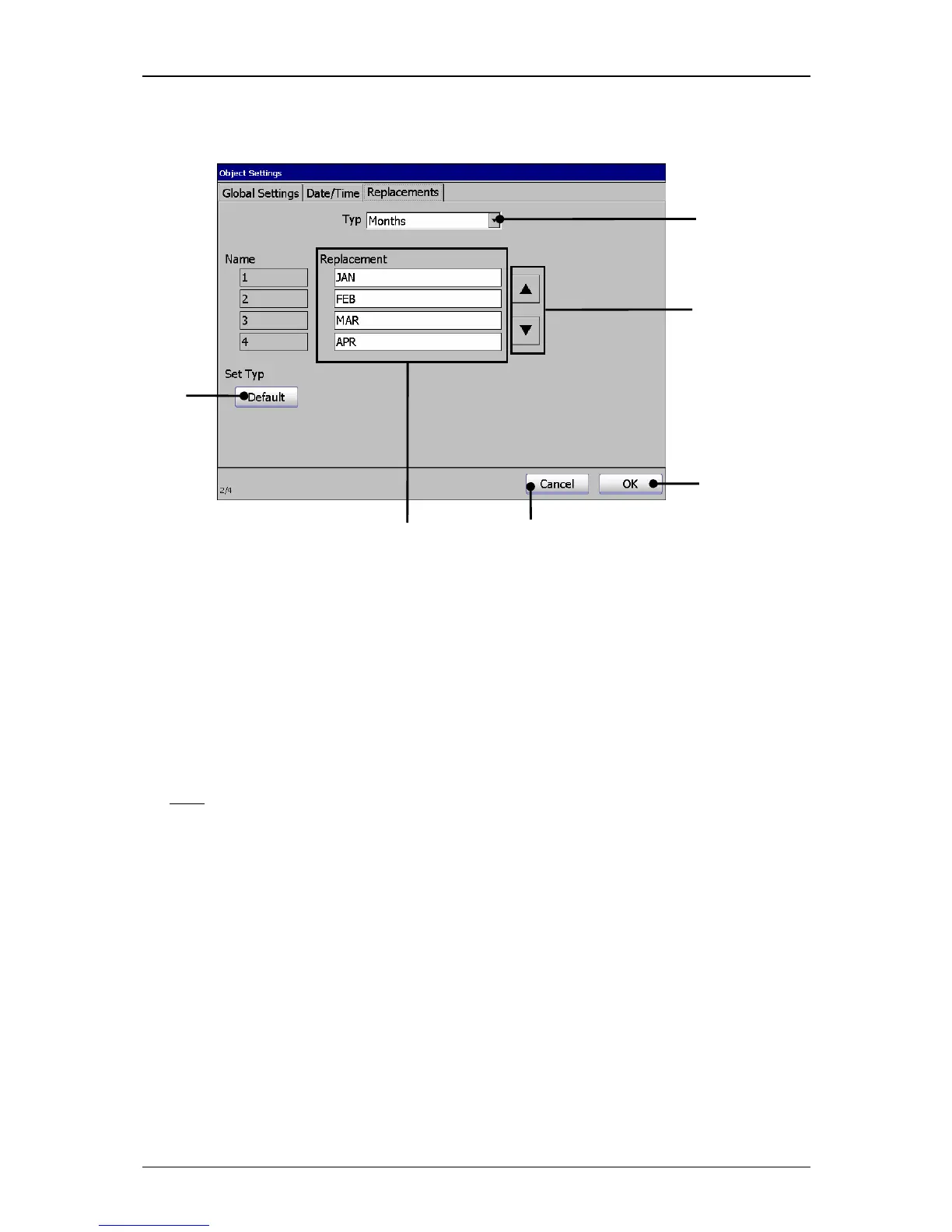
Figure 125
Functional area “Replacement” (Example view)
1 – Pop-up window <Type> 4 – Button <Default>
2 – Dissplay field <Replacement> 5 – Button <OK>
3 – Buttens <Scoll> 6 – Button <Cancel>
8.8.1 Carry out replacements
Proceeding:
E.g.:
The month specifications (JAN, FEBR…..JUL….) of the date element which is
currently defined in the job should be replaced by numbers (JAN=01
FEBR=02….JUL=07…)..
Press the button <Format> (1) and the option <Object>
(2) or the accordant
direct buttons (Icon) (3).
The menu <Object Settings (Date/Time)> (4) is faded in.
Press on the register card <Replacements>
(5) to select the functional area
„Replacements “.
Press on the arrow button of the Pop-up window <Type> (6). The Pop-up
window opens for selection.
Now select the element type „month“ (7).
Click on the several setting fields <Replacement>
(8). A keyboard field opens
for input. Enter the accordant values.



 To Next Page