Group 7 Data/Programming Page 133
Release R1.03e LEIBINGER JET3
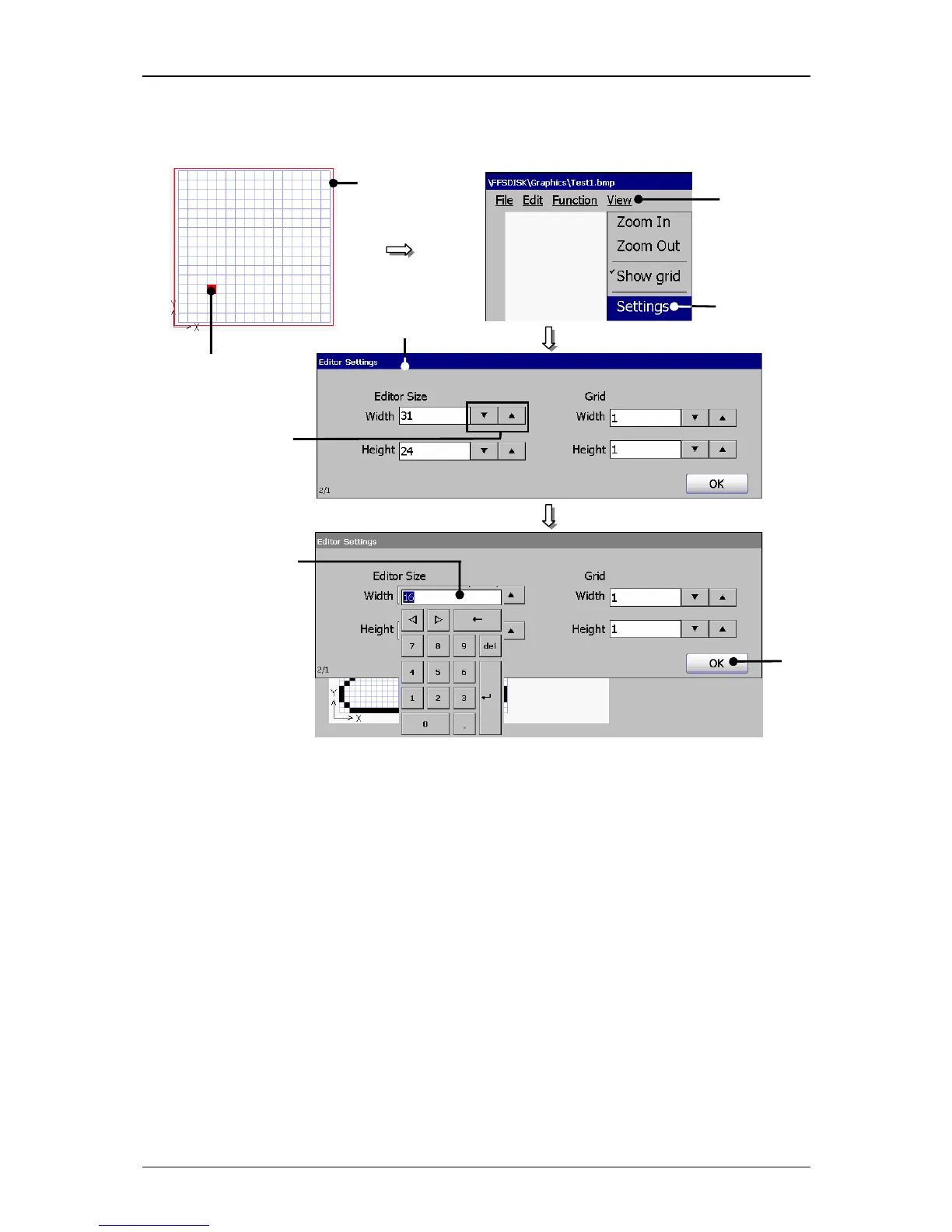
Figure 74
Graphic editor (Carry out settings)
1 – Button <View> 4 – Arrow buttons
2 – Option <Settings> 5 – Display field
3 – window <Editor Settings> 6 – Button <OK>
7.5.5.8 Create and process graphic elements
1. Creation of a graphic element:
(Example.:A rectangle should be created)
Proceeding:
Press the button <Function>



 To Next Page