Group 7 Data/Programming Page 118
Release R1.03e LEIBINGER JET3
7.5.3.3 Reset all job counters
With this function, all existing job counters in the current loaded job can be reset.
Proceeding:
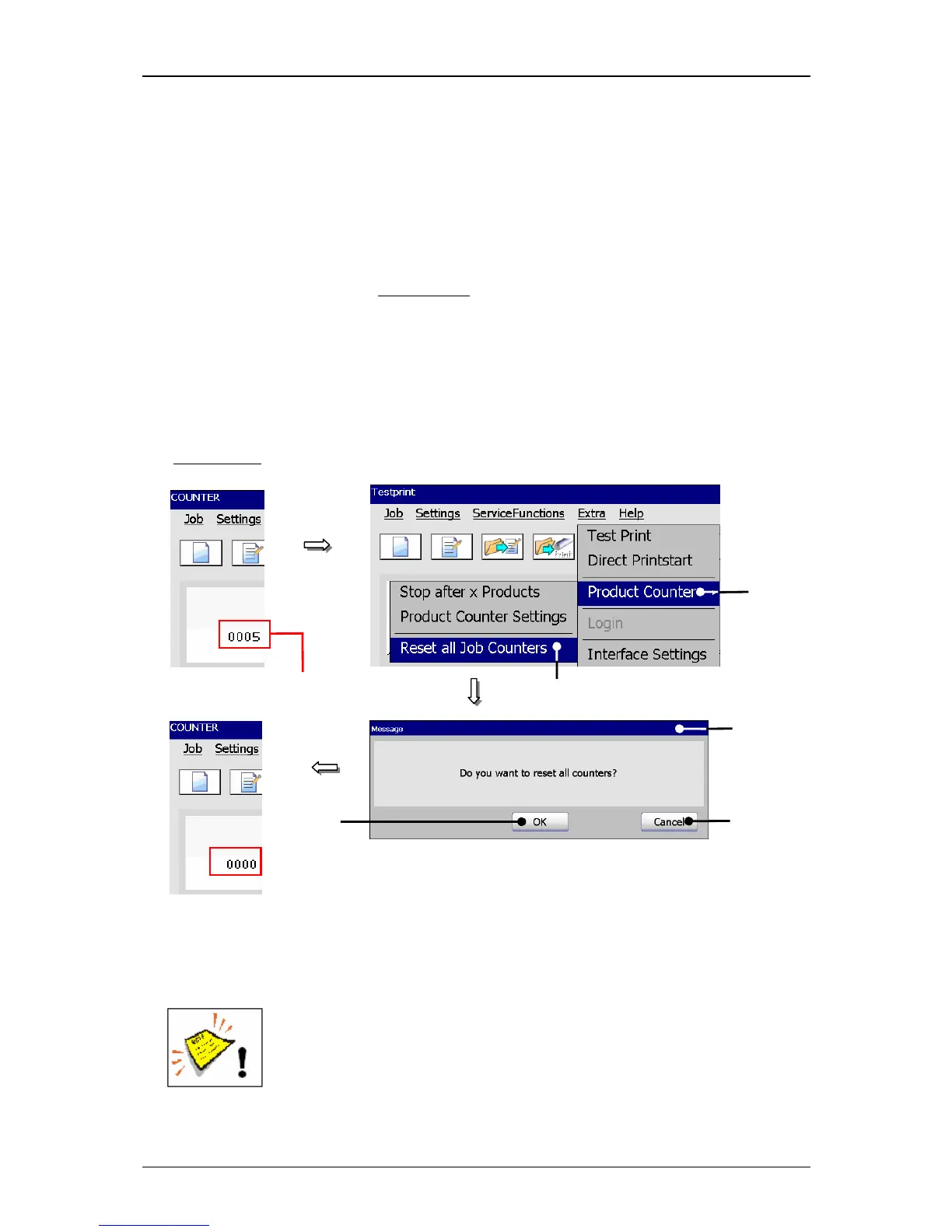
Press the option <Reset all Job Counters> (2).
A safety query (3), if all job counters
have been reset is faded in.
Confirm the reset by pressing the button <OK>
(4) or cancel the process with
the button <Cancel> (5).
All job counters are reset.
Figure 63
Product counter (Reset job counter)
1 – Menu <Product Counter> 4 – Button <OK>
2 – Option <Reset all Job Counters> 5 – Button <Cancel>
3 – Message <Safety query>
Attention! The reset of the job counter is irrevocably!
3
4



 To Next Page