Group 7 Data/Programming Page 148
Release R1.03e LEIBINGER JET3
7.6.1.1 Save info file
The displayed system information can be swaped out to an external memory device
(USA-stick or SD-CARD).
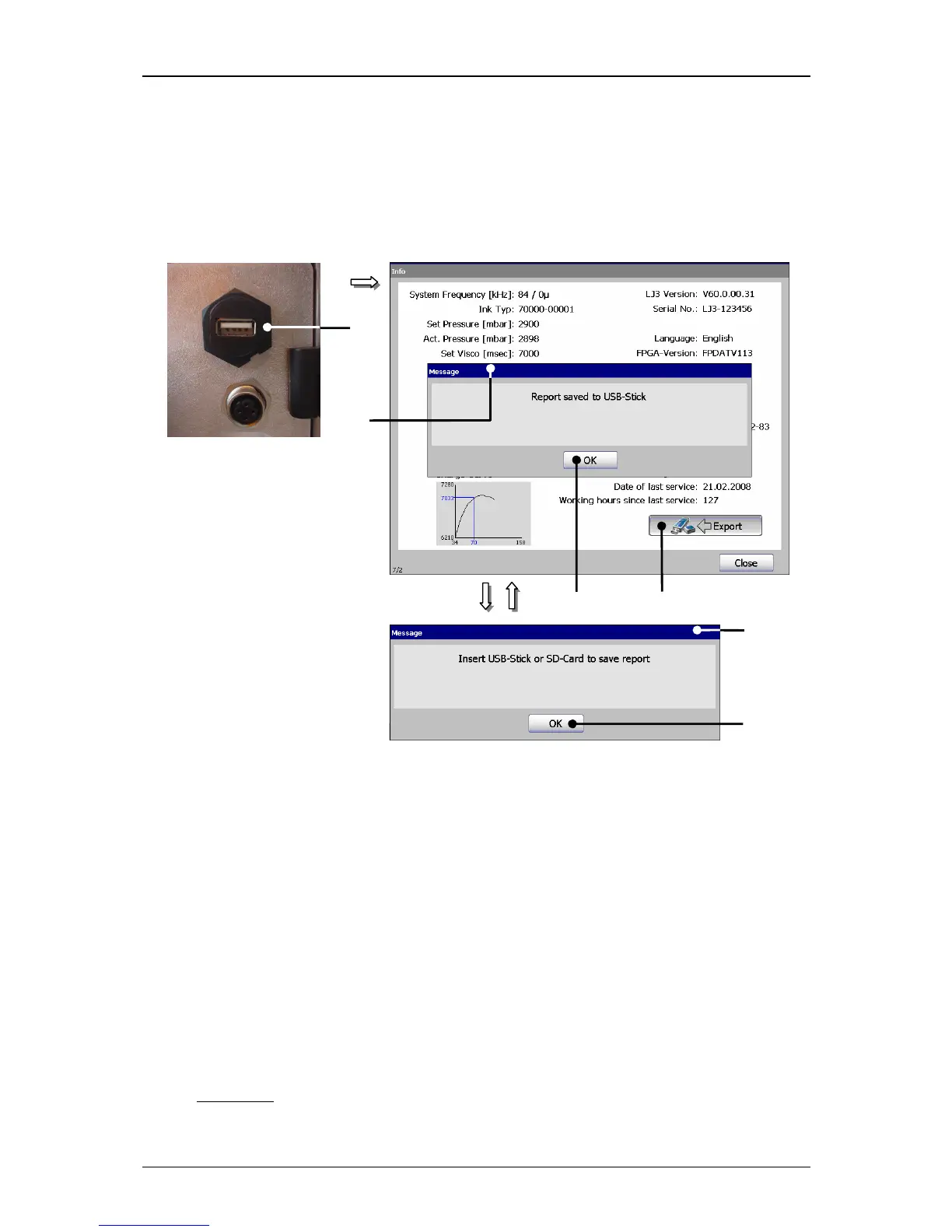
Figure 84
Save info file
1 – USB-access (connection) 4 – Button <OK>
2 – Button <Export> 5 – Message <Insert storage medium>
3 – Message <Info file (Report) saved> 6 – Button <OK>
Proceeding:
Plug an USB-Stick or a SD-card reader in the USB-access (1) on the back of the
device.
Press the button <Export> (2).
The data is saved on the connected medium and the Message (3), that the
process has been carried is faded in. The memory happens with the designation
„info_LJ3-(“serial number of the printer”).txt“.
Finally confirm the message with the button <OK> (4).
Comment:
If no storage medium (memory device) is connected, the Message (5)



 To Next Page