Group 7 Data/Programming Page 121
Release R1.03e LEIBINGER JET3
7.5.4.2 Login user or carry out user change
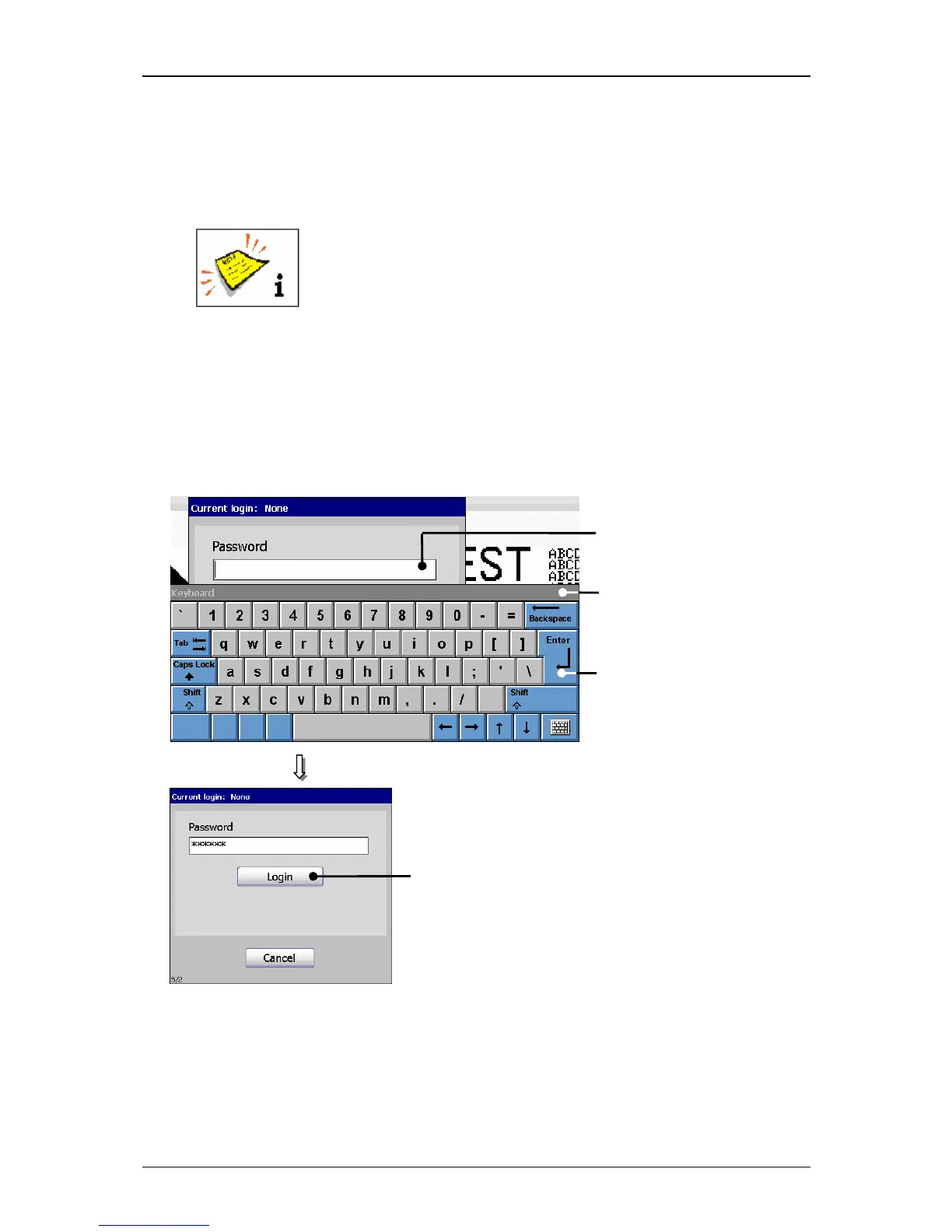
Enter the password of your access right with keyboard field (2). The input is
displayed with placeholders (wildcards) in the input field <Password> (1).
You will find further information regarding the operation with
keyboard fields in the chapter Keyboard fields!
To carry out an user change the current user must be logged out
at first!
Press the button <Enter> (3) of the keyboard field to finish the input.
Now press the button <Login>
(4) to carry out the login process. The dialog
field is closed and the new user is logged in.
Figure 65
Login (Login user/change user)



 To Next Page