Group 7 Data/Programming Page 113
Release R1.03e LEIBINGER JET3
7.5.3 Product counter
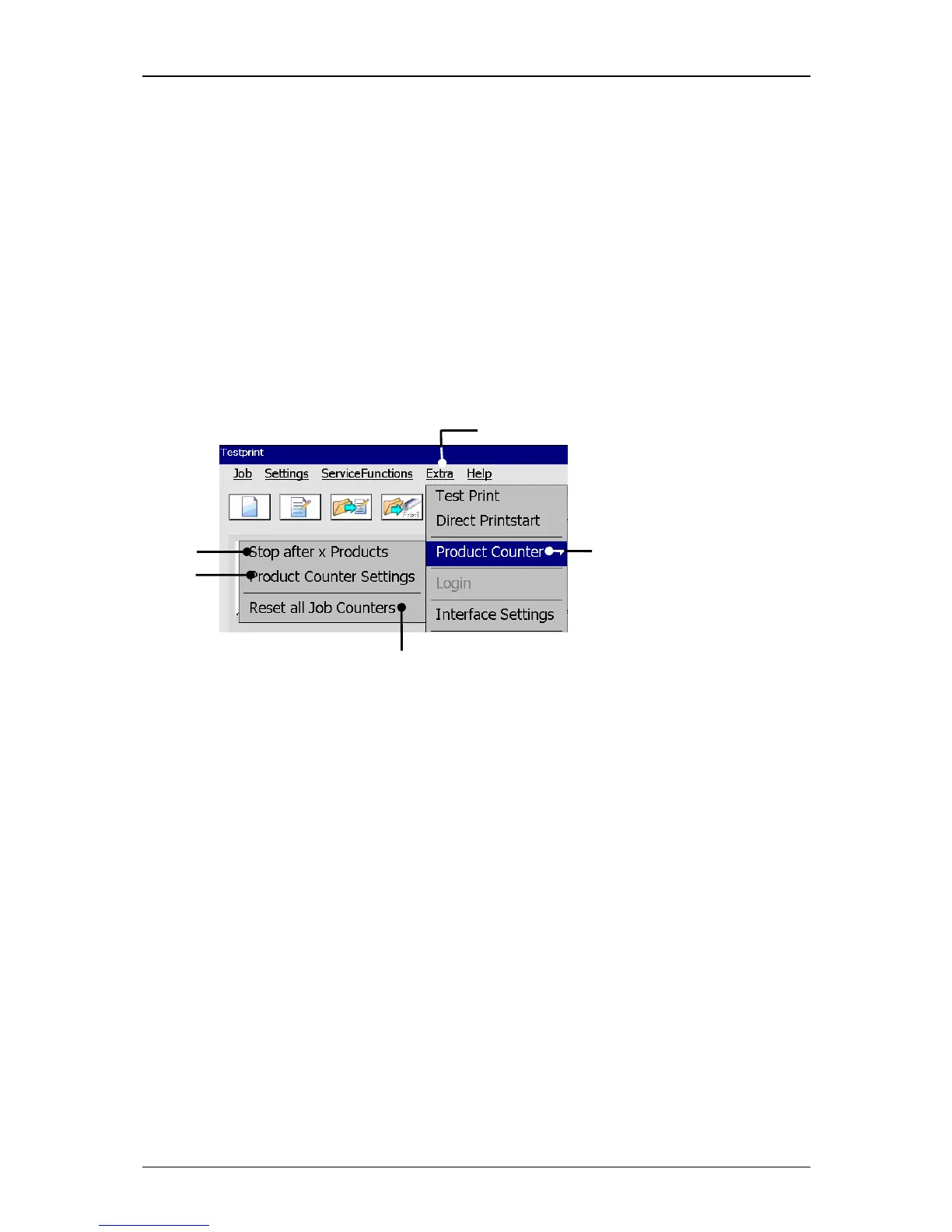
In the production counter menu you can carry out settings of the production counter
and you can set-up a pre-defined print stop. Further more all existing job counters in
the current loaded job can be reset.
The production counter menu opens with the button <Extra>
(2) and afterwards
selection of the menu <Product Counter> (3) in the faded-in submenu.
In the menu <Product Counter> the following options are available:
Product Counter Settings Stop after x Products Reset all Job counters
Figure 60
Call up product counter menu
1 – Button <Extra> 4 – Option <Stop after x Products>
2 – Menu <Product Counter> 5 – Option <Reset all Job counters>
3 – Option <Product Counter Settings>



 To Next Page