Group 7 Data/Programming Page 74
Release R1.03e LEIBINGER JET3
7.3.1 Basic settings
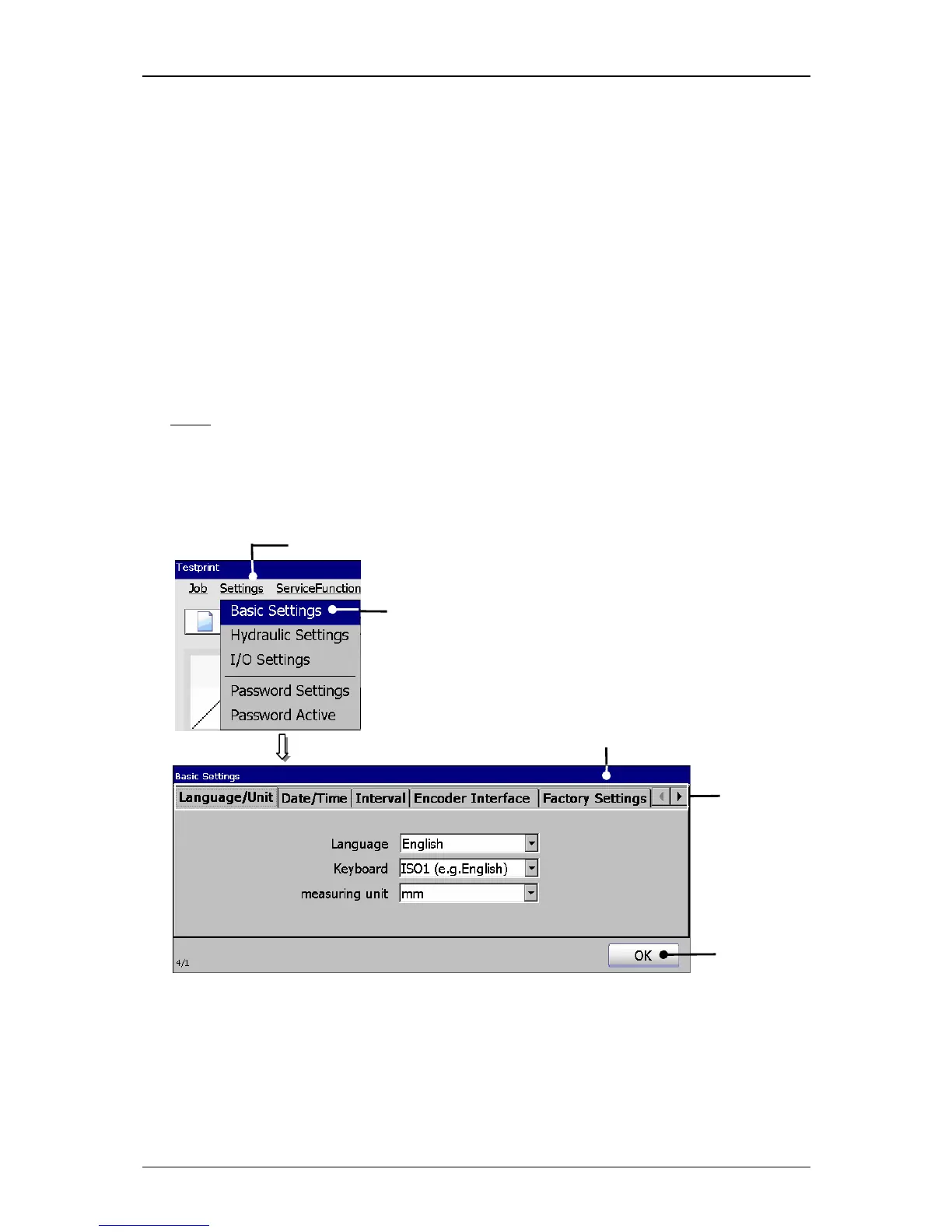
With the option <Basic Settings> (2) the menu „Basic settings“ (3) opens.
This menu serves as setting of
Language/Unit (Measurement) Interval function Factory Settings
Date/Time Encoder interface IP-address
and to reset the device to the factory settings.
The selection of a functional area happens by clicking on the accordant register card
(4).
Note:
The proceeding corresponds to the Windows™-standard procedure.
The button <OK> (5) closes the menu.
Figure 33
Menu basic settings
1 – Button <Settings> 4 – Register cards
2 – Option <Basic Settings> 5 – Button <OK>
3 – Menu <Basic Settings>



 To Next Page