Group 7 Data/Programming Page 87
Release R1.03e LEIBINGER JET3
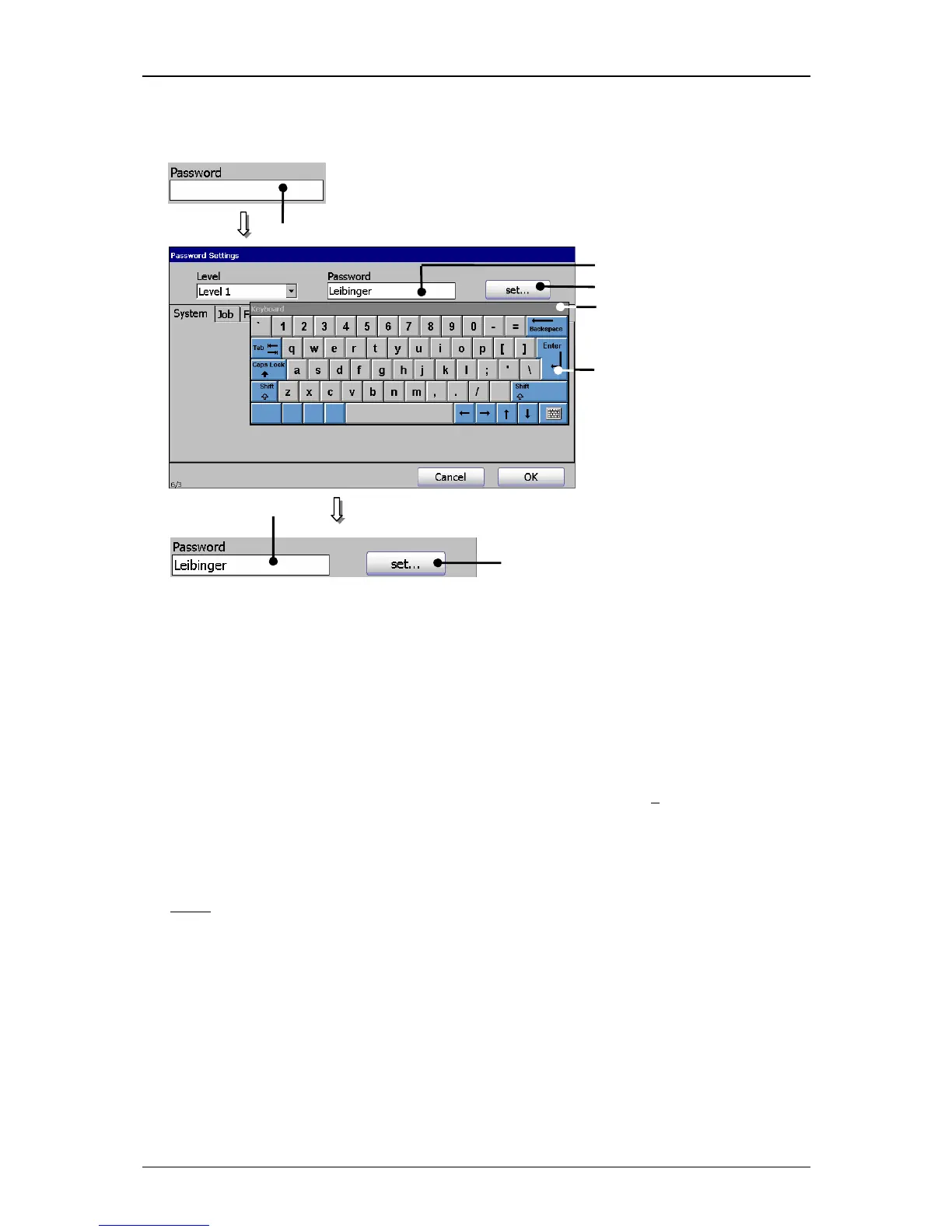
Figure 43
Define password
1 – Input field <Password> 3 – Button <Enter>
2 – Keyboard field 4 – Button <set…>
7.3.2.1.3 Definition of user rights
In the several functional areas of the menu you can enable or lock the functions of
the current access levels. An enabled function is displayed by a √
in the control box.
The selection of a functional area happens by clicking on the accordant register
card.
Note:
The proceeding corresponds to the Window™-standard procedure.
7.3.2.2 Lost password
If the password of the highest defined access right (Supervisor) has been lost
special measures are required. In this case please contact the dealer address which
is listed in the chapter Editor.
1



 To Next Page