Group 7 Data/Programming Page 109
Release R1.03e LEIBINGER JET3
After finishing the storage the message (5), that the process has been carried
out is faded in. The saving happens with the description „datalog_LJ3-(“serial
number of the printer”).txt“.
Finally confirm the message with the button <OK> (6).
Note:
If no storage medium (memory device) is connected, the message (7) is
faded in. Confirm the message with the button <OK> (8). Connect a
memory device and repeat the complete process.
7.4.6 Service interval
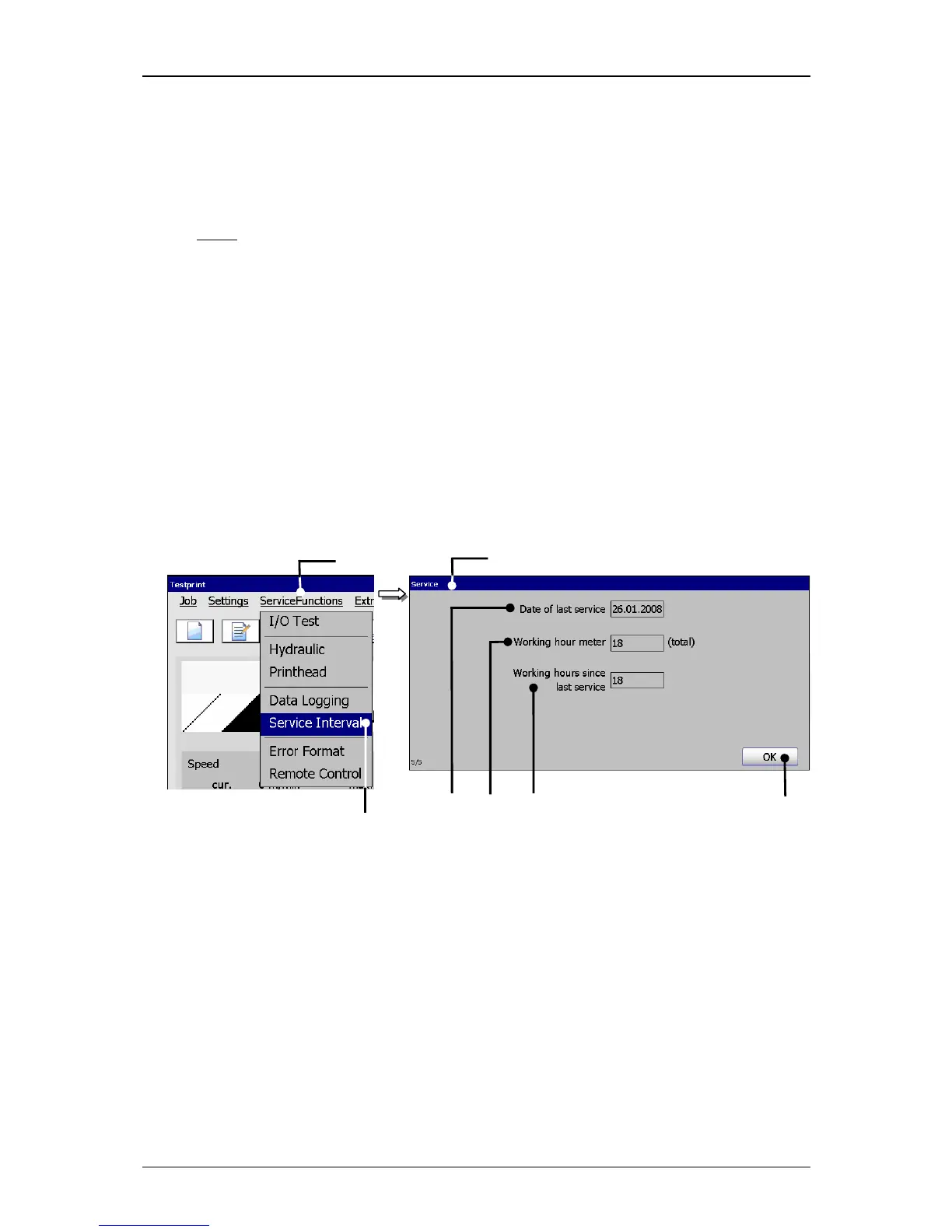
With the option <Service Interval> (2) you can open the display window “Service“
(3). The following parameters are displayed in this window:
The date of the last inspection (4)
The total amount of operation hours of device (5)
Operation hours since the last inspection (6)
Figure 57
Service interval window
1 – Button <ServiceFunctions> 5 – Display<Operation hours since>
2 – Option <Service Interval> 6 – Display <Total operation hours>
3 – Display window <Service> 7 – Button <OK>
4 – Display <Date of inspection>
The button <OK> (7) closes the window.



 To Next Page