Group 8 Job editor Page 183
Release R1.03e LEIBINGER JET3
8.5.4 Date changing parameter
With this function you can postpone the date changing to
an earlier or later point of
time.
Note:
The postponement happens in hours- and minutes. The max. possible post-
ponement is 23 hours and 59 minutes.
Proceeding:
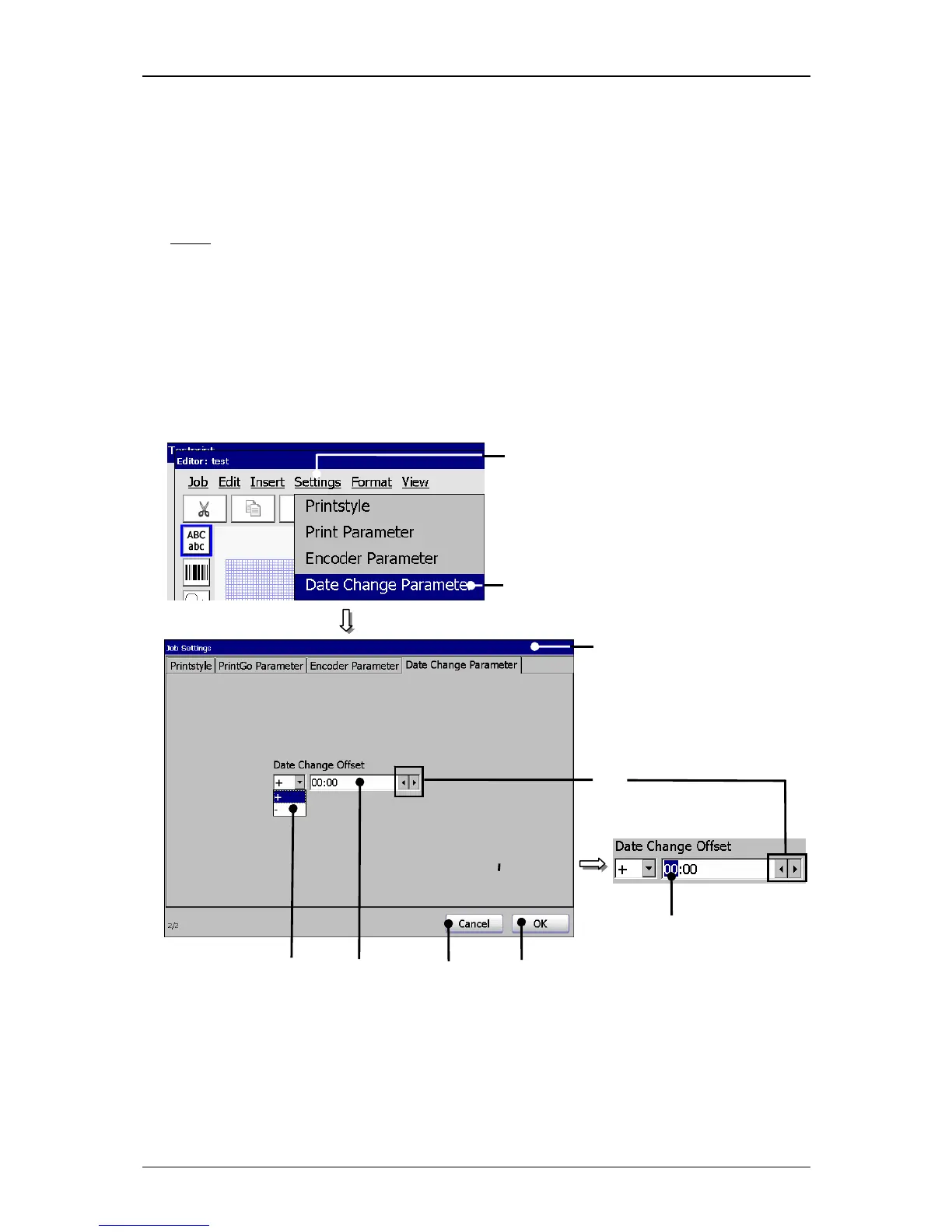
Press the button <Settings> (1) and the option <Date Change Parameter>
(2).
Figure 116
Jobeditor (Set date change offset)
1 – Button <Settings> 5 – Display field <Offset-value>
2 – Option <Date Change Parameter> 6 – Arrow buttons
3 – Menu < Date Change Parameter> 7 – Button <OK>
4 – Pop-up window <Offset-direction> 8 – Button <Cancel>
2



 To Next Page