Group 7 Data/Programming Page 137
Release R1.03e LEIBINGER JET3
7.5.6 Font editor
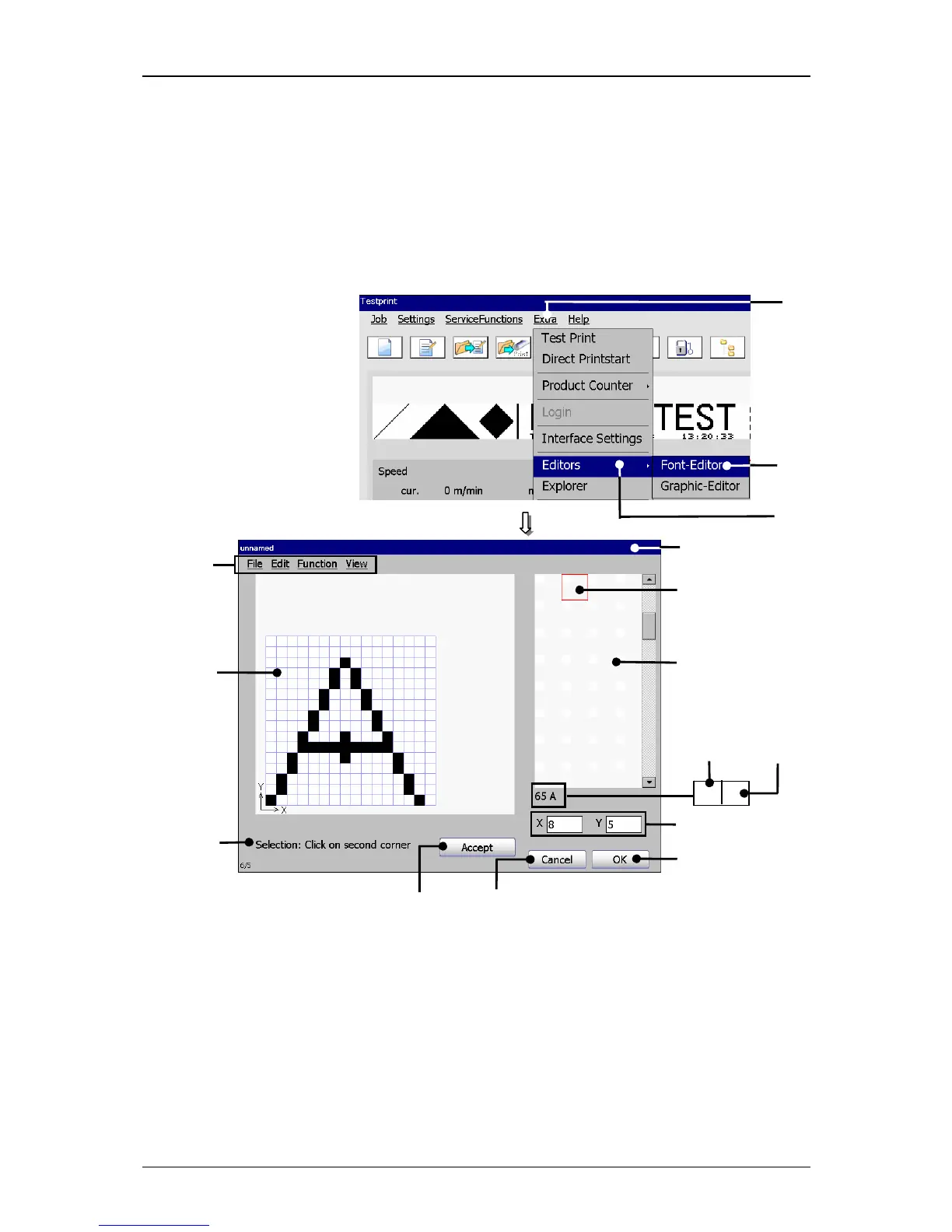
The font editor enables the individual change of existing fonts or the creation of
special characters and free definable fonts or characters which can be immediately
integrated in the printing text. Functions as Copy&Paste, Zoom in/out as well as
tools for drawing of circles, lines and quads make the operation easier.
Figure 77
Font editor (Structure and select)
1 – Button <Extra> 9 – Display <Activities to carry out>
2 – Option <Editor> 10 – Button <OK>
3 – Option <Font-Editor> 11 – Button <Cancel>
4 – Menu <Font editor> 12 – Button <Accept>
5 – Menu bar 13 – Selected memory place
6 – Selection window 13.1 – ASCII-Code of the memory capacity
7 – Input field <Font elements> 13.2 – assigned keyboard characters
8 – Display <Coordinates>



 To Next Page