Group 7 Data/Programming Page 146
Release R1.03e LEIBINGER JET3
7.6 Help
With the button <Help> in the main menu bar you can display the submenu „Help“.
7.6.1 Information
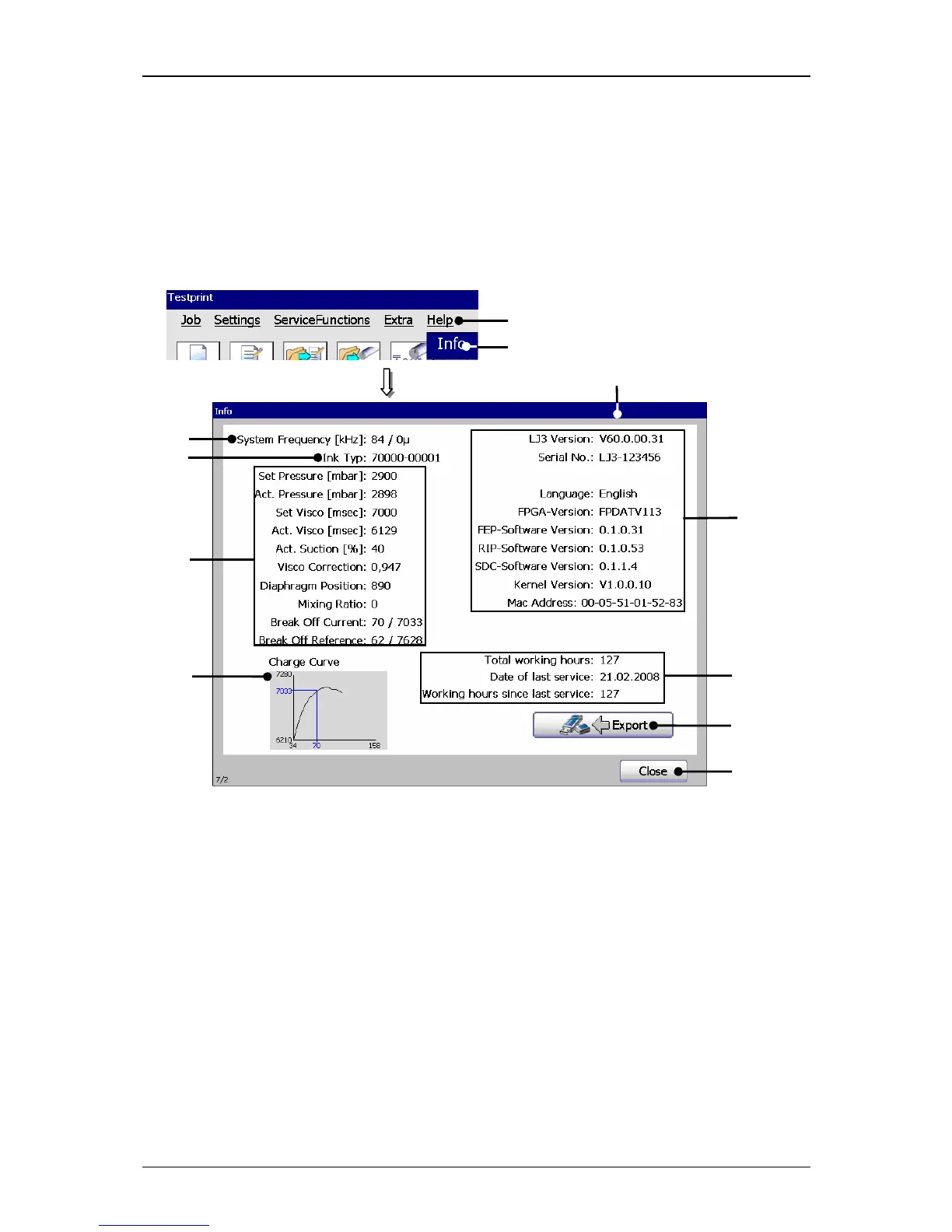
Figure 83
System info window
1 – Button <Help> 7 – Display <Version/Software version>
2 – Option <Info> 8 – Display<Operation hours/inspection>
3 – Display window <Info> 9 – Charging voltage curve
4 – Display<System frequency> 10 – Button <Export>
5 – Display<Filled ink> 11 – Button <Close>
6 – Display <Curr. hydr. param.>
1



 To Next Page