Group 7 Data/Programming Page 141
Release R1.03e LEIBINGER JET3
Filter (5): With the Pop-up window you can select the several data fields which
should be displayed or processed. If a filter has been used, only the accordant
data is shown in the two selection windows.
The following filters are available:
All Jobs Fonts Graphics
Memory device (6): With the Pop-up window you can select the external data
carrier.
The button <Close> (7) closes the explorer.
7.5.7.3 Explorer tools
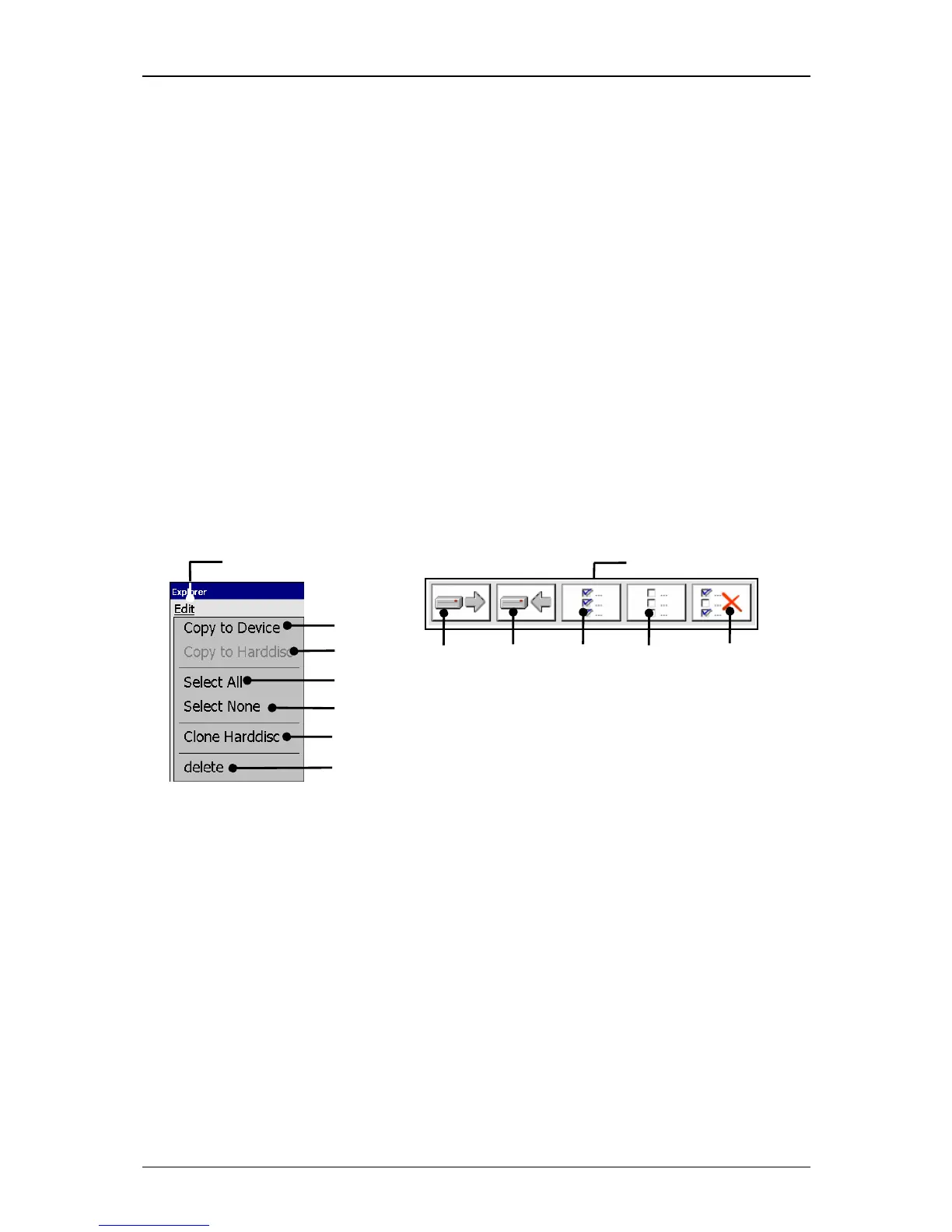
With the button <Edit> you can select the explorer tools. Further more most of the
tools can be selected directly with the available icons (direct buttons).
Figure 80
Explorer (Tools)
1 – Button <Edit> 5 – Tool <Select None>
2 – Tool <Copy to Device> 6 – Tool <delete>
3 – Tool <Copy to Harddisc> 7 – Tool <Clone Harddisc>
4 – Tool <Select all> 8 – Direct buttons (Icons)



 To Next Page