Group 7 Data/Programming Page 139
Release R1.03e LEIBINGER JET3
7.5.7 Explorer
The explorer administrates the data of the LEIBINGER JET3. As the explorer of the
PCs, the explorer in the JET3 allows the deletion of data as well as the free saving
and loading of data on different media (e.g. USB-stick, SD-card) or of the internal
memory. Selection window and filter functions allow a clear and easy to operate
data management.
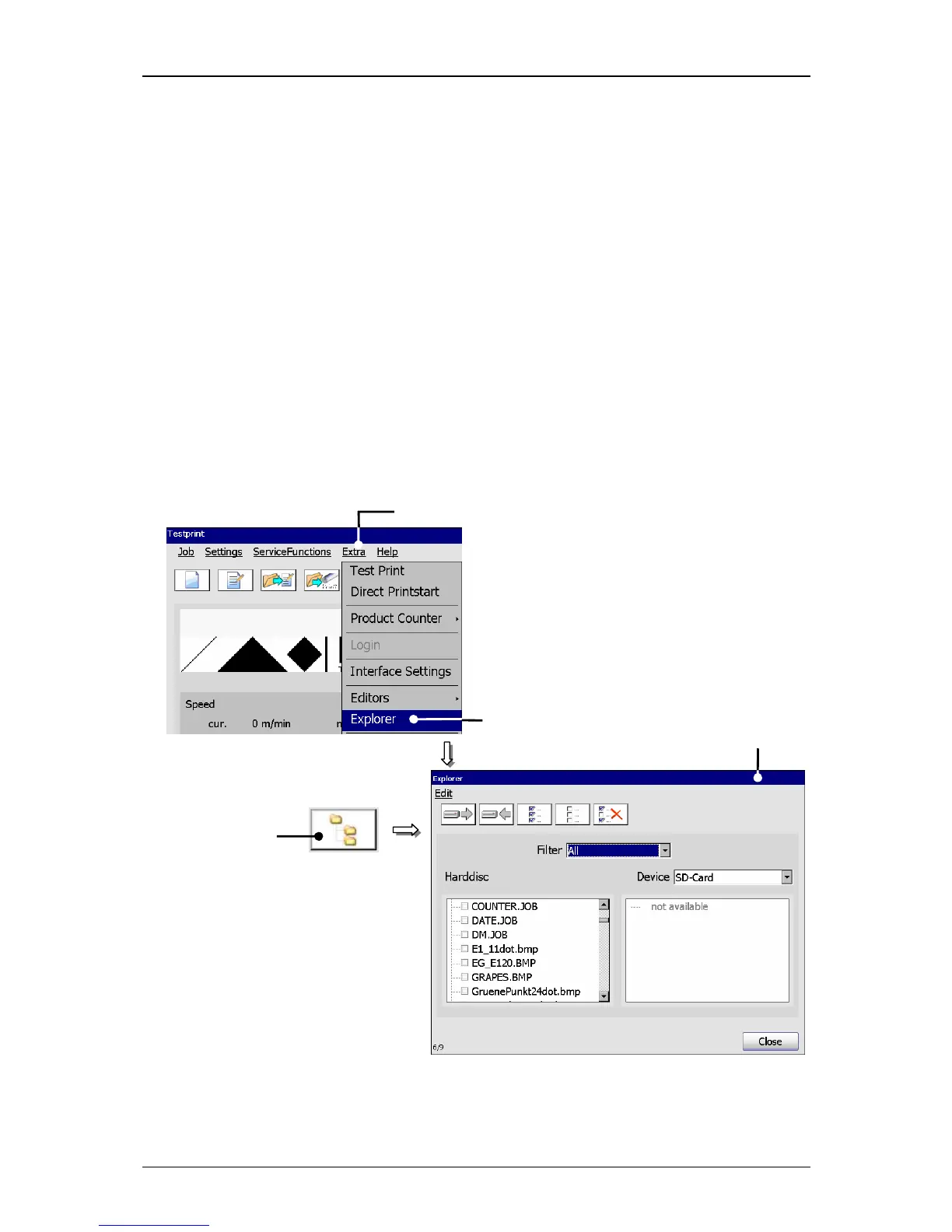
7.5.7.1 Start explorer
Press the button <Extra> (1) and the option <Explorer>
(2) or the accordant
direct button (Icon) (3).
The menu <Explorer> (4) opens.
Figure 78
Start explorer
1 – Button <Extra> 3 – Direct button (Icon)
2 – Option <Explorer> 4 – Menu <Explorer>
1



 To Next Page