Group 7 Data/Programming Page 144
Release R1.03e LEIBINGER JET3
Press the icon of the tool <delete> (3).
The message <Delete file> (4) is faded in.
Press the button <Yes> (7) to delete the selected job or press the button
<No> (7) or the button <Cancel> (5) to abort the process.
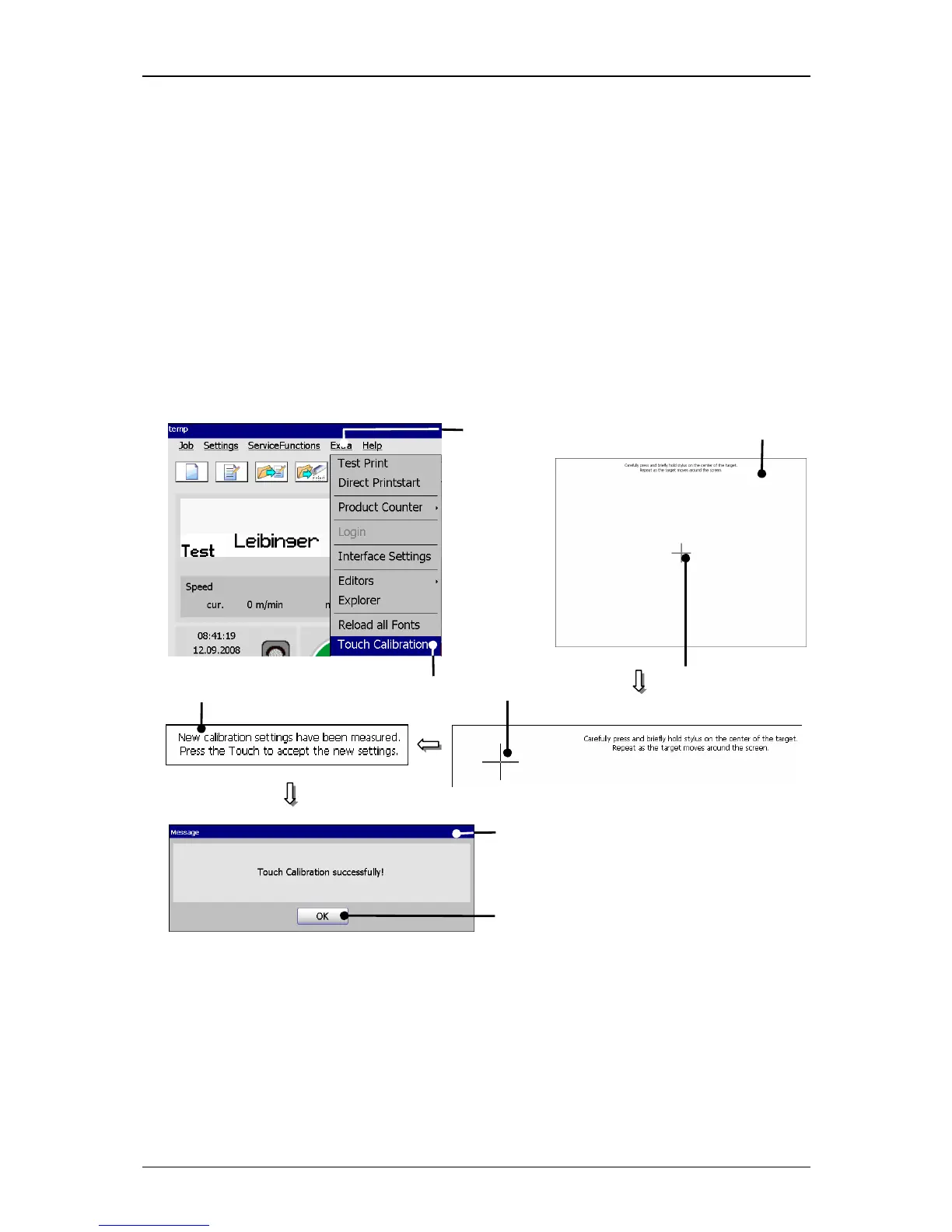
7.5.8 Touch-Calibration
The function provides a calibration of the TFT-Touch-Display. For delivery of the
device the display has been already calibrated.
Figure 82
Touch calibration
1 – Button <Extra> 5 – Message <Setting calculation>
2 – Option <Touch Calibration> 6 – Message <Touch calibration successfully>



 To Next Page