Group 7 Data/Programming Page 108
Release R1.03e LEIBINGER JET3
7.4.5.2 Save log file
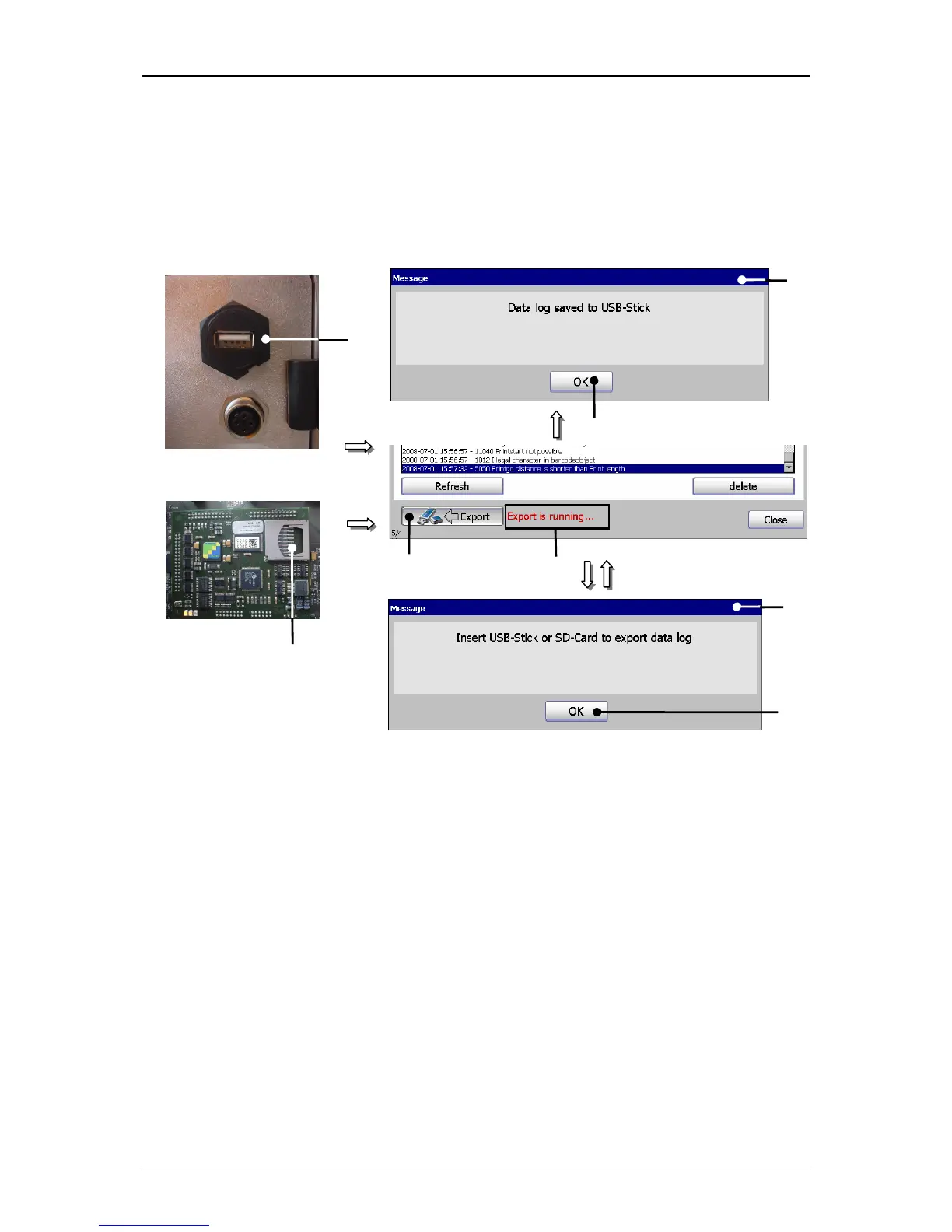
The recorded machine relevant data of the last 72 hours of operation can be saved
on an external memory device (USB-stick or SD-CARD).
Figure 56
Save log file
1 – USB-connection 5 – Message <Log file saved>
2 – SD-Card Slot 6 – Button <OK>
3 – Button <Export> 7 – Message <Insert storage medium>
4 – Message <Export is running…> 8 – Schaltfläche <OK>
Proceeding:
Plug an USB-stick or a SD-card device in the USB-connection (1) on the back of
the printer.
or
Insert a SD-card in the slot (2) on the controller board in the electronic cabinet.
Press the button <Export> (3).
Now the data are saved on the connected medium and the message <Export is
running…> (4) is displayed during the process.



 To Next Page