Group 7 Data/Programming Page 69
Release R1.03e LEIBINGER JET3
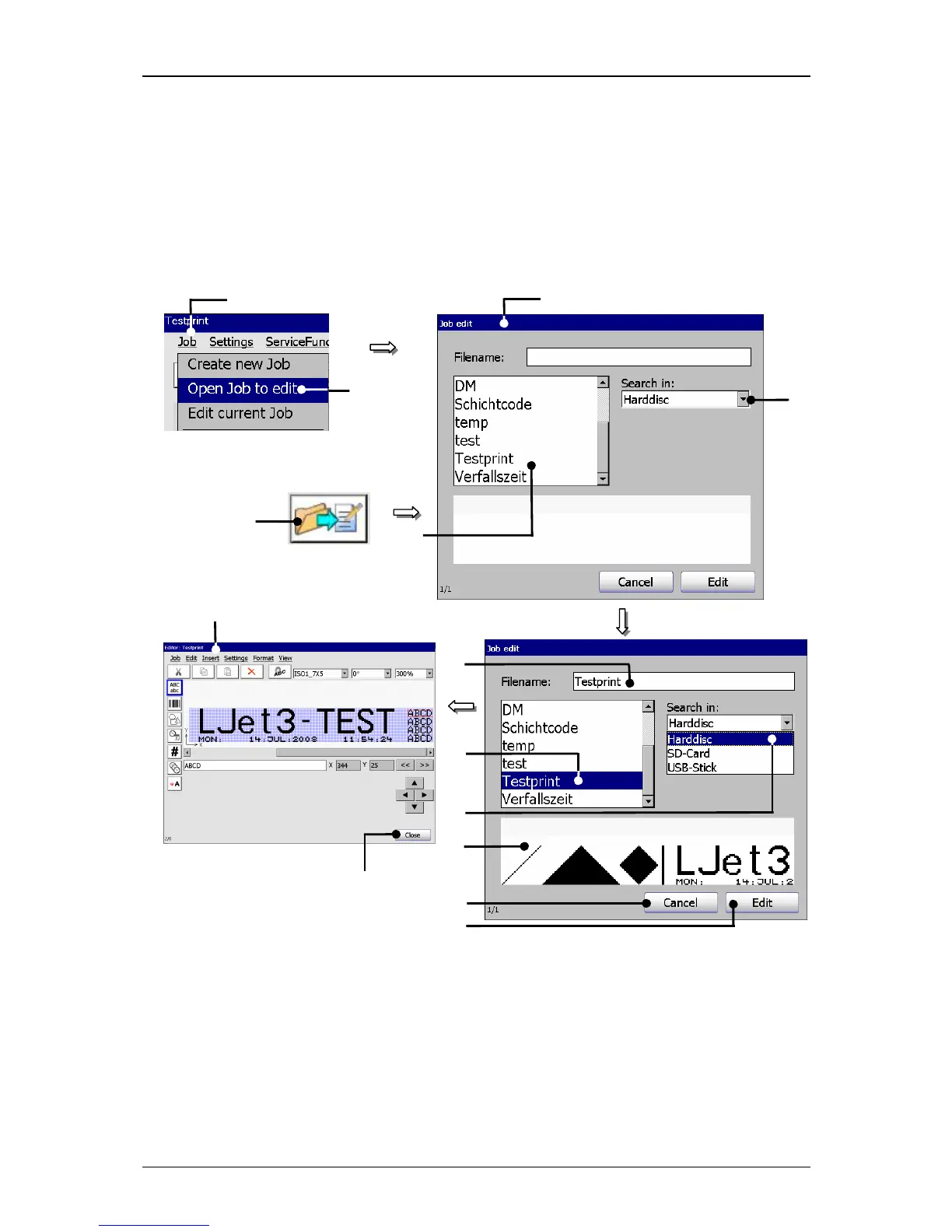
7.2.2 Open job to edit
With the option <Open Job to edit>
or by pressing on the accordant direct button
(Icon) you can open an existing job for editing. For selection of a job the window
„Job edit“ is faded in.
Figure 29
Open job to edit
1 – Button <Job> 8 – Selected job
2 – Option <Open Job to edit> 9 – Selected data carrier
3 – Direct button (Icon) 10 – Display <Job preview>
4 – Window<Job edit> 11 – Button<Cancel>
5 – Selection field <Job list> 12 – Button <Edit>
6 – Pop-up window <Search in> 13 – Menu <Job editor>
7 – Display <Filename> 14 – Button<Close>
1
2



 To Next Page