Group 7 Data/Programming Page 128
Release R1.03e LEIBINGER JET3
7.5.5.5 Load existing graphic
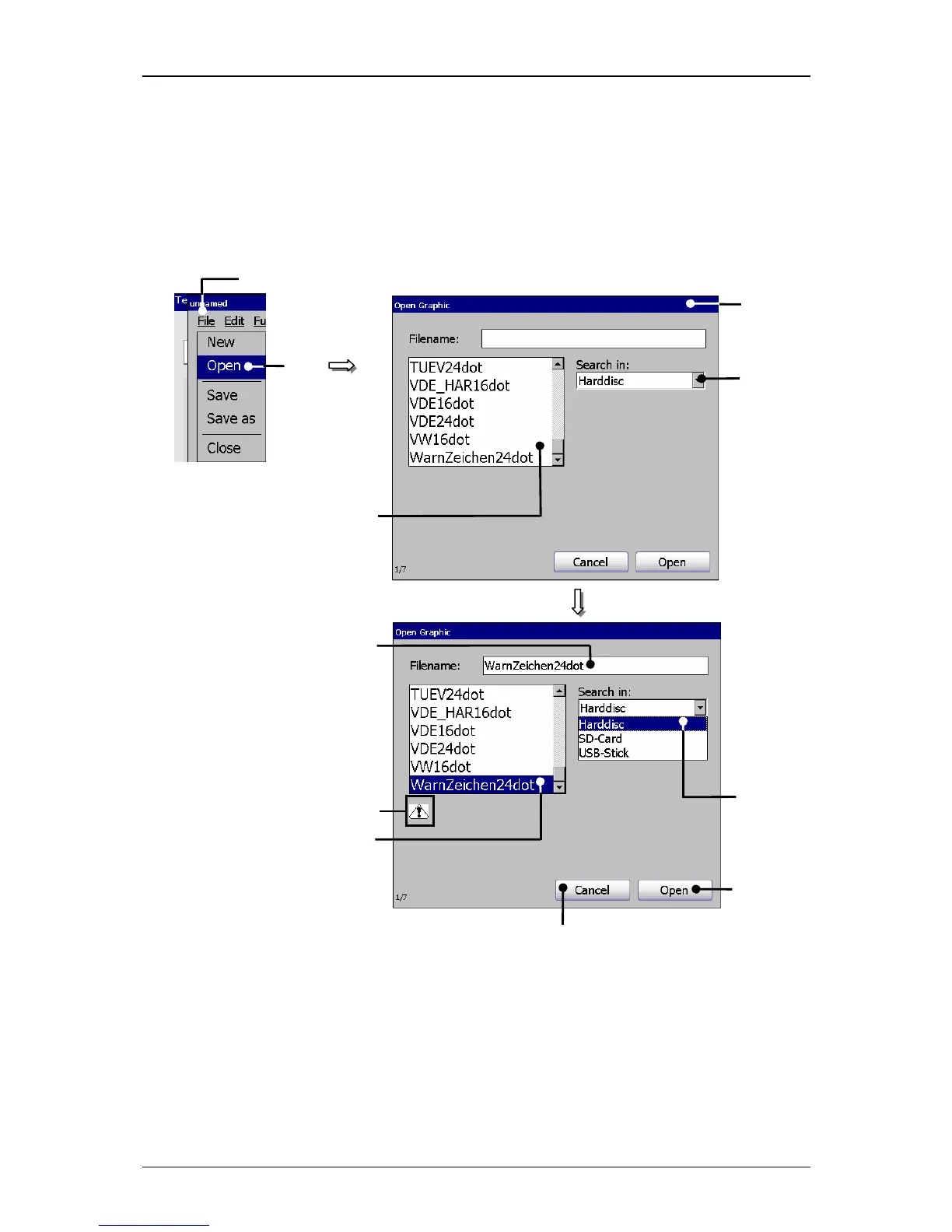
With the option <Open> you can open an existing graphic for processing. For
selection of a graphic the window „Load graphic “ opens.
Figure 72
Graphic editor (Load existing graphic)
1 – Button <File> 7 – Selected graphic
2 – Option <Open> 8 – Selected data carrier
3 – Window<Load Graphic> 9 – Preview of the selected graphic
4 – Selection field <Graphic list> 10 – Button <Open>
5 – Pop-up window<Search in> 11 – Button <Cancel>
6 – Display <Filename>
1



 To Next Page