Group 7 Data/Programming Page 127
Release R1.03e LEIBINGER JET3
7.5.5.4 Display tools
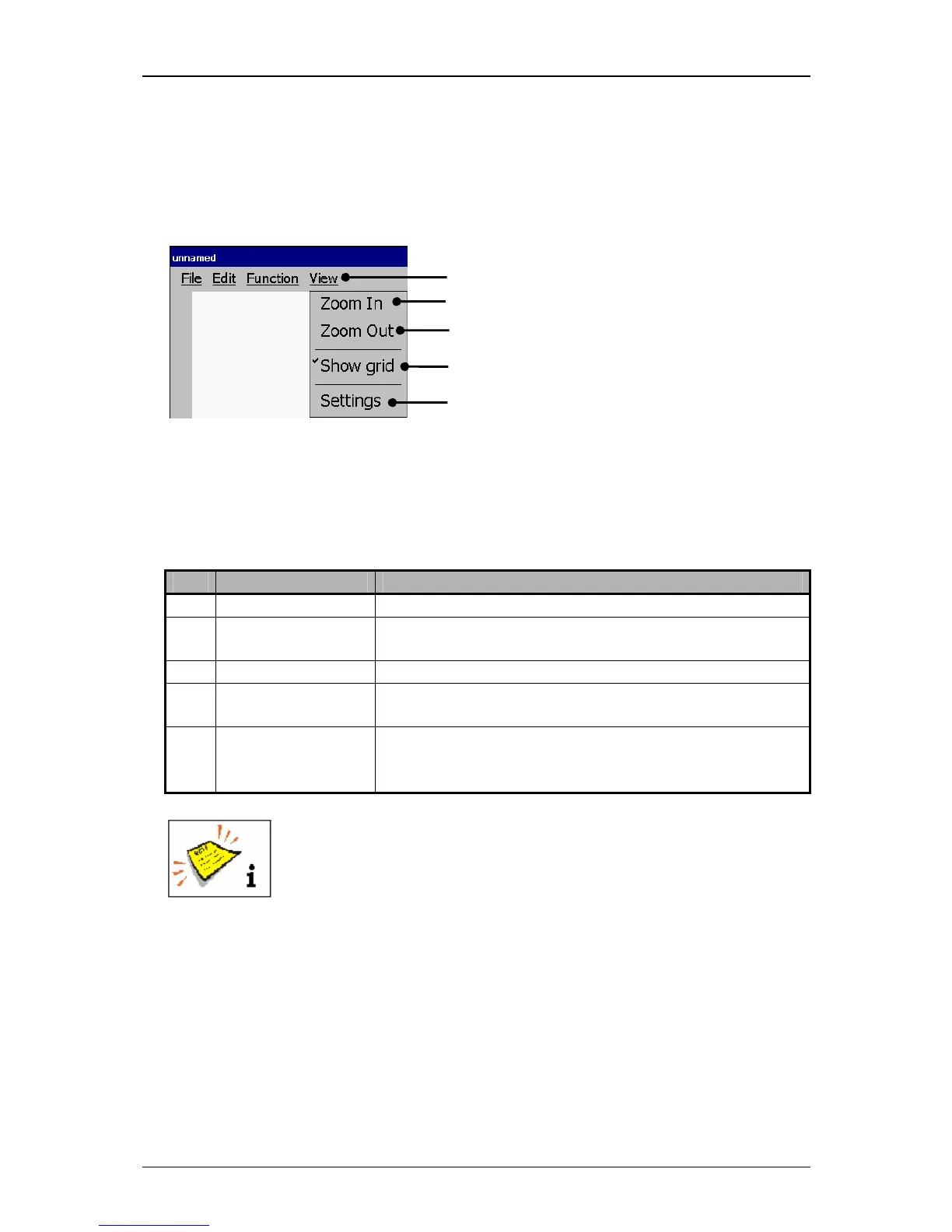
With the button <View> you can select the display tools of the editor.
Figure 71
Graphic editor (Display tools)
1 – Button <View> 4 – Display tool <Show grid>
2 – Display tool <Zoom In> 5 – Display tool <Settings>
3 – Display tool <Zoom Out>
Pos. Display tool Function
2. Zoom In
Enlarges the display in the input field <Graphic>.
3. Zoom Out Reduces the display in the input field <Graphic>.
4. Show grid Turns on or off the grid display. If the grid is turned on,
it is displayed with a checkmark on the button.
5. Settings Enables the settings of the edit size (width and height
of the drawing area) as well the settings of the grid
size.
You will find further information regarding the function of the several
display tools also in the chapter Carry out settings of the graphic



 To Next Page