Group 8 Job editor Page 194
Release R1.03e LEIBINGER JET3
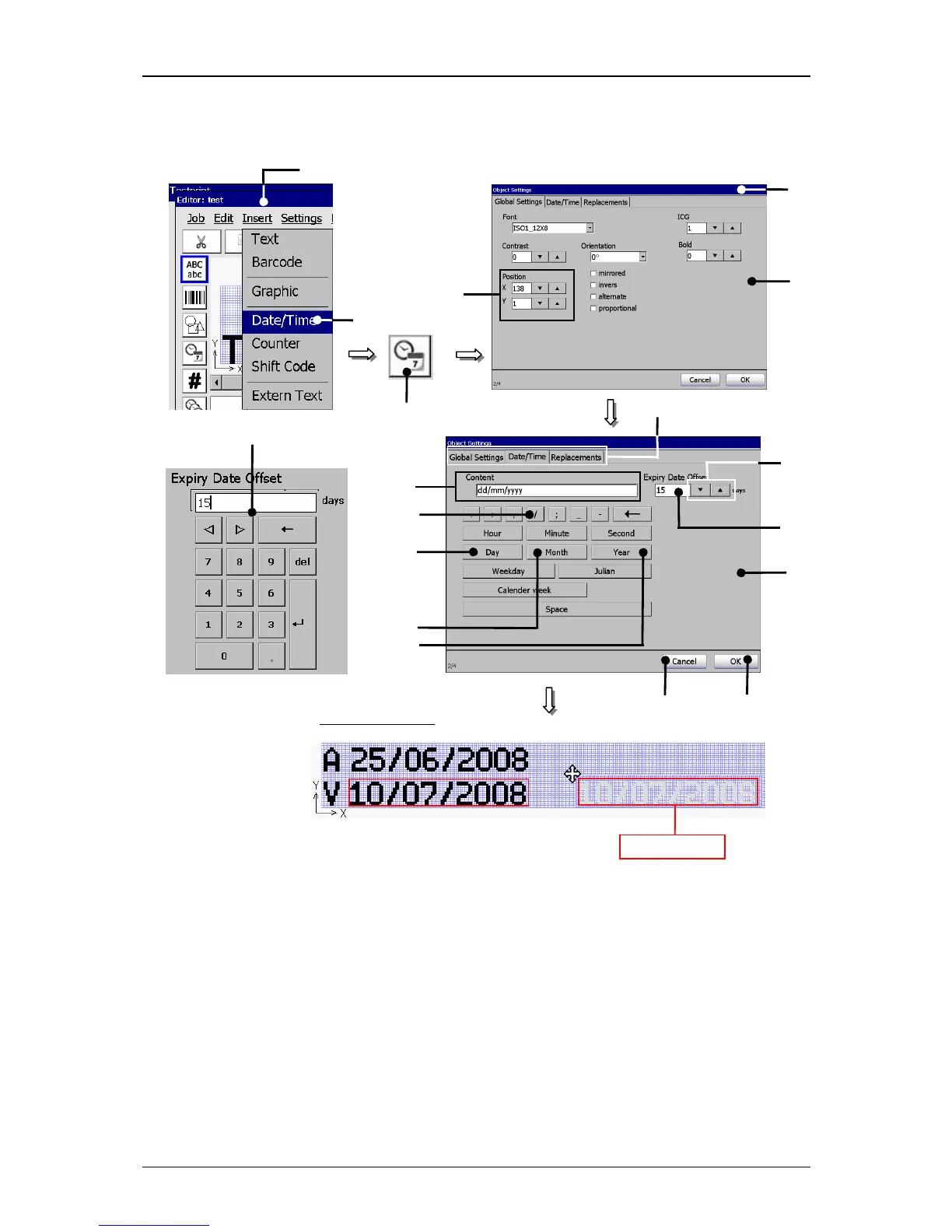
Figure 119
Print elements (Date/time input (Step 2))
1 – Button <Insert> 10 – Button <Month>
2 – Option <Date/Time> 11 – Button <Year>
3 – Direct button (Icon) 12 – Display field <Content>
4 – Menu <Object settings (Date/Time)>
6 – Setting fields <Position X/Y> 15 – Number block
7 – Functional area <Date/Time> 16 – Button <OK>
8 – Button <Day> 17 – Button <Cancel>
9 – Button </> 18 – Register cards
1



 To Next Page