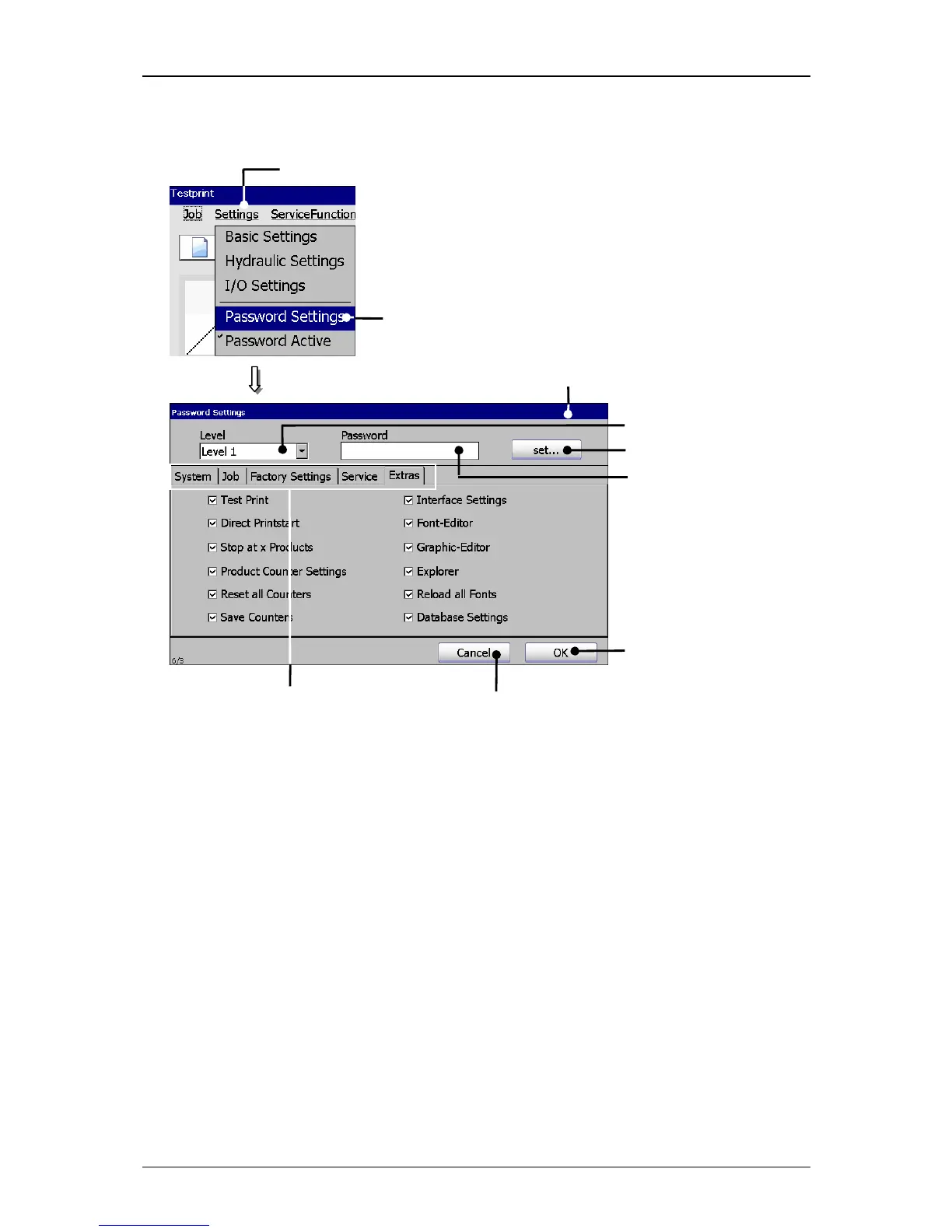
1 – Button <Settings> 6 – Input field <Password>
2 – Option <Password Settings> 7 – Button <set…>
3 – Menu <Password Settings> 8 – Button <OK>
4 – Register cards 9 – Button <Cancel>
5 – Pop-up window <Level>
Proceeding:
Press the button <Settings> (1) and the option <Password Settings> (2).
The menu <Password Settings> (3) is faded in.



 To Next Page