4
Operation
Display unit
Display unit
Starting up the system
Switching on the display unit
1074,0
h
1000
h
365
d
EFF
3
1
4
2
Display_e0058b
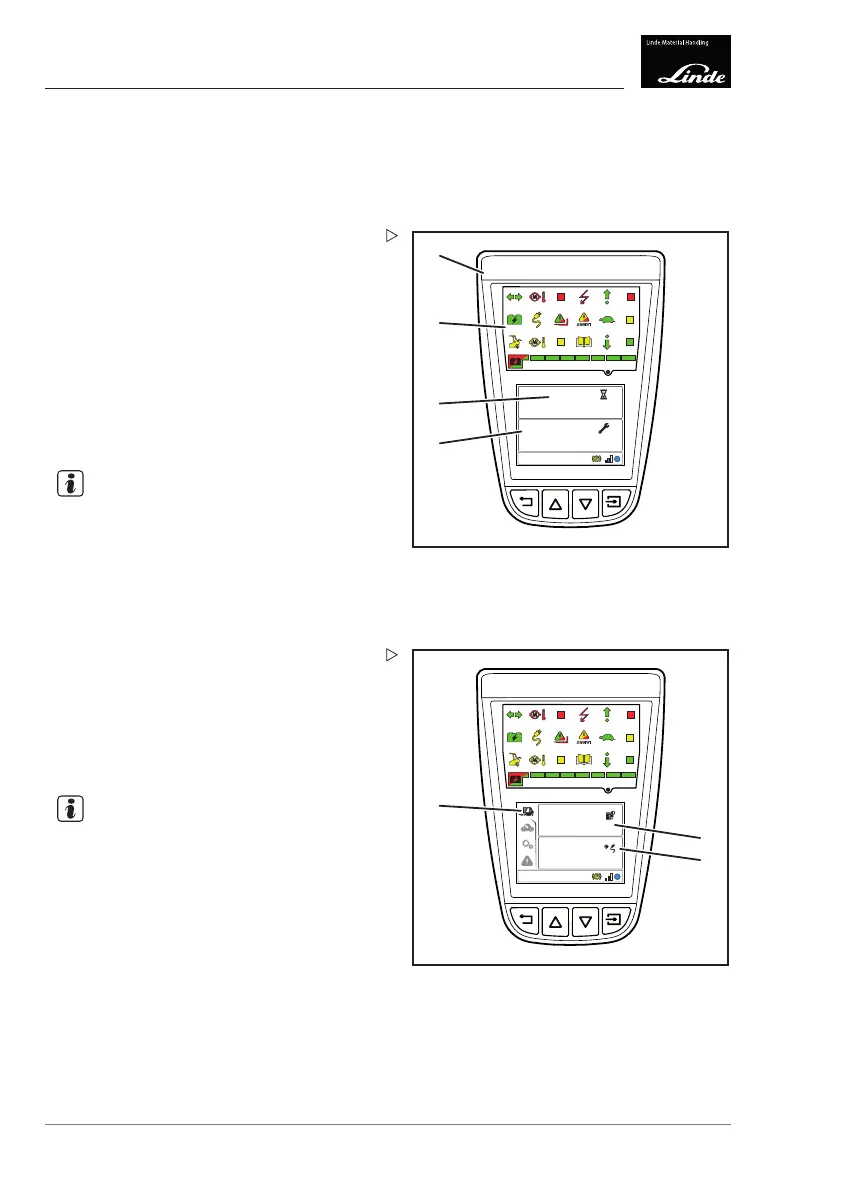
After the electrical system
is switched on, the
display unit (1) performs
the following actions:
• Self-testing of the lights: All displays (2)
light up for approx. 2 seconds.
• Displays (3) the number of operating hours
(example:
1074.0 hrs) for approx.
5 seconds.
• Displays (4) the remainin
g operating hours
(example:
1000 h) and oper
ating days
(example:
365 d)untilth
e next service for
approx. 5 seconds.
NOTE
The displays (3) and (4) can be changed using
the diagnostic program:
•
Displayed time period between 3 and
10 seconds.
•
Only displayed when a service is required.
•
Display deactivated.
10:30
03.03.2015
4
20
h
min
EFF
5
6
7
Display_e0059b
The display then switches to the status
display (5) (factory setting).
Status display (5):
•Time/date (6) (factory setting)
• Remaining operating time (7) (factory
setting)
NOTE
The display saves t
he last displayed view and
displays this agai
n after the electrical system
has been switched
back on.
90 Operating Instructions – 3888011701 EN – 12/2017



 To Next Page