4
Operation
Display unit
02:30
EFF
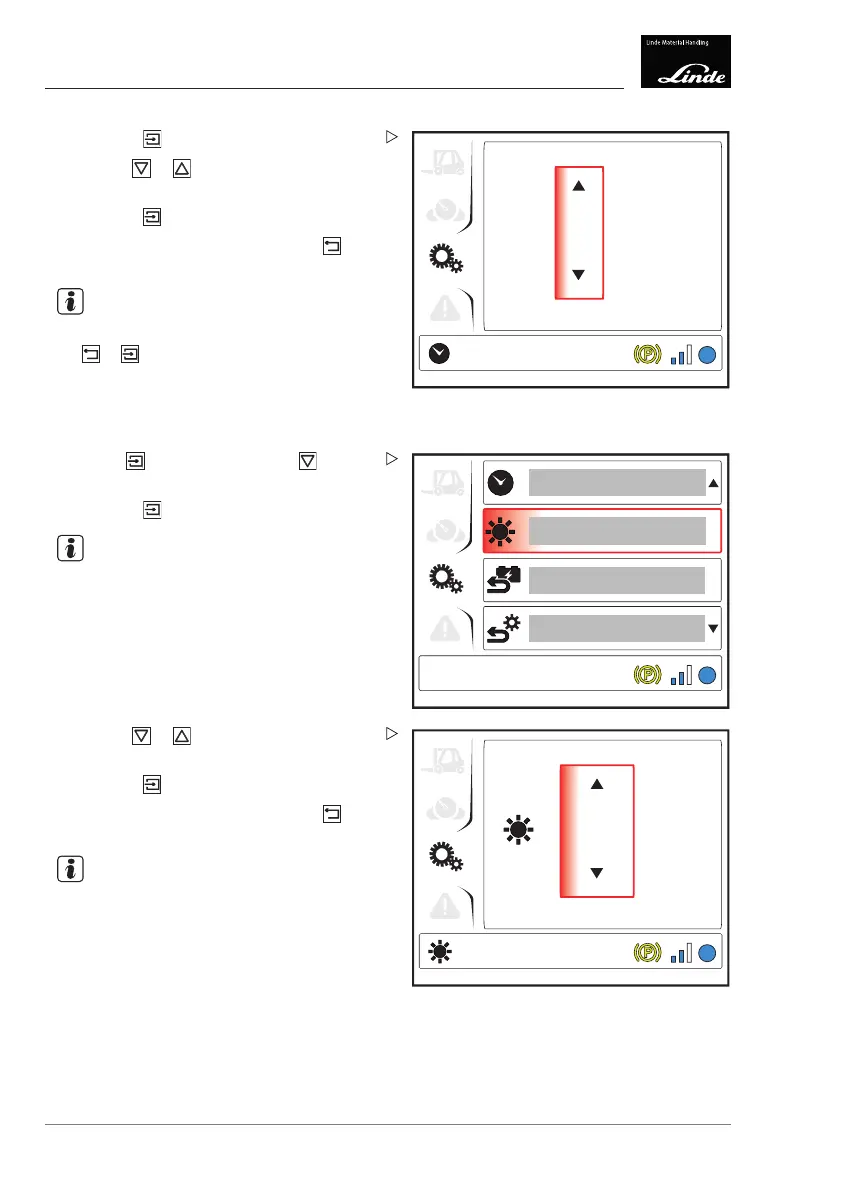
Display_e0022a
Press the button.
Use the
or buttons to select the
desired minutes.
Press the
button to confirm.
To return to the top level, press the
button.
NOTE
To toggle between minutes and hours, press
the
or button.
Setting the display brightness
1
EFF
Display_e0023a
Press the button then press the button
to select the "Brightness" (1) menu item.
Press the
button.
NOTE
The "Brightness" symbol appears at the
bottom left of the display.
EFF
4
Display_e0024a
Use the or b
uttons to select the
desired bri
ghtness.
Press the
button to confirm.
To return to the top level, press the
button.
NOTE
A light sensor also regulates the brightness
of the display. This means that the display
remains at a level of brightness comfortable
for the human eye even under pronounced
changes in lighting (e.g. when driving into the
hall).
98 Operating Instructions – 3888011701 EN – 12/2017



 To Next Page