Operation
4
Display unit
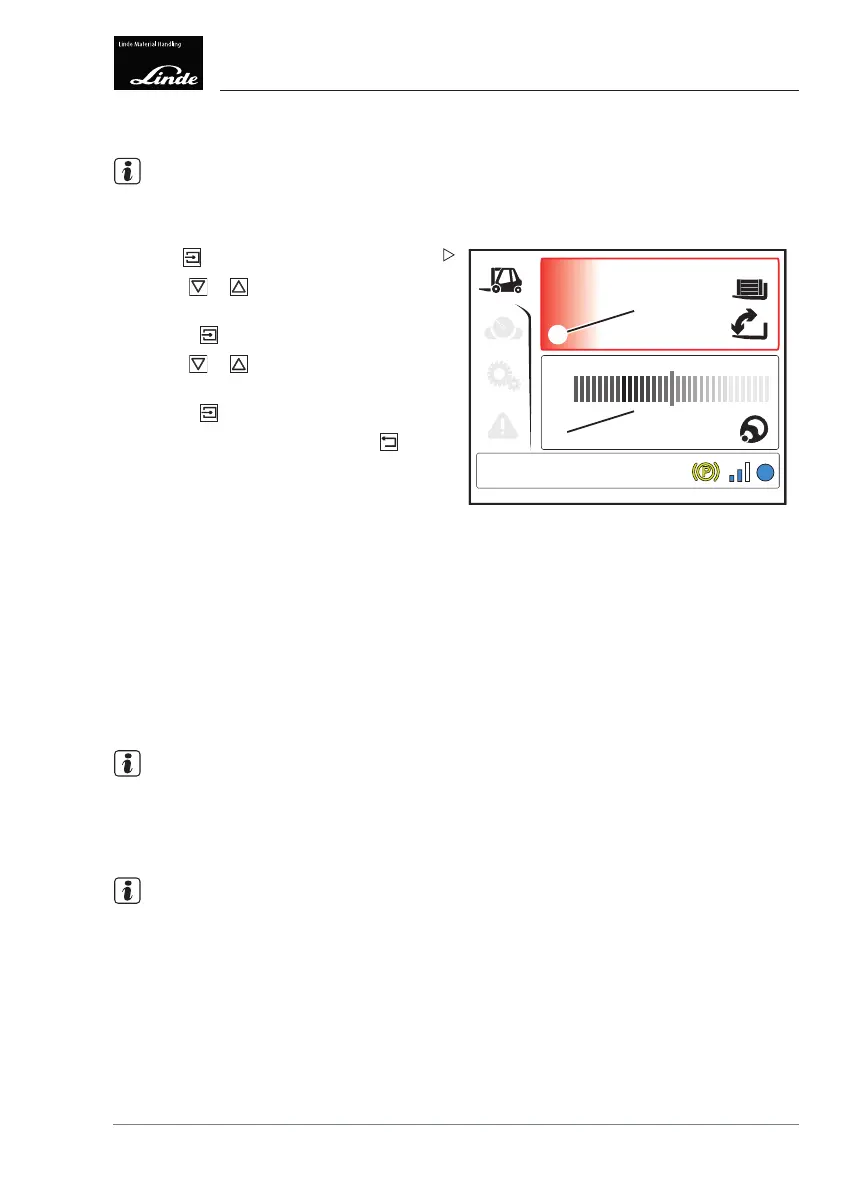
Status display menu
NOTE
The status display menu can be individually
configured.
1600
10,2
EFF
1
2
°
kg
Display_e0011a
Press the button.
Use the
or buttons to select the
desired display area (1) or (2).
Press the
button to confir
m.
Use the
or buttons to select the
desired status display.
Press the
button to confirm.
To return to the top lev
el, press the
button.
Thefollowingstatusd
isplays can be selected:
•Time/date (factory setting)
• Steering angle
• Driving speed
• Steering angle/driving speed
• Operating hours
• Remaining travel ti
me (factory setting)
• Consumption/average consumption
• Drive unit temperature
• Pump motor tempera
ture
• Tilt angle/load weight (special equipment)
NOTE
The status display saves the most recently
displayed views and displays these views
again after the electrical system has been
switched back on.
NOTE
If a value of 0° is di
splayed for the tilt angle,
the fork arms are no
t necessarily horizontal.
Deviations may occ
ur due to uneven ground,
use of the truck on s
lopes, bends in the lift
mast and fork arms cau
sed by heavy loads,
tyre wear or the tyre d
eflection.
Operating Instructions – 3888011701 EN – 12/2017 93



 To Next Page