3
Overview
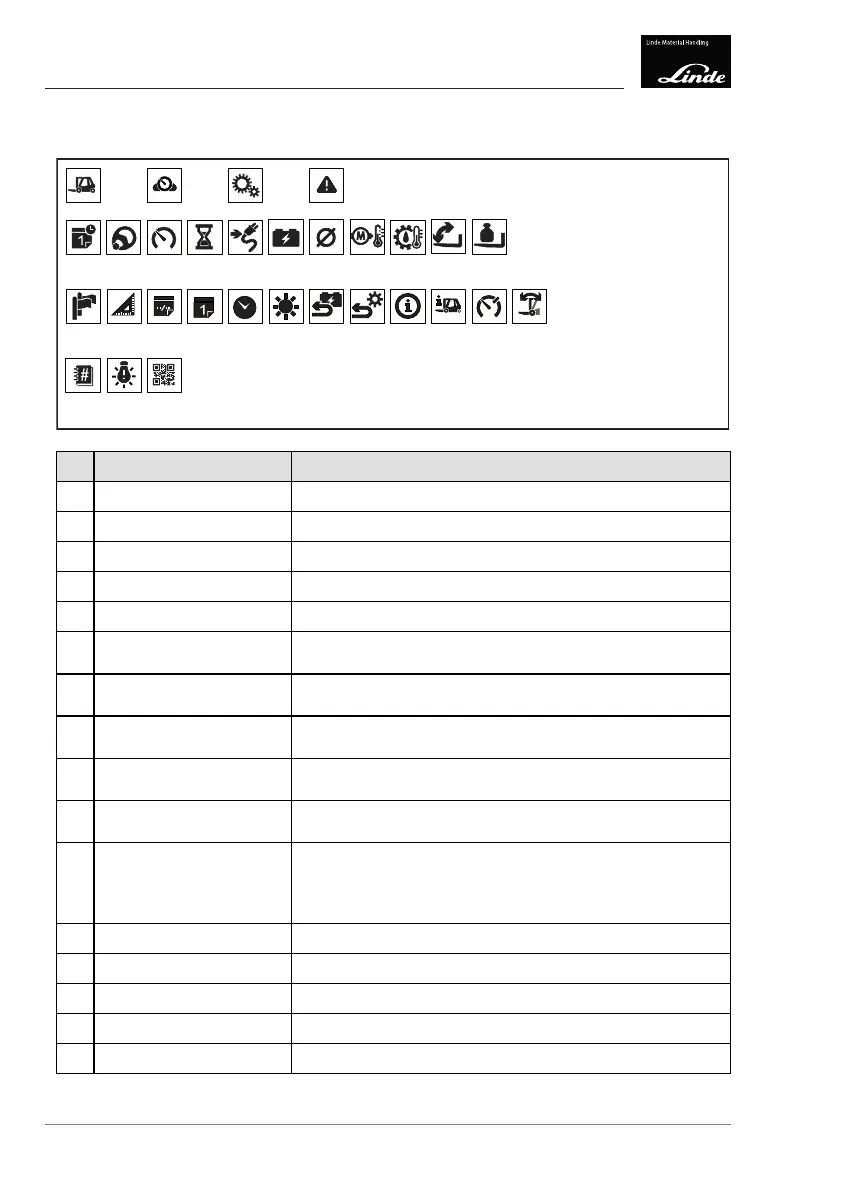
Display unit: Symbols on the display
Display unit: Symbols on the display
4
3
2
1
56789101112131415
16 17 18
28 29 30
19 20 21 22 23 24 25 26 27
Display_e0002
Symbol
Function
1 Status display menu
Displays the status
2
Favourites display menu
Displays favourites
3 Settings menu
Displays settings
4
Malfunctions menu Displays malfunctions
5
Time/date Time and date display.
6
Steering angle Bar display of current steering angle (central position ≙ straight
line)
7
Driving speed Displays the current driving speed The speed is always dis-
played as a positive value regardless of the direction of travel
8
Operating hours Indicates "operating hours active" (flashing symbol when the
hour meter is active).
9 Remaining travel time Displays the remaining travel time depending on battery ca-
pacity.
10
Consumption Displays the current consumption (accurate to within
0.5 kWh/h).
11 Average consumption
Displays the average consumption (rounded to the nearest
0.1 kWh/h).
Can be reset in the "Settings" menu or using the diagnostic
program.
12 Drive unit temperature
Bar display of the current temperature of the drive unit.
13 Pump motor temperature
Bar display of the current temperature of the pump motor.
14 Tilt angle display Displays the current tilt angle
15 Load indicator
Display the weight of the load being carried.
16 Language
Select the language.
42 Operating Instructions – 3888011701 EN – 12/2017



 To Next Page