4
Operation
Display unit
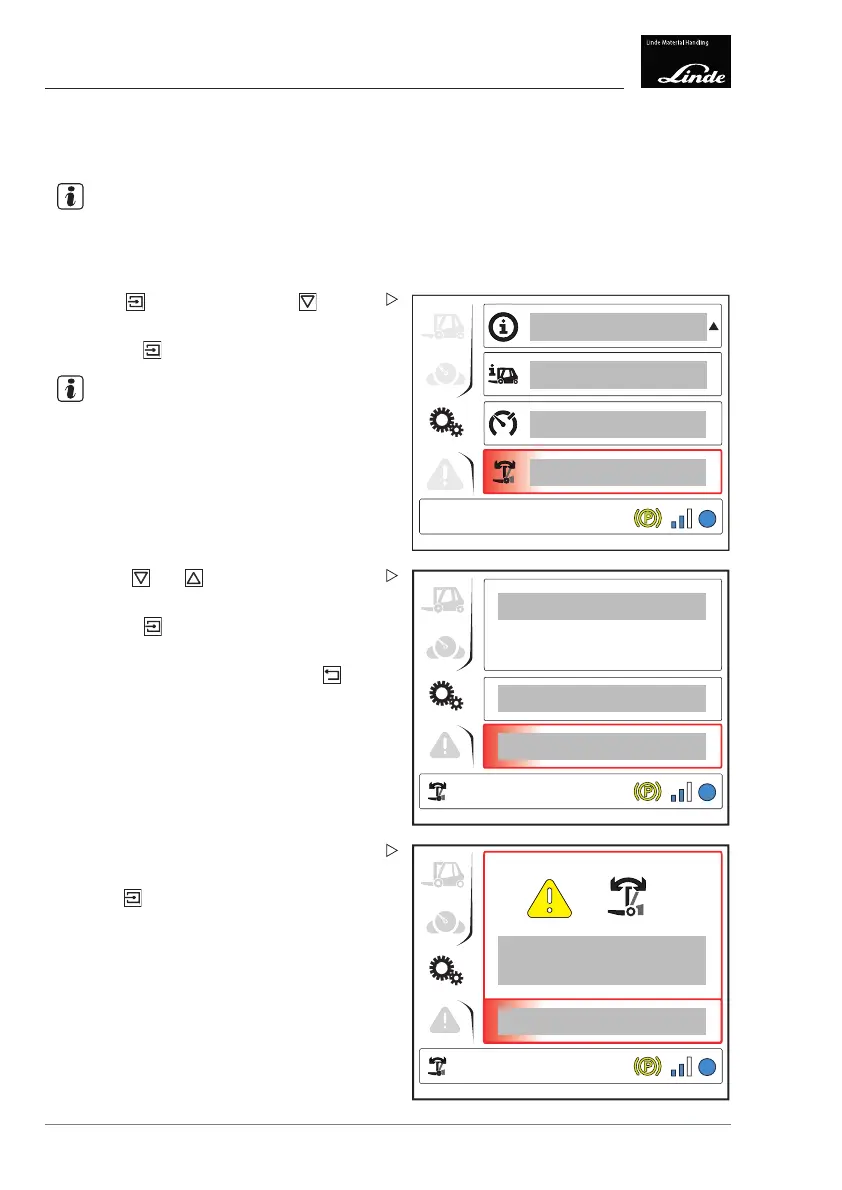
Mast vertical position (special equip-
ment)
NOTE
This menu item can only be sel
ected in con-
junction with the load-depe
ndent assistance
system (special equipmen
t).
1
EFF
Display_e0031a
Press the button then press the button
to select the "Mast vertical" (1) menu item.
Press the
button.
NOTE
The "Mast vertical" symbol appears at the
bottom left of the display.
The current value (2) is shown in the display.
4
3
2
EFF
Display_e0032a
Use the and buttons to select an
action.
Press the
button to confirm "Back" (3)
(cancel the process) or "Calibrate" (4).
To return to the top level, press the
button.
Performing the calibration procedure
Select the option (4) to start the calibration
procedure.
5
EFF
Display_e0033b
"Calibration active" appears in the display (5).
The calibration procedure can be aborted
using the
button.
102 Operating Instructions – 3888011701 EN – 12/2017



 To Next Page