WP-C
R1 Max 30kg d= 0.0005kg
01000
+
xBPI scale setup @admin
Calibration check
input
input
Difference display
0.0010 kg
2.51755 kg
Accept Reset error Cancel
WP-C
R1 Max 30kg d= 0.0005kg
56152
+
kg
xBPI scale setup @admin
Calibration check
NET
input
Done
2.5165 kg
2.51655 kg
Accept Reset error Cancel
4.7.5.3.4 Adjust with automatic weight
In this menu item, the xBPI scale weighing electronics are calibrated with automatic
weight detection.
Requirements:
- The xBPI protocol has been selected, see Chapter 4.7.5.1.
- The [xBPI scale] weighing point has been selected, see Chapter 4.7.5.
- The scale has been set up, see Chapter 4.7.5.5.
- [Manual] has been set in the menu [Operating] - [System setup] - [Weighing points] -
[Weighing point x] - [Setup] - [Conguration] - [Weighing parameters] - [Conrm
calibration] , see Chapter 4.7.5.5.1.1.
- The communication between the device and xBPI scale is active.
- the xBPI scale parameters have been read, see Chapter 4.7.5.3.
Accessible via MENU - [Operating] - [System setup] - [Weighing points] - [Weighing
point x] - [xBPI scale] - [Calib] - [Adjust with automatic weight] .
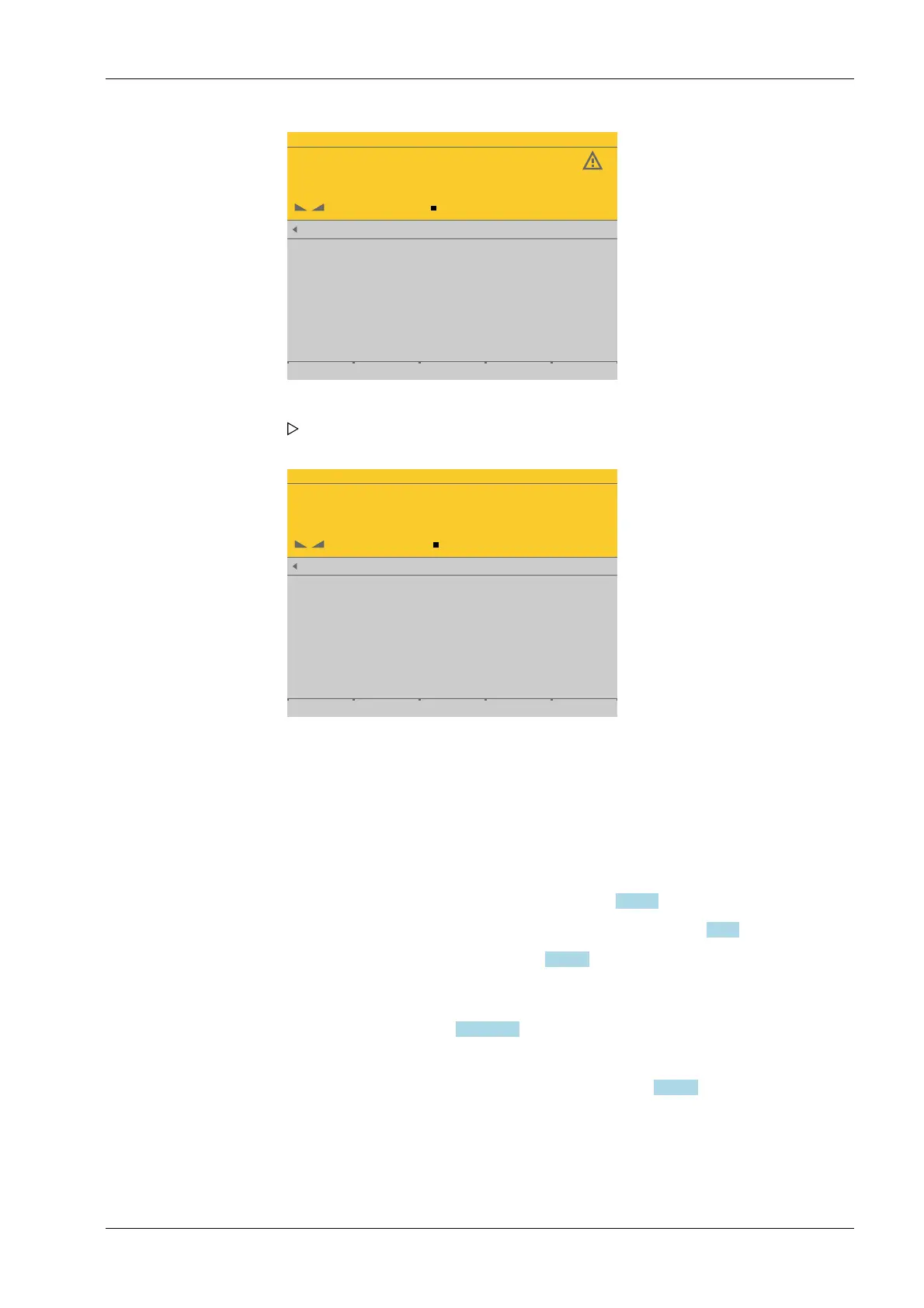
4. Press the [Accept] soft key.
The data is transferred and the calibration check indicates [complete]. The weight
is shown. With 10-fold resolution in the last line.
5. Remove the weight.
6. Press the EXIT key to return to the xBPI setup menu.
4 System setup Process Controller Maxxis 5 PR 5900
EN-141 Minebea Intec



 To Next Page