Requirements:
- The xBPI protocol has been selected, see Chapter 4.7.5.1.
- The [xBPI scale] weighing point has been selected, see Chapter 4.7.5.
- The scale has been set up, see Chapter 4.7.5.5.
- [Manual] has been set in the menu [Operating] - [System setup] - [Weighing points] -
[Weighing point x] - [Setup] - [Conguration] - [Weighing parameters] - [Conrm
calibration] , see Chapter 4.7.5.5.1.1.
- The communication between the device and xBPI scale is active.
- the xBPI scale parameters have been read, see Chapter 4.7.5.3.
Accessible via MENU - [Operating] - [System setup] - [Weighing points] - [Weighing
point x] - [xBPI scale] - [] - [User linearization] .
The [user linearization] is described using [default linearization] as an example, see
Chapter 4.7.5.3.7.
4.7.5.4 Units
In this menu item, the display units and the display accuracy of the xBPI scale weighing
electronics are congured.
The device is calibrated with a selected weight unit.
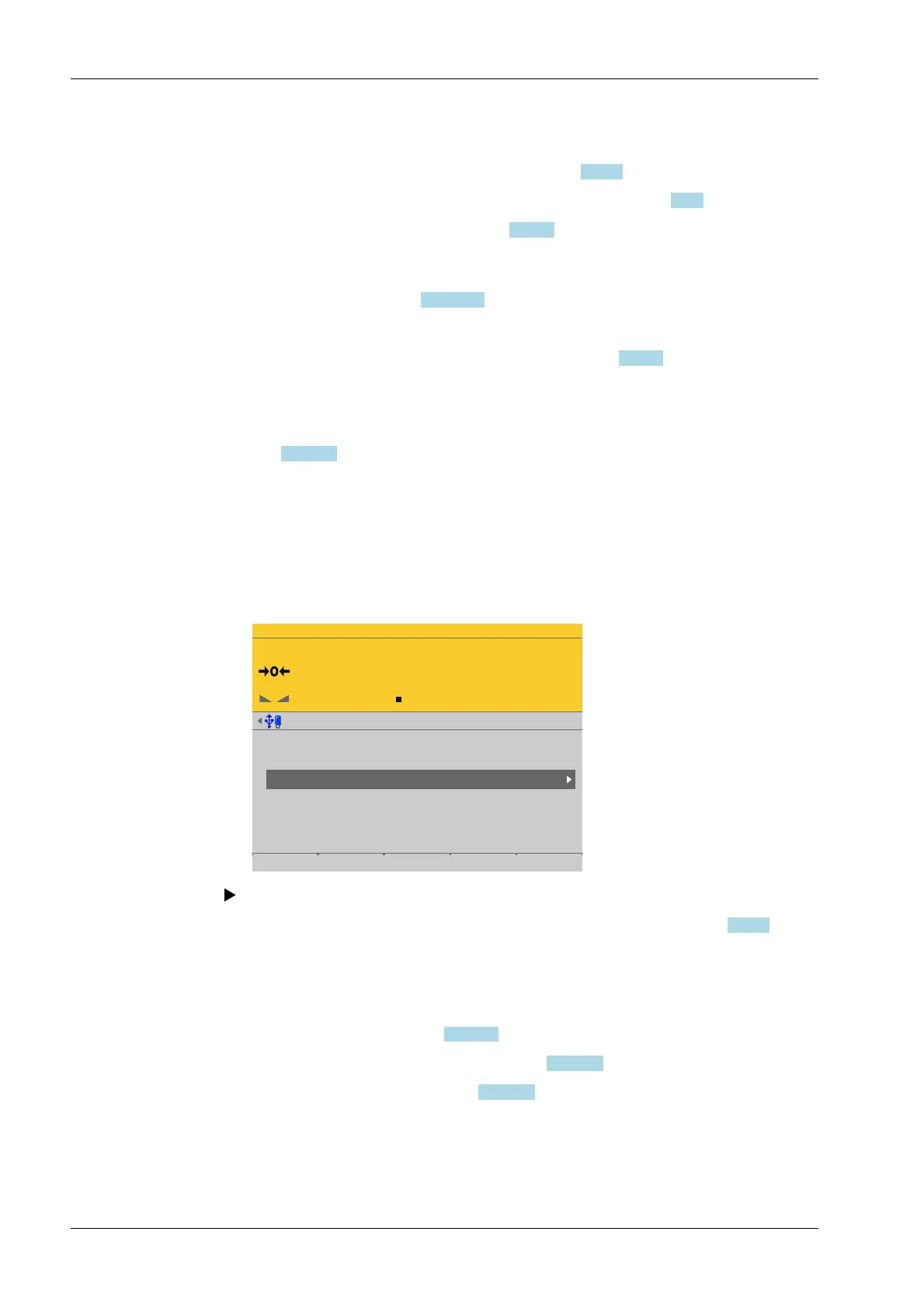
Accessible via MENU - [Operating] - [System setup] - [Weighing points] - [Weighing
point x] - [xBPI scale] - [Units] .
WP-C
Max 29.9kg d= 0.0005kg
00000
kg
Weighing points @admin
Weighing point A
Weighing point B
Weighing point C
Weighing point D
Internal weighing point
Internal weighing point
xBPI scale
Liquid counter
Parameters Calib Units Setup
For selecting the units and the associated display accuracy, see Chapter 4.7.1.3.
4.7.5.5 Setup
In this menu item, all important data is loaded from the scale onto the device following
connection with the xBPI scale.
- [Conguration], see Chapter 4.7.5.5.1.
- [Select group of specications], see Chapter 4.7.5.5.2.
- [Device information], see Chapter 4.7.5.5.3.
Accessible via MENU - [Operating] - [System setup] - [Weighing points] - [Weighing
point x] - [xBPI scale] - [Setup] .
In this case: Select [Weighing point C] with [xBPI scale] and press the [Units] soft key.
Process Controller Maxxis 5 PR 5900 4 System setup
Minebea Intec EN-150



 To Next Page