Requirements:
- The xBPI protocol has been selected, see Chapter 4.7.5.1.
- The [xBPI scale] weighing point has been selected, see Chapter 4.7.5.
- The scale has been set up, see Chapter 4.7.5.5.
- [Manual] has been set in the menu [Operating] - [System setup] - [Weighing points] -
[Weighing point x] - [Setup] - [Conguration] - [Weighing parameters] - [Conrm
calibration] , see Chapter 4.7.5.5.1.1.
- The communication between the device and xBPI scale is active.
- the xBPI scale parameters have been read, see Chapter 4.7.5.3.
Accessible via MENU - [Operating] - [System setup] - [Weighing points] - [Weighing
point x] - [xBPI scale] - [Calib] - [Adjust with internal weight] .
WP-C
R1 Max 30kg d= 0.0005kg
50000
–
kg
xBPI scale setup @admin
Adjust with default weight
Adjust with internal weight
Linearisation
Default linearisation
User linearisation
WP-C
Max -------?? d= -------??
No weight value
xBPI scale setup @admin
Calibration check
input
Motor in motion
14.80325 kg
Accept Reset error Cancel
The deviation is shown. Internal weight + deviation in 10-fold resolution in the last
line.
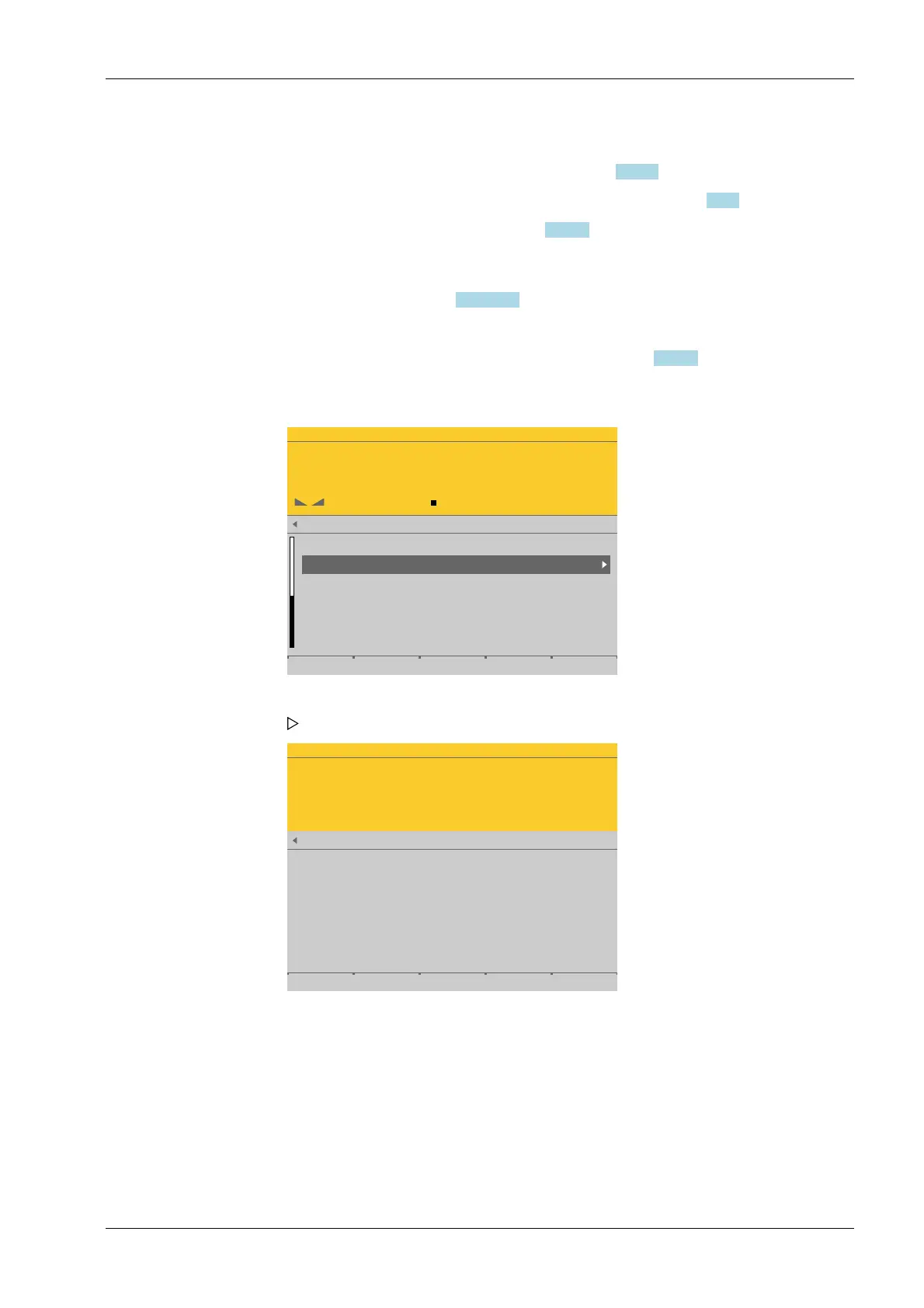
1. Select and conrm [Adjust with internal weight].
The procedure is shown, e.g., with the following messages:
4 System setup Process Controller Maxxis 5 PR 5900
EN-145 Minebea Intec



 To Next Page