98 MI-42-0001 Rev. 19
SCANNING: Typical Scan Sequence: New Scan
How To Set the
Scan Parameters
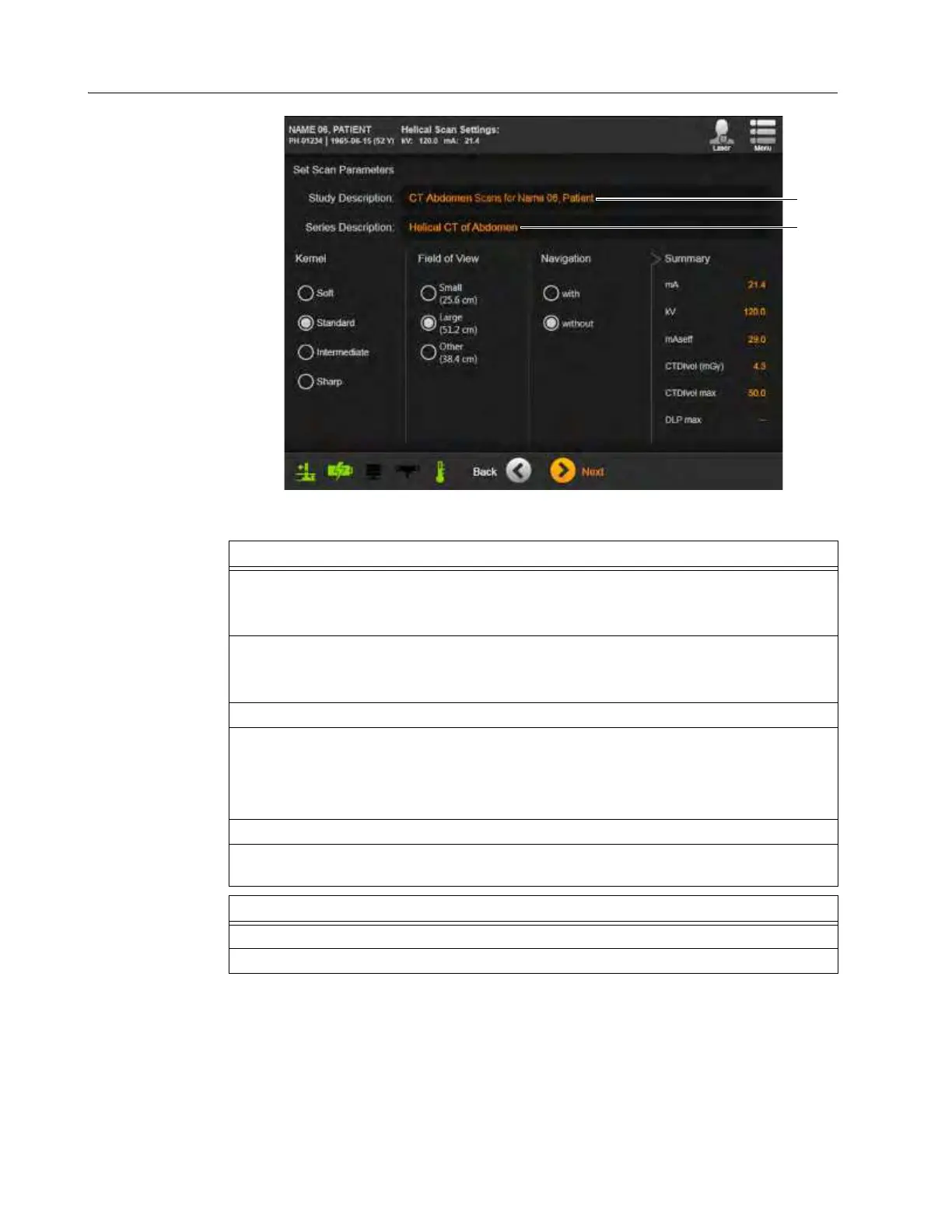
Figure 68
Steps
1. (Optional) Select to display the on-screen keyboard and type a custom
Study Description
.
The value defaults to the name of the selected exam region (optional custom example
shown a).
2. (Optional) Select to type a custom
Series Description
.
The value defaults to the selected scan type followed by the selected protocol (default
example shown s).
3. Adjust
Kernel
and
Field of View
if required.
4. Select with or without Navigation (if available).
The
Summary
display shows the kV and mA for the proposed scan.
NOTE: Navigation system must be connected and configured properly when utilizing the
Navigated scan option.
5. Touch Next.
6. If a
Dose Notification
or
Dose Alert
appears, provide requested information and
password, and then touch
Next
. See section 2.7.3 Dose Notifications and Alerts.
Options
To change the exam region, protocol, or scan type, touch Back.
To proceed, touch Next.



 To Next Page