MI-42-0001 Rev. 19 181
QUALITY TESTING: Testing Image Quality
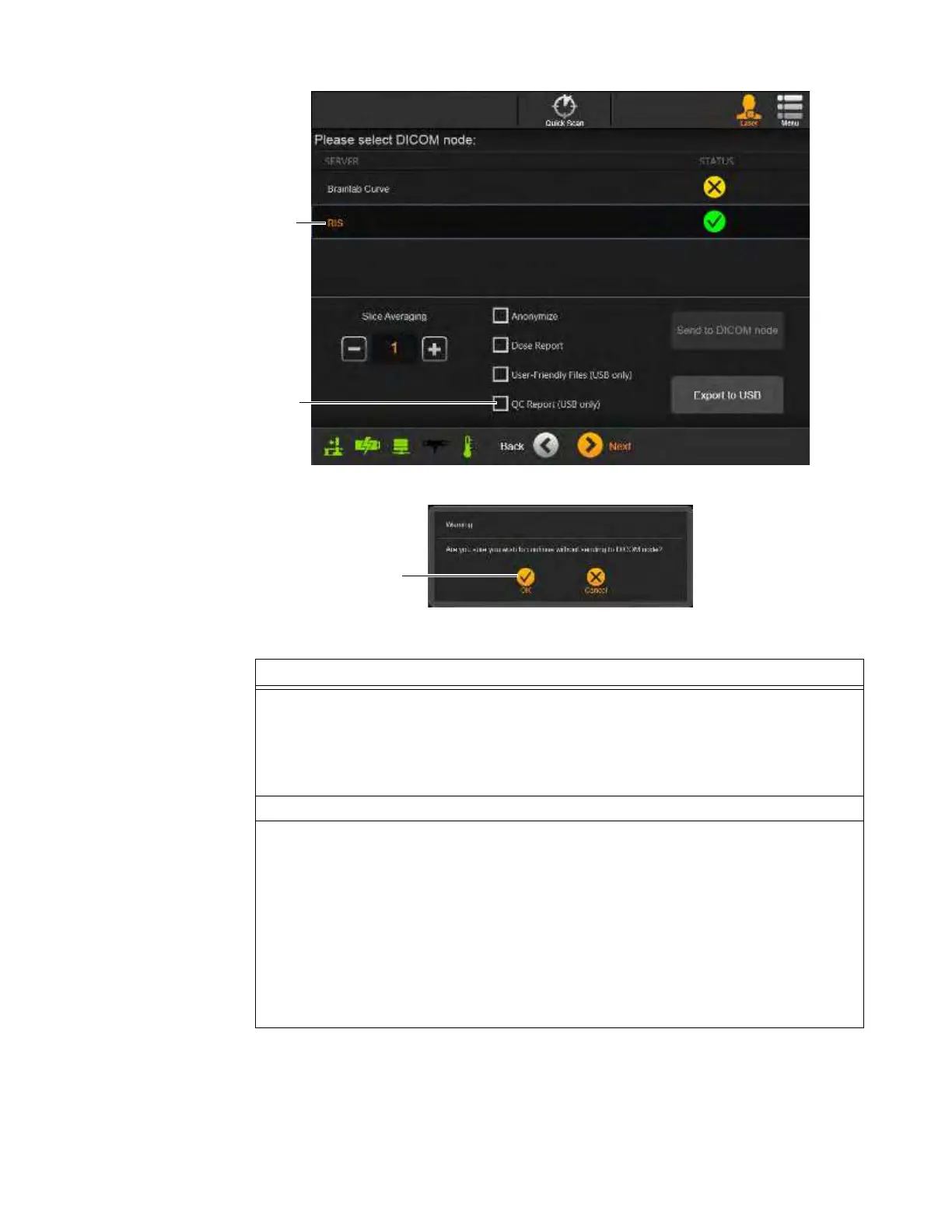
Figure 145
Figure 146
Steps
1. Using the viewer tools
a, review the QC 3D image.
For information on reviewing 3D images, see sections 6.8.20 through 6.8.23.
NOTE: The DICOM Viewer is used only for image evaluation. Use an external diagnostic
viewing device that meets local regulatory requirements when examining images for
diagnostic purposes.
2. After reviewing the QC images, touch
Next
.
3. On the Please select DICOM node screen s:
• If needed, export results image data to selected location, and then touch
Next
. For
information about exporting, see section 6.8.24 Sending Scan to DICOM or USB.
NOTES:
• QC Image Data is automatically stored on AIRO under Existing Scans with a patient
name of Phantom.
• In addition to the USB export options available for all scans or series, exports of QC
scans can include the QC Report
d when copying results to USB storage devices.
Or
:
• Touch
Next
to continue the QC scan cycle.



 To Next Page