22 MI-42-0001 Rev. 19
SAFETY: Radiation Safety
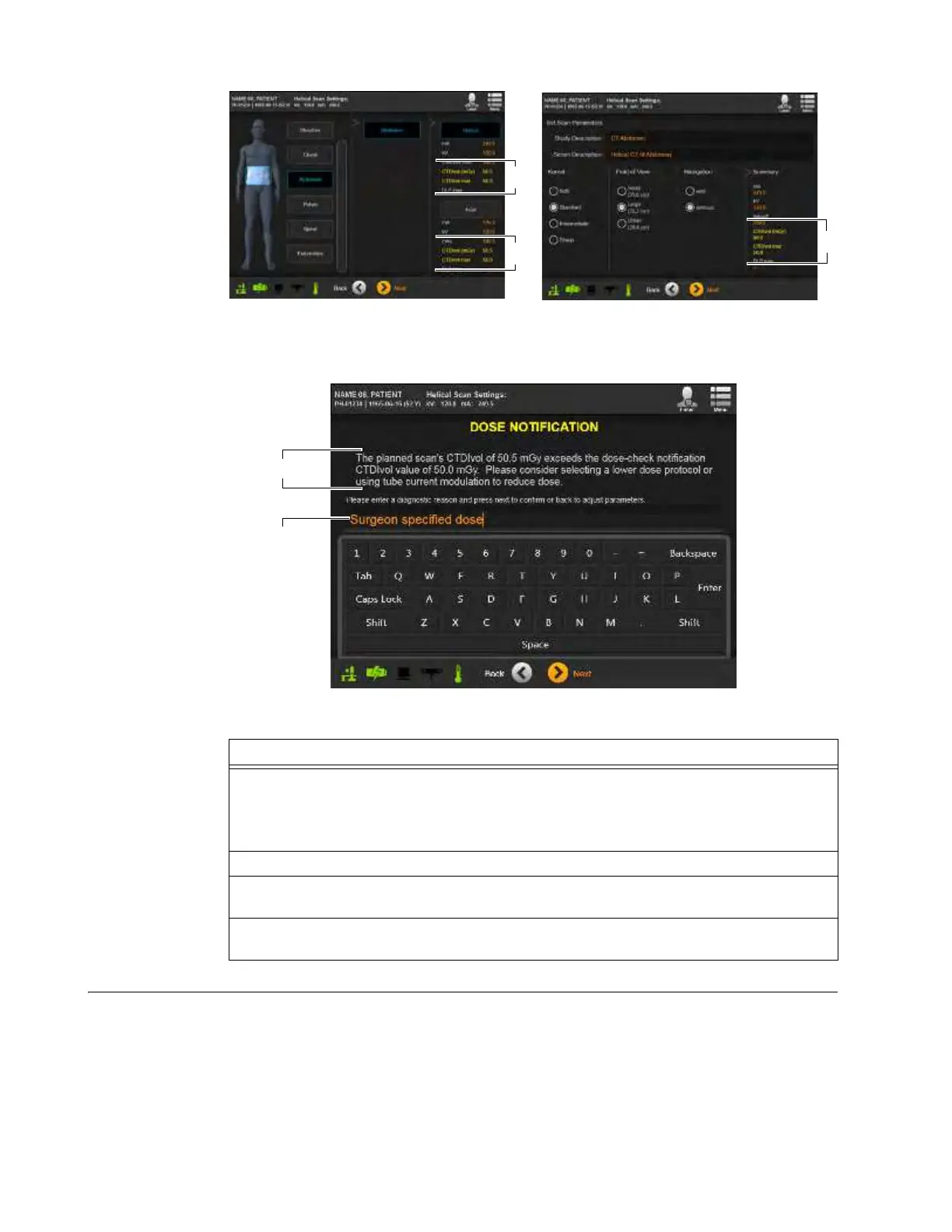
Figure 7
After verifying that the generated parameters are appropriate and accepting them by touching
Next
,
the system displays a
Dose Notification
.
Figure 8
Alert When
Accumulated
Dosage Level
Exceeds
Recommended
Value
AIRO tracks accumulated radiation
doses and can provide CTDI
vol
and DLP totals for both single
scans and studies. For each scan, AIRO estimates the radiation dose and compares the estimated
dose to the system’s global CTDI
vol
and DLP settings, If a single scan exceeds either setting, the
system displays a Dose Alert screen. If a patient’s study includes multiple scans, the system both
tracks the accumulated dose and estimates the dose of the next scan. When the total exceeds the
maximum global CTDI
vol
or DLP settings, the system displays Dose Alert screens (see Figure 9 for
an example of the DLP Dose Alert).
Steps
1. On the
Dose Notification
screen, compare the scan’s
CTDI
vol
value f or
DLP
value to the
protocol’s listed
dose check notification
value. See Figure 8.
NOTE: When both CTDI
vol
and DLP notification values are set, CTDI
vol
Dose Notifications
and DLP Dose Notifications occur on different screens.
2. Verify that the value(s) are appropriate for the patient.
3. (Optional) Type in a diagnostic reason for exceeding the recommended dosage levels
g.
See Figure 8.
4. Touch
Next
to display the next notification or set patient position. See section
6.8.9 Selecting Patient Orientation and Position.



 To Next Page