MI-42-0001 Rev. 19 23
SAFETY: Radiation Safety
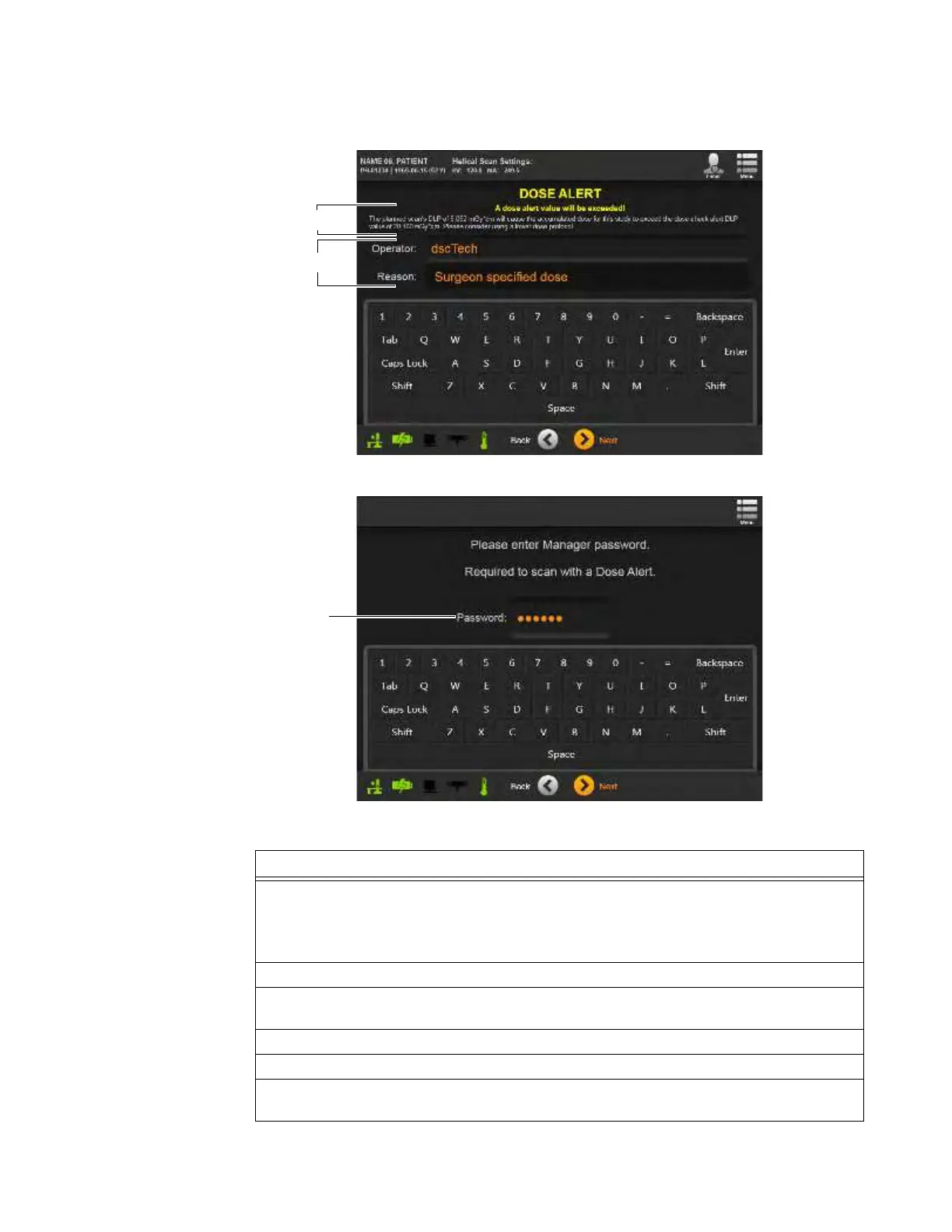
A Dose Alert requests both an
Operator
ID and a diagnostic reason for exceeding the
recommended daily dosage. The system then requires a password for manager-level or higher
users before it performs the scan (see Figure 10).
Figure 9
Figure 10
Steps
1. On the
Dose Alert
screen, compare the scan’s
CTDI
vol
value or
DLP
value a to the
protocol’s global dose check alert values.
NOTE: When both the global CTDI
vol
and DLP values are set, CTDI
vol
Dose Alerts and DLP
Dose Alerts occur on different screens.
2. Verify that the value is appropriate for the patient.
3. (Optional) Type in an
Operator
ID and a diagnostic reason for exceeding the
recommended daily dosage levels s.
4. Touch
Next
.
5. On the security screen, type in a password for manager-level or higher users
d.
6. Touch
Next
to display the next alert or start the scan. See section 6.8.9 Selecting Patient
Orientation and Position.



 To Next Page