Driving & Safety --- Section 2
The Executive 2005
105
SECURITY SYSTEM (Optional)
The "Viper" security system requires the battery to be changed in the Key
Fob once a year. If the Key Fob battery is weak, transmission range will
decrease and the green LED indicator will dim. The two Key Fobs are pro-
grammed to the receiver using a computer based "Learn Routine" to dictate how
the system operates. The Standard Key Fob configuration is set at installa-
tion. An authorized dealer can customize the Key Fob configuration.
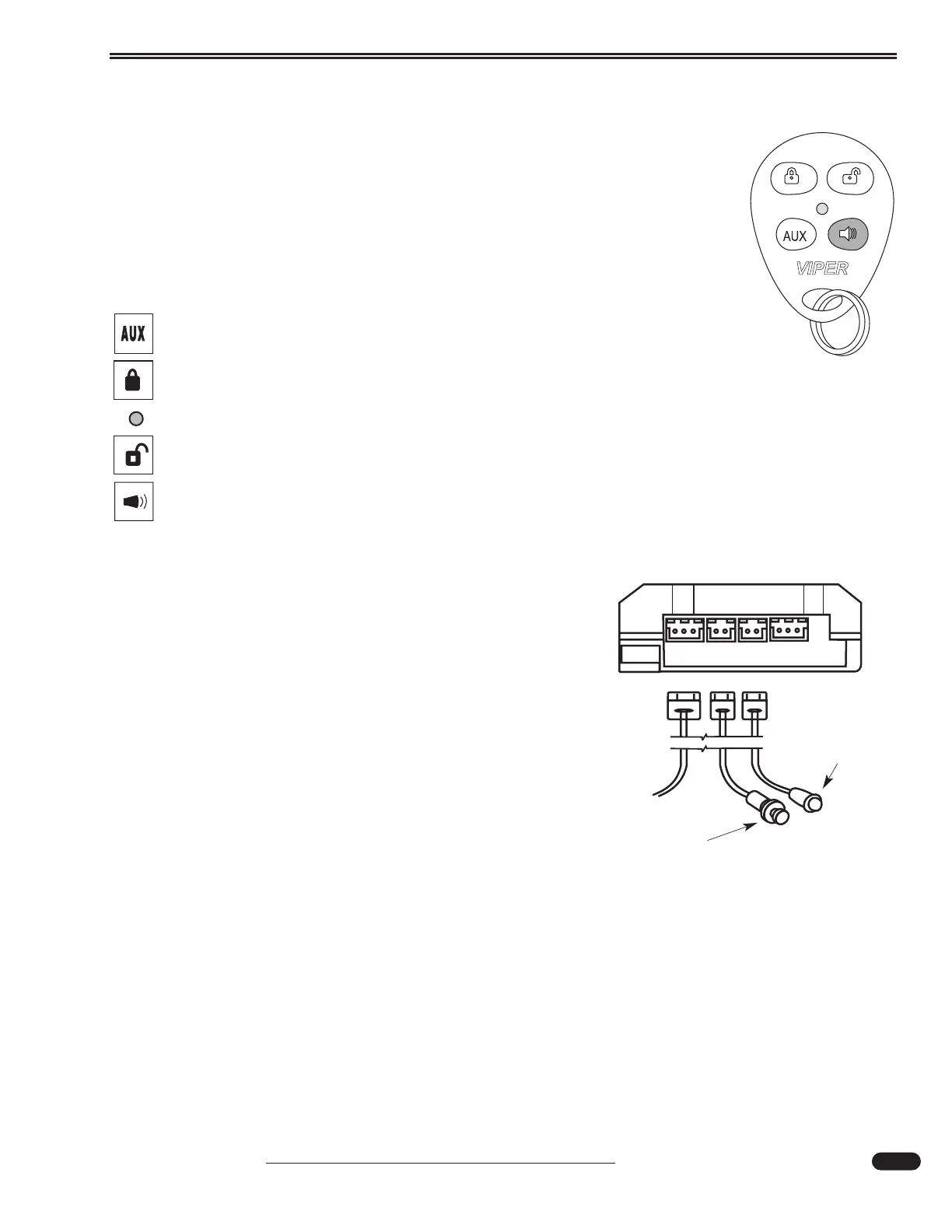
Key Fob Configuration:
Aux Button - Controls the silent mode function and bay door locks.
Lock Button - Controls the arming function.
Green LED - Indicates power at the Key Fob.
Unlock Button - Controls the disarming function.
Horn Button - Controls the panic function.
To Arm the System:
• Press the LOCK button on the Key Fob for one second.
The system will "chirp" once. The parking lights flash
once. The entry door and selected bay doors will lock. The
blue LED system status light flashes once per second indicat-
ing the system is armed and properly functioning.
If the system chirps once after locking the doors, this is a
"Bypass Notification." The system is armed; however, one or
more system zones are "open." The blue LED will flash in
groups that indicate which system zones are open.
When Armed:
• The System will use a "Warn Away" chirp signal. A light
impact will cause the siren to chirp.
• A continuous light impact or a heavy impact will sound
the alarm.
• Opening the entry door, selected bay doors or a bedroom
window will cause the siren to chirp for three seconds,
followed by a continuous alarm.
020249
Valet/Program button & Blue LED status light.
020049 front view
Control Module
Valet/Program
Button
Blue LED:
Located on
Dash.





 To Next Page