Driving & Safety --- Section 2
The Executive 2005
57
When preparing a tow plug connection strip the wires 3/8". Twist the wire strands and place under
the clip and secure the screw. Make sure there are no loose strands of wire that could short against the
case or other terminals. Do not accidentally mirror image the trailer connection.
CAUTION:
Positive terminal connection of the tow plug remains live at all times. When towing a
trailer equipped with a battery, unplug the electrical tow connection when parked.
Failure to unplug the tow connection may result in discharged chassis batteries.
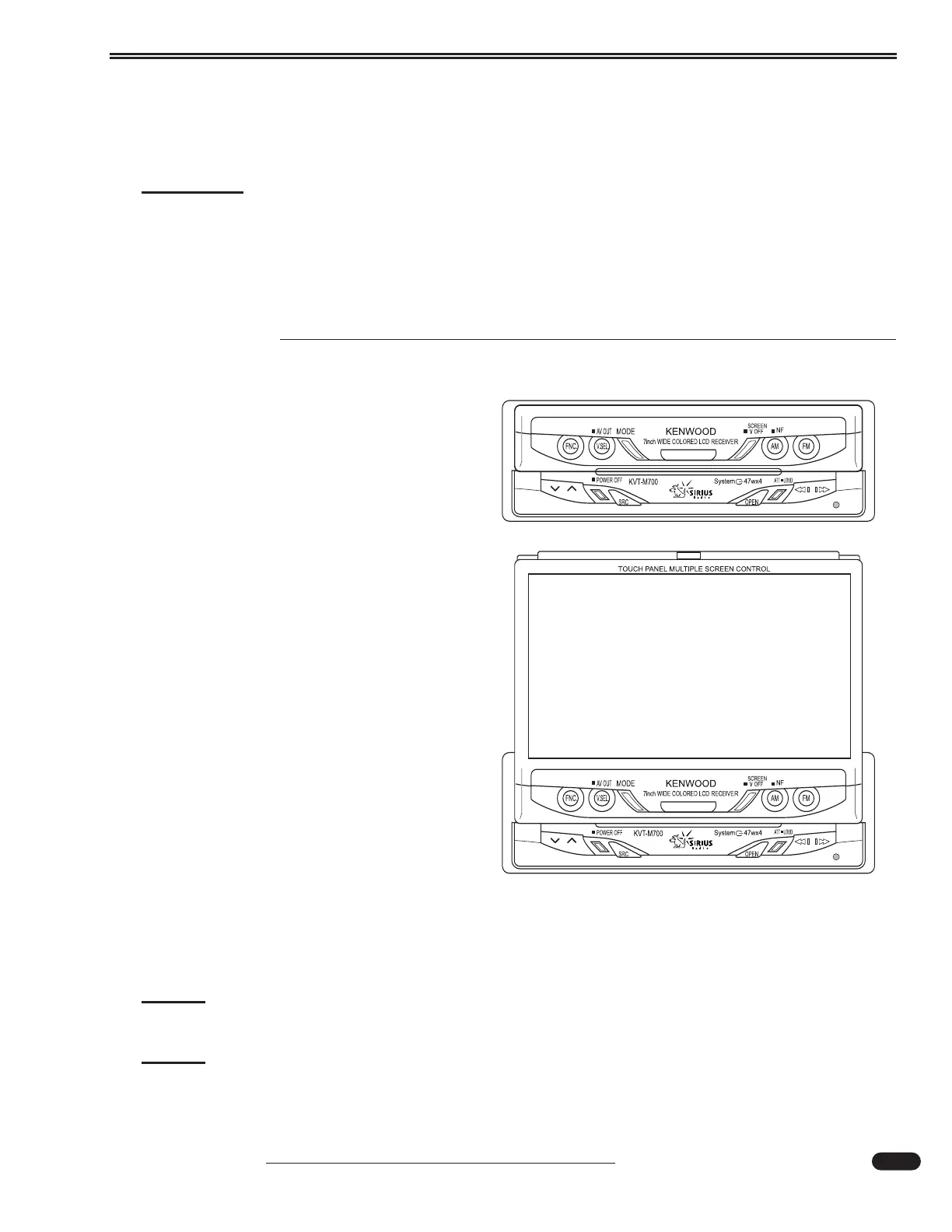
REAR VIEW SYSTEM
Power Requirements:
• Main battery disconnect switch (located in
the battery compartment) must be on.
• Turn ON the interior house power using the
battery cut-off switch.
• The ignition key must be in either the ON
position or the ACC position.
To View:
• Press the OPEN button.
• The steering wheel may interfere with the
monitor while opening. If this occurs, move
the steering column (ensure this can be per-
formed safely) before operating the set. The
monitor will automatically retract if it can-
not open due to an obstacle.
Closing the Monitor:
• Press the OPEN button again to close the
monitor.
Power Controls:
• Press the SRC button for at least one second to Power ON the monitor.
• Press the SRC button again to Power OFF the monitor.
NOTE:
The rear camera will automatically display when the motorhome is placed in reverse.
NOTE:
The radio systems operate with the radio remote control or from the radio touch
screen labels.
031050





 To Next Page