Section 5 --- Equipment
The Executive 2005
240
POWER SUPER SLIDE (Optional)
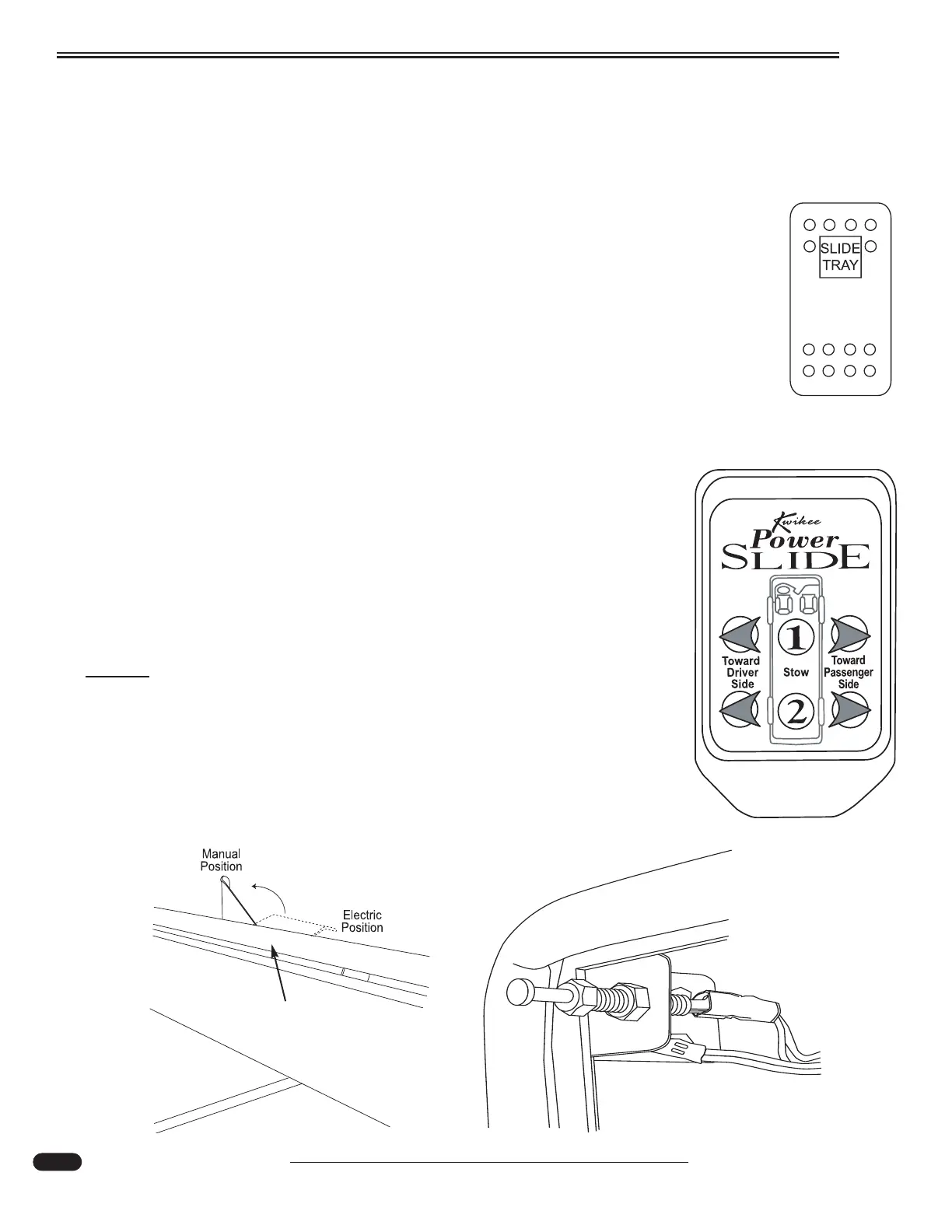
The power storage tray (in full pass through bays only) can be operated from the momentary switch
located in the curb side bay, the Power Slide remote or the manual override if power is lost. Safety cut
out switches on the roadside and curbside prevent tray operation when the cargo bay doors are closed.
Using the Switch:
• Open curbside bay door. Switch will work tray both directions. Press and hold switch to
move tray. When switch is released the tray will stop.
Using the Remote:
• Press the left or right arrows adjacent to the tray number to be moved to slide tray out.
• To stow tray press the stow button (1 or 2).
• If the tray is out on the roadside and the curbside button (right arrow) is pressed the tray
will return to the stow position.
• While tray is sliding out press the opposite arrow button to stop tray operation.
Troubleshooting:
• Power comes from a 40 Amp mini-breaker in the Rear Run Box labeled
Bay Slide.
• Ensure the House Battery Disconnect in the battery compartment is ON.
• Ensure interior house power is ON.
• Check safety switch on hinged side of cargo door opening to see if it is out
of adjustment. With the door open the switch should provide a ground
through the metal contacts on the back of the switch.
NOTE:
Maximum weight capacity is 800 lbs. Never exceed this amount.
Manual Override:
If battery power is lost or if there is an electrical problem, the tray can be
moved in manually. Lift the manual release lever on the power module. Push
tray in and return arm to lock position.
060066i
080466
080466
Power Slide Switch
located in curbside
storage bay.
Powerslide Remote
080469
Manual Override -
Lever
Powerslide safety switch
(Lock)





 To Next Page