Equipment --- Section 5
The Executive 2005
255
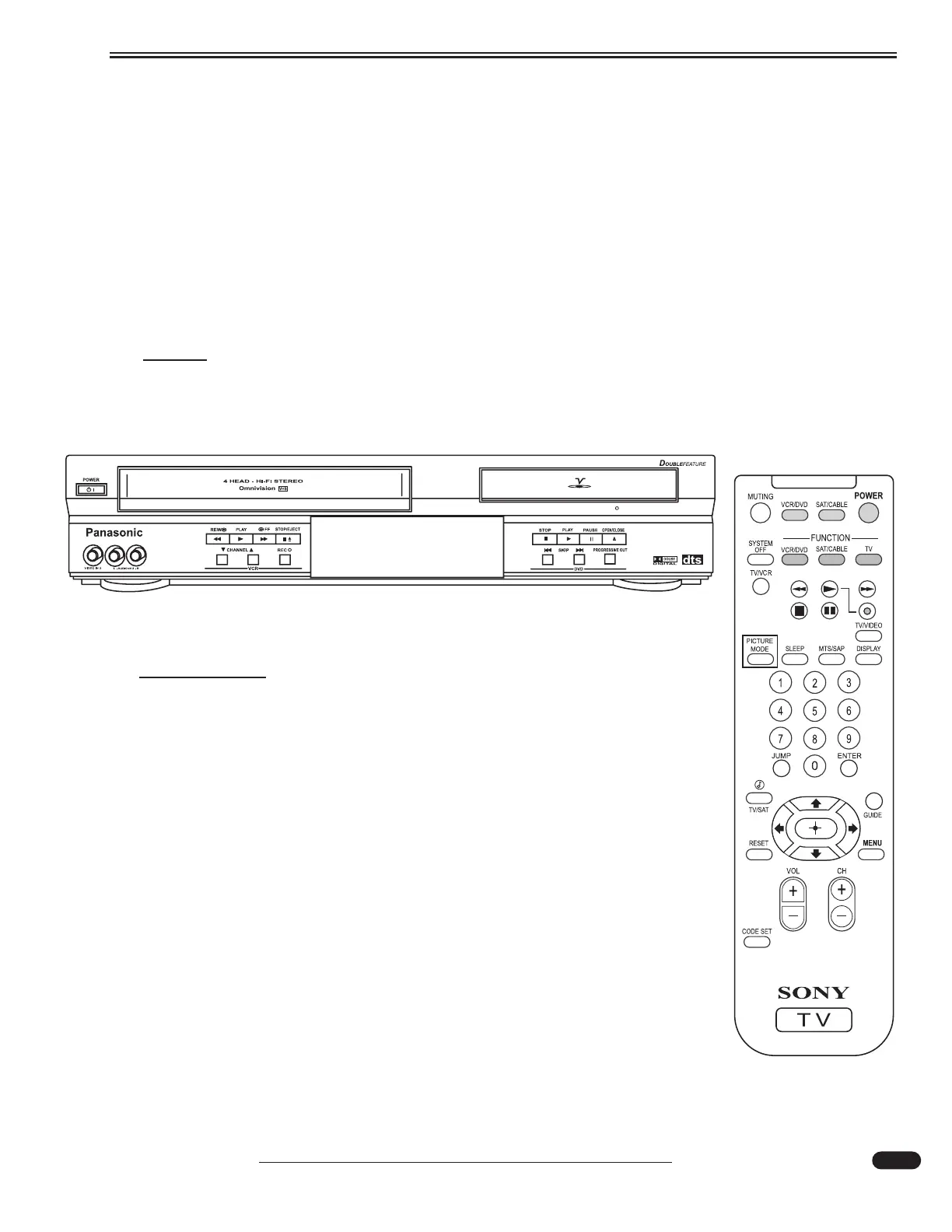
Television/Entertainment System - Bedroom
The bedroom television system, separate from the front system, is comprised of a 20" flat screen
TV (standard) or the optional 22" LCD TV (standard with the 42' Countess) with built in tuner, a com-
bination DVD/VCR and a optional Hughes satellite receiver.
The bedroom system, separate from the front, operates similar to the front system. The small red
LED on the front of the TV indicates the TV is in standby mode. If the small red light is not illuminat-
ed, the main power switch for the TV must be turned on. On the flat screen TV, the main power switch
is on the front of the TV. The Main Power switch on the optional LCD can be found on the right side
of the TV, behind the access panel. The button located about halfway up is the Power button.
NOTE:
Reading the individual component owner's manuals is strongly recommended. Many
features and combinations for operating the entertainment system components are
available.
Flat Scr
een TV:
Using the TV remote to select Antenna or Cable:
• Use the TV in/out switch to slide TV out of cabinet.
• Turn TV on with power button.
• Turn on Antenna Boost.
• Press TV/Video (*) button using the TV remote until TV is displayed.
To Select Satellite Viewing:
• Turn on the satellite receiver, controller and TV.
• Select Video 1 with TV/ Video button on TV remote.
• Change channels using the satellite remote.
To Select VCR or DVD:
• Turn on TV and VCR/DVD Player.
• Push either VCR or DVD on the remote.
• Select Video 2 on TV remote with TV/ Video button (*).





 To Next Page