Section 5 --- Equipment
The Executive 2005
260
UNIVERSAL REMOTE
Each component of the home entertainment system includes a remote. The MX-800 universal
remote is designed to simplify system operation by simultaneously performing functions. There may be
minor variations in programming due to the various combinations of component makes and models.
Each time the remote performs a function, the icon will illuminate. Some command functions will
require repeat pressing of a button when adjusting the volume or changing channels, as indicated by
the icon briefly illuminating. Other commands continuously respond, as indicated, by the icon illumi-
nating while the button remains pressed.
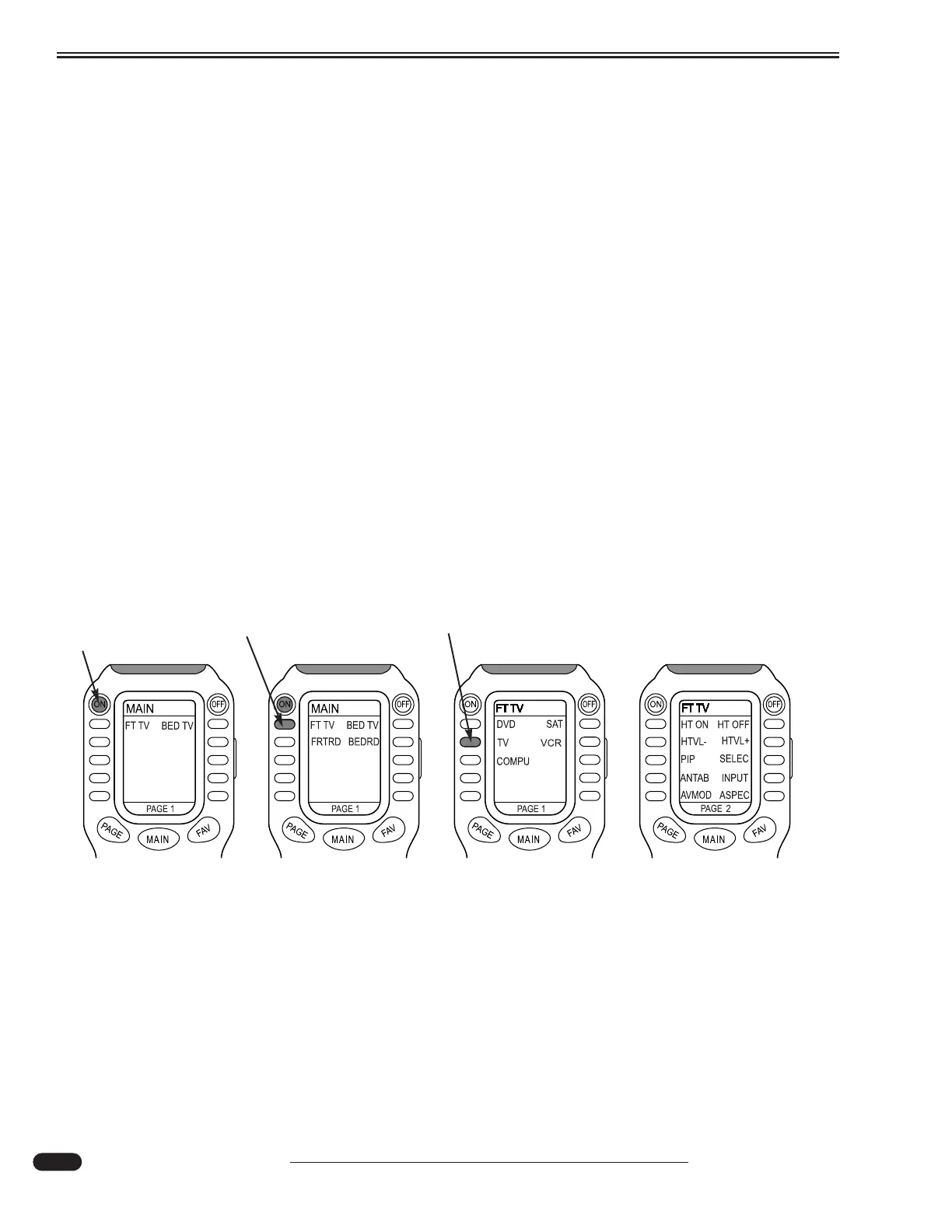
Subject matters are abbreviated such as FT TV for Front TV. From the main menu press the ON
button to engage the home theater components. Press OFF to turn all components off. Press a button
next to a menu item to enter that menu subject. Press the button next to a subject to enable that feature.
Macro will display at the bottom of the remote to indicate the remote is performing multiple tasks.
Example - To Watch TV:
(1) Turn on all components from the main menu by pressing On. All components in the home
theater system should turn on.
(2) Press FT TV to display the components that will work through the front TV.
(3) Select a desired component such as TV.
(4) Front TV screen will display.
Step 1 - Press ON
Step 2 - Press FT TV Step 3 - Press TV
From the MAIN
menu press ON.
All components
will turn on.
Press FT TV to
display component
menu.
Press TV to
watch television
and display the
TV menu.
Use VOL to adjust
TV volume and CH to
adjust the channels.
ANTAB selects
between antenna
and shore cable.
031112b
Step 4 - Front TV Display





 To Next Page