Equipment --- Section 5
The Executive 2005
261
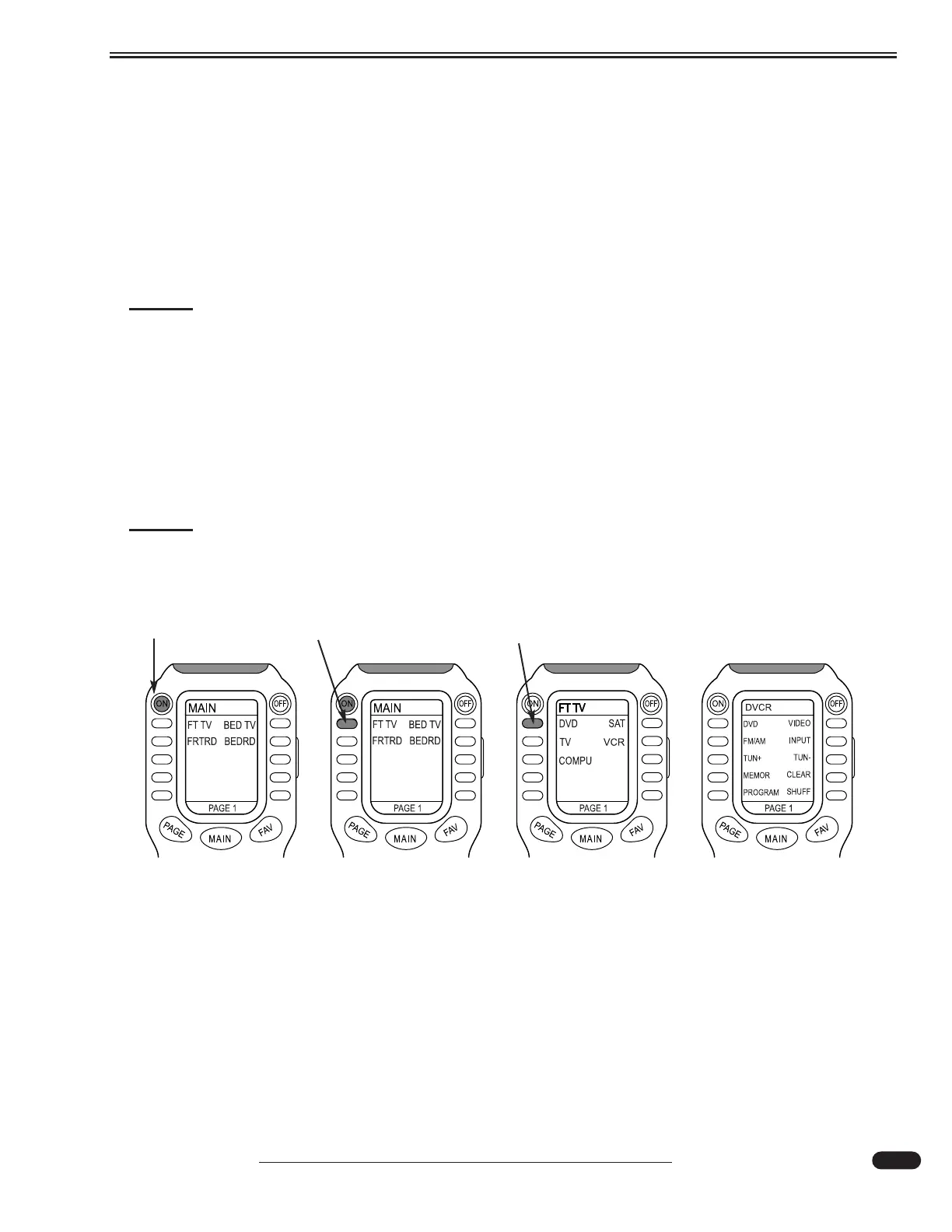
When selecting a component, a sub-menu for the selected component will appear. Press the button
next to a subject. The component sub-menu will enter, change or alter that subject. If the desired action
for that component is not on Page 1 of the sub-menu, press the PAGE button to bring up subsequent sub-
menus (if available) for that component. Press the MAIN button to return to the main menu.
The remote cannot perform all requirements, such as pressing a main power button on a component,
but it does eliminate having to use several remotes. Not all features or functions of components are pro-
grammed into the remote. Programming for the remote is set to interface several components and interre-
lated functions to obtain a desired command.
NOTE:
The remote is programmed to perform basic commands for the most commonly used
features of the components. For in-depth component operation, refer to the OEM man-
ual for that component.
Familiarization with component interfacing will ease operation of the remote. If components have
been manually turned on or off prior to the ON command from the main menu, some components will
already be turned on or off. Use the remote to gain experience with the various functions. Press MAIN to
return to the main menu at any time.
NOTE:
For ease of operating the MX-800 remote, it is recommended to initially operate each
component manually in order to become familiar with how each component operates
and interfaces.
Step 1 - Press ON
Step 2 - Press FT TV Step 3 - Press DVD
From the MAIN
menu press ON.
The components
will turn on.
Press FT TV to
display component
menu.
Press DVD to
display DVD
menu.
Select DVD or
Video to play disc
or video tape.
031112





 To Next Page