Appliances --- Section 4
The Executive 2005
189
To Enable the System:
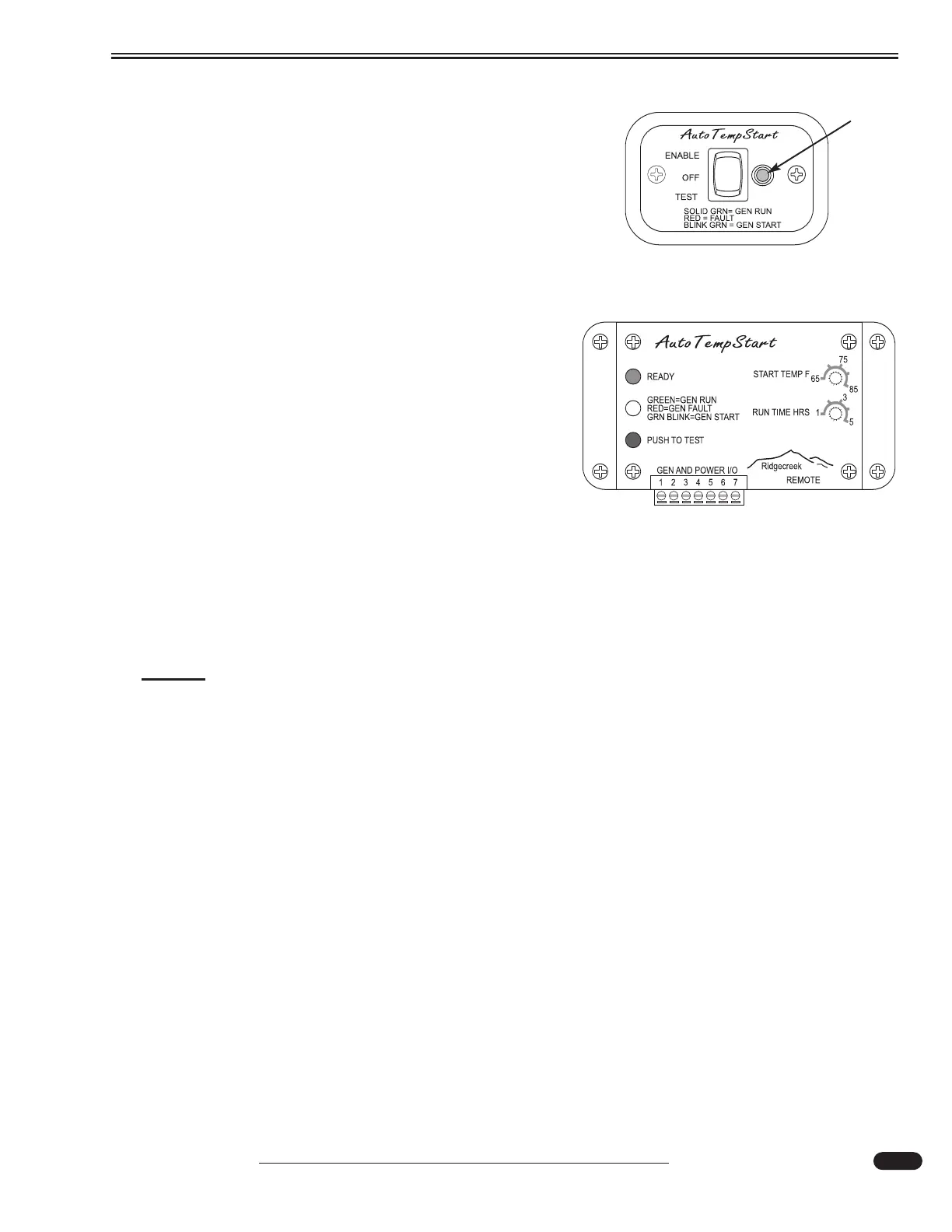
• Set the desired interior temperature on the ATS
Control Module. Run time is preset at two hours.
Push the ATS remote switch to Enable.
• Turn on interior house power using the battery cut-off
switch at the entry door.
• Set Comfort Control mode(s) to Cool. Set the tem-
perature on one Comfort Control identical to the
ATS Control Module temperature, and additional
A/C Comfort Control settings a few degrees higher.
This will permit one air conditioner to maintain
desired temperatures, until it becomes necessary for
additional A/C units to engage.
When interior temperature rises to the preset tempera-
ture on the ATS Control Module, the generator will
engage to supply 120 Volt AC power to the roof air condi-
tioners. Once the present Run Time is reached, the gener-
ator will disengage. In the event that weather conditions
have prevented interior temperatures from reaching the
desired level, the ATS system will engage the generator
for a subsequent timed cycle. This on/off procedure will
continue until the interior temperature drops below the
ATS Control Module set point, or the system is turned off.
NOTE:
The ATS system does not affect manually starting or stopping the generator or the
RC7 GS automatic generator start program.
To Test the System:
The ATS system should be tested after changing settings, or when the motorhome is removed from
storage. To test the system, press and hold the switch to the Test position on the remote for two sec-
onds, or press and hold the Test button on the Control Module for two seconds. The status lamp will
flash green, and the generator will engage for approximately one minute, to signify that the system is
in working order.
Error:
The LED located on the Remote and on the Control Module will illuminate red to indicate a system
error.
Reset by turning the system to off. Confirm that the green power indicator lamp on the Control
Module is illuminated. If so, turn the system to Enable.
If the error remains, turn the system off. Disconnect the 7-pin connector at the ATS Control
Module. Turn the system to Enable. Reinstall the 7-pin connector at the ATS Control Module.
If the error indicator still illuminates, test the Control Module. Unplug the remote cable (phone line)
at the Control Module. Push and hold the Test button. If the generator engages, the problem may lie in
the ATS remote. Discontinue ATS system use, and have the system serviced.
080430
The control module is located adjacent to inverter.
ATS Remote located on the Wall Panel.
LED Light
080430





 To Next Page