Appliances --- Section 4
The Executive 2005
203
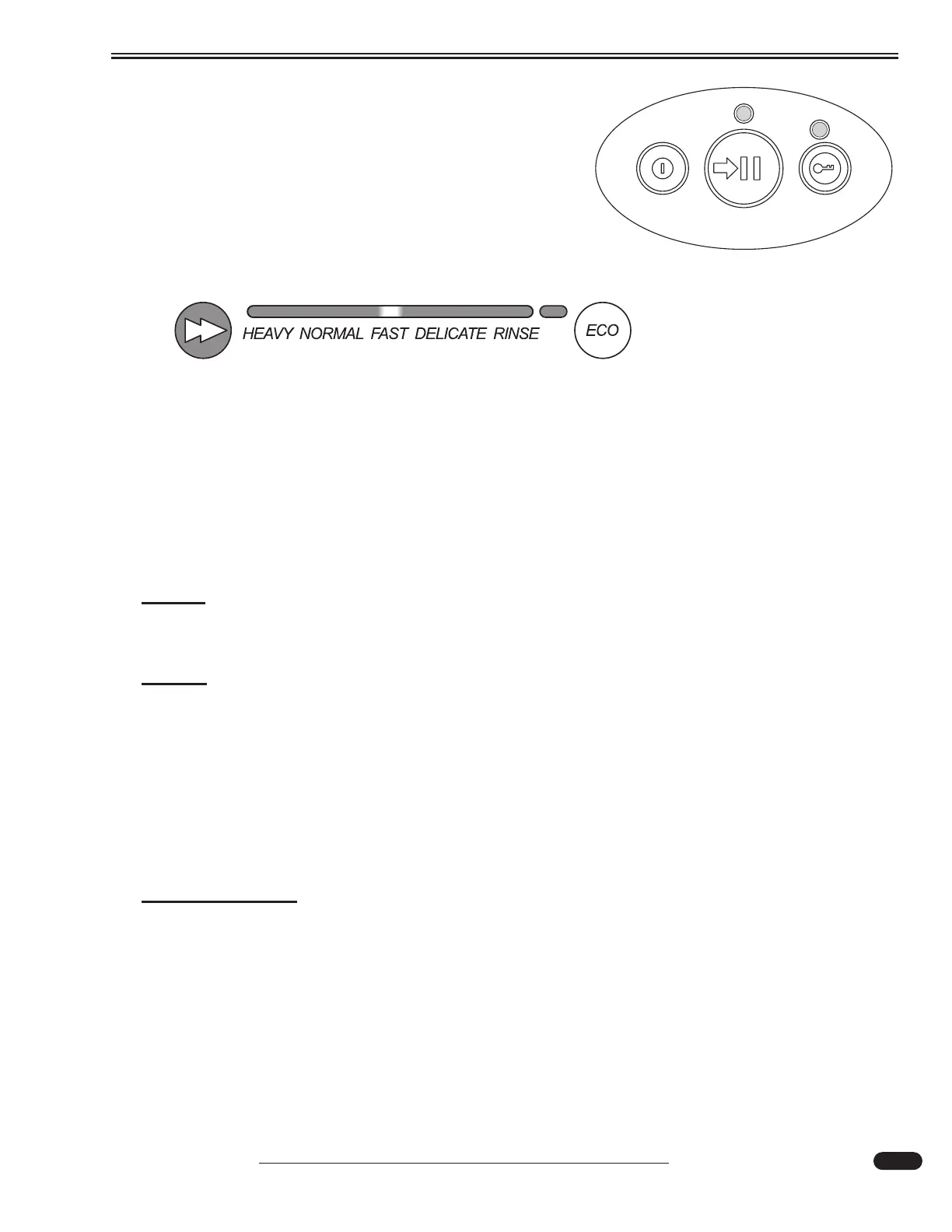
3. Press the Power Button to turn the dishwasher on and
off. If the Power button is pressed in mid cycle, the
wash program will end and water will pump out.
Opening the door will automatically power up for 30
seconds ONLY.
4. Select the desired wash program. Standard programs
are Heavy, Normal, Fast, Delicate and Rinse.
5. Ensure the drain filter is flush with the filter plate and the spray arm can easily rotate.
6. Close the dishwasher and press the START/PAUSE button to begin wash program. To
pause, press the START/PAUSE button and wait for three beeps prior to opening. Simply
press the START/PAUSE button to restart.
7. Six beeps indicates the end of the wash program. The drying fan will continue to run for a
set time or until the door is opened.
NOTE:
It is normal for some water to remain in the drain filter area after the wash program
is complete.
NOTE:
In the event the dishwasher is operating and a power outage occurs, the dishwasher
will stop and may not open at this time. When power is restored, the dishwasher will
resume the wash program.
Preparing the Dishwasher for Storage:
If the dishwasher is not used for an extended period, it is recommended to ensure the baskets are
empty. Clean and dry the inside compartment. Leave the door ajar to allow air circulation. Shut off
both power and water supplies to the dishwasher.
INFORMATION:
For Winterization of Dishwasher, refer to the Dishwasher Manufacturer owner’s man-
ual.
030980
030979
Power Button





 To Next Page