Section 6 --- Water Systems
The Executive 2005
280
To Change the 1st and 2nd Stage Filters:
1. Use provided latex gloves to avoid cross con-
tamination between old and new cartridges or
exposing yourself to contaminants that have
been filtered from the water.
2. Turn off the water supply to the galley at the
plumbing manifold.
3. Relieve pressure by opening dispenser at sink.
4. Place a shallow container under the filter sump
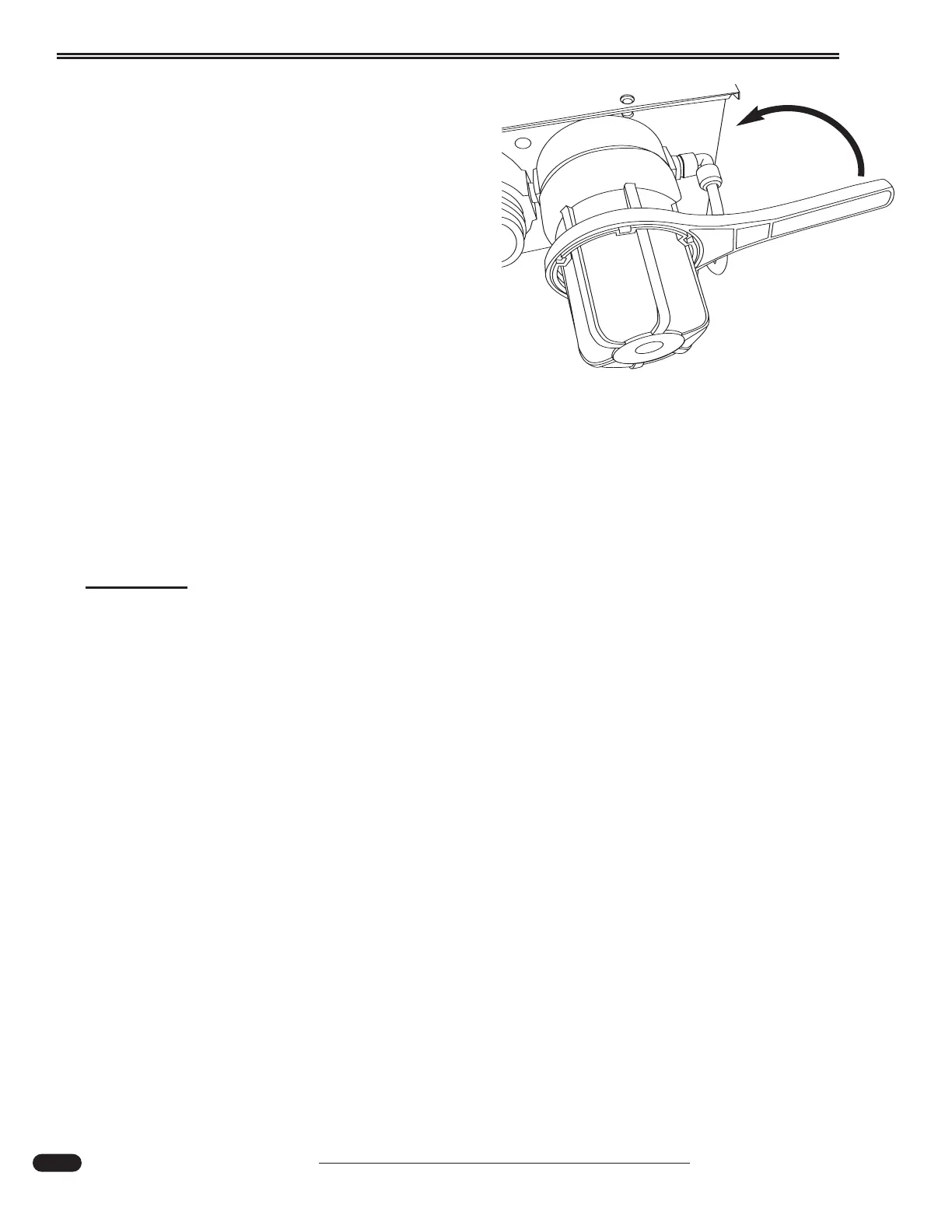
to catch any remaining water. Unscrew the left,
1st stage (filter marked XP), filter sump bottom
using the filter wrench.
5. Remove the old cartridge and dispose.
6. Repeat steps 4 and 5 for 2nd stage (filter marked XC) filter.
7. Wash both filter sumps with warm soapy water and rinse.
8. Place new cartridges labeled #1 and #2 in the sump bottoms and re-install matching filter
numbers to unit. Hand tighten only. Do not use a wrench.
9. Open cold water supply valve and turn on Tru-Pure Faucet until all air is purged from fil-
ter housings and water.
10. Check for leaks.
CAUTION:
Do not allow system to be exposed to temperatures below 32ºF or over 120ºF. or exceed
operating pressure of 80 psi.
Testing the Unit:
• Turn on the cold water supply to the unit and open the Tru-Pure faucet to purge air from
the system.
• Confirm that the green light illuminates after a few seconds.
• If Green LED on unit does not illuminate, confirm that power is ON. If the power indica-
tor still does not light and power is on, inspect resettable fuse on the side of the unit.
040521F
Use wrench to loosen filter only.





 To Next Page