Network Setup 4-103
23.Click OK to use the changes to the running configuration and close the dialog.
24.Click Cancel to close the dialog without committing updates to the running configuration.
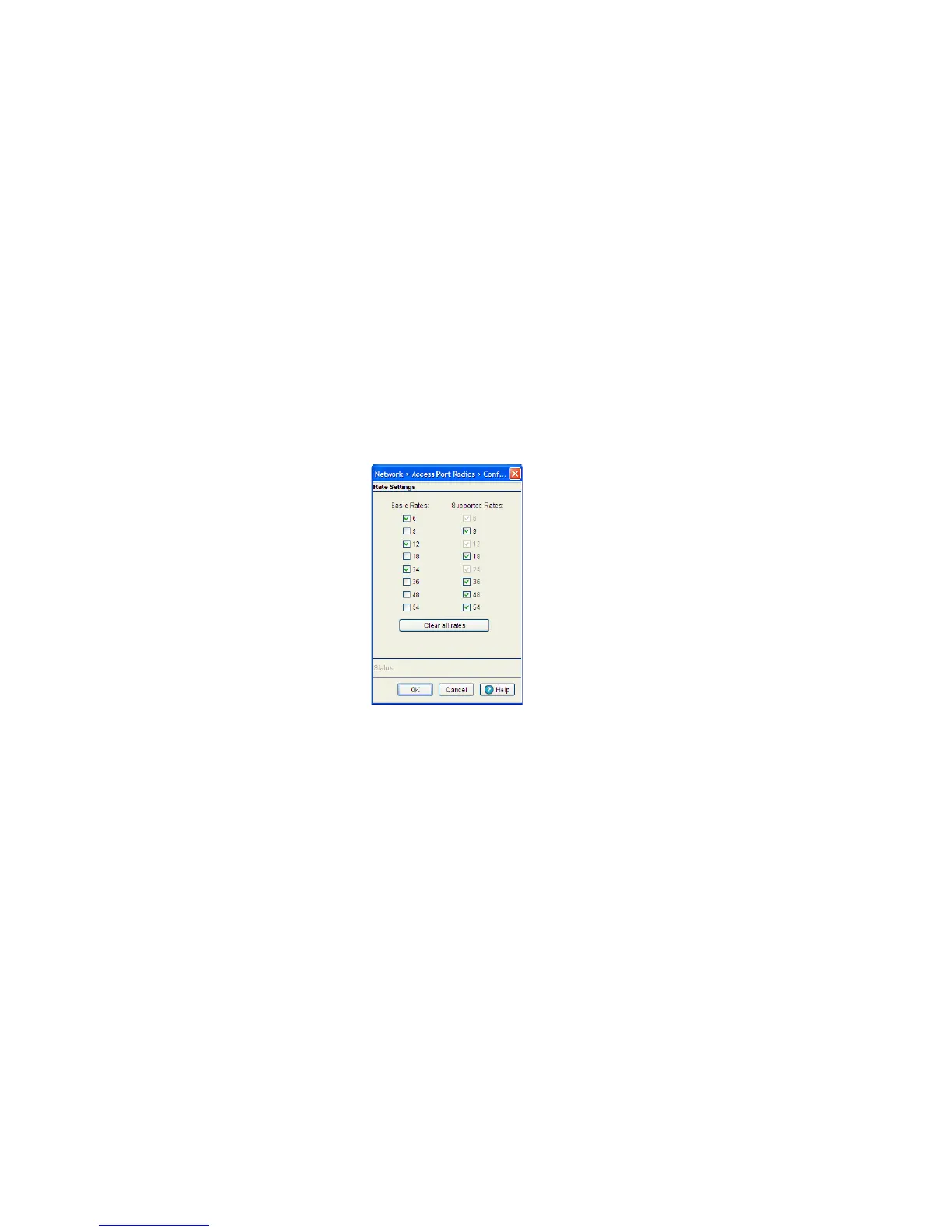
Configuring Rate Settings
Use the Rate Settings screen to define a set of basic and supported rates as well as the MCS data rates
(only for AP 7131, AP 7181, and AP 650) for the target radio.
To configure Rate Settings for a radio:
1. Click the Rate Settings button within the radio edit screen to launch a new screen with rate setting
information.
2. Check the boxes next to all the Basic Rates you want supported.
Basic Rates are used for management frames, broadcast traffic, and multicast frames. If a rate is
selected as a basic rate, it is automatically selected as a supported rate.
3. Check the boxes next to all the Supported Rates you want supported.
Supported rates allow an 802.11 network to specify the data rate it supports. When an MU attempts to
join the network, it checks the data rate used on the network. If a rate is selected as a basic rate, it is
automatically selected as a supported rate. The basic default rates for an 802.11a radio differ from those
802.11b default rates, as an 802.11a radio can support a maximum data rate of 54Mbps, while an
802.11b radio can support a maximum data rate of 11Mbps.
4. Click the Clear all rates button to uncheck all of the Basic and Supported rates.



 To Next Page
 Loading...






