136 PI-MAX
®
4 System Manual Issue 9
10. If using a spectrograph, configure the spectrograph properties by using the menu items
on the
Spectrograph menu (WinSpec/32 only.)
If the spectrograph being used has not yet been installed, click
Install/Remove Spectrograph to install the hardware prior to
configuring any parameters.
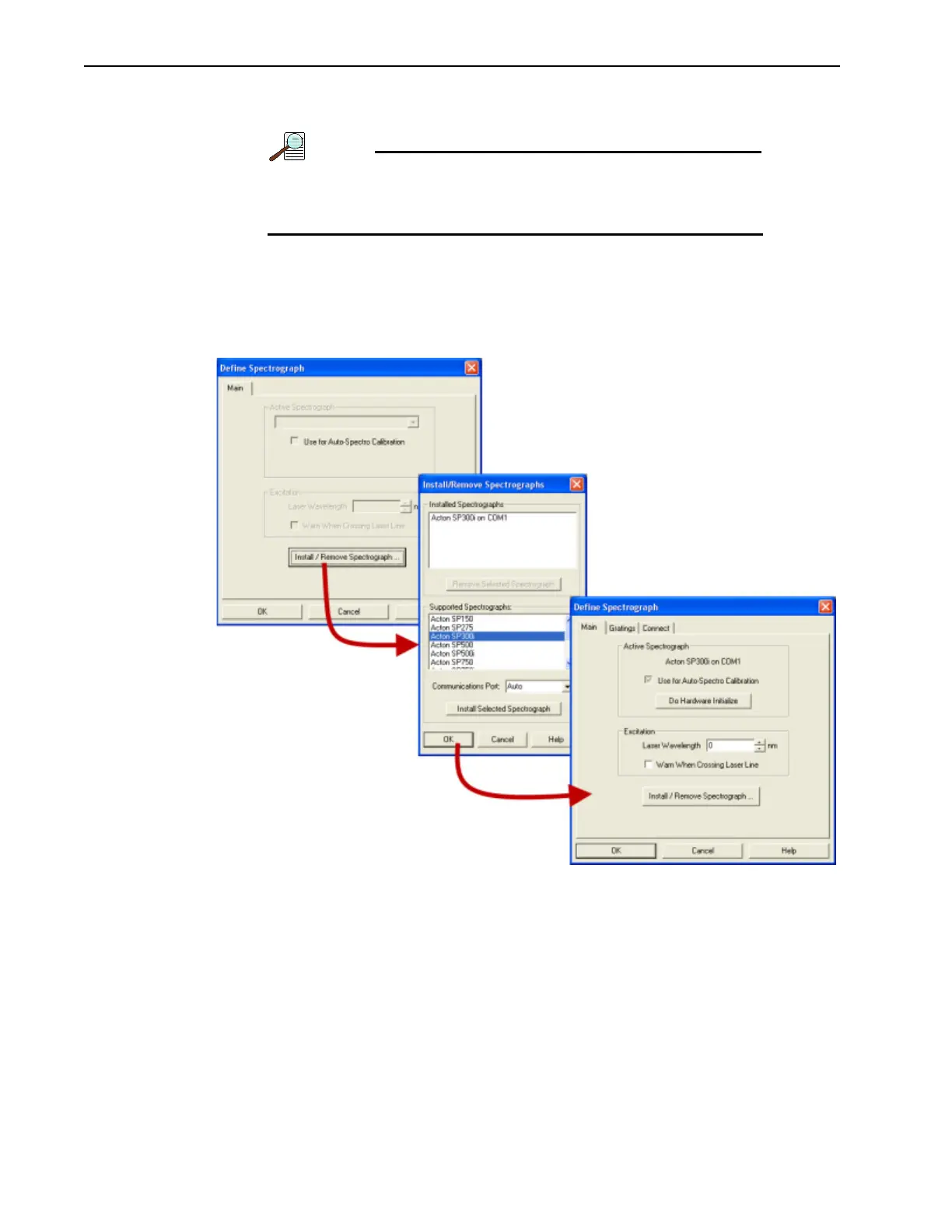
Figure 7-6 illustrates the general sequence required to install an Acton 300I
spectrograph using WinSpec/32. If installing a different spectrograph, select it from the
list of Supported Spectrographs during step 2.
Figure 7-6: Typical WinSpec/32 Installation Sequence: Acton 300I Spectrograph



 To Next Page