Chapter 10 WinX and Dual Image Feature 185
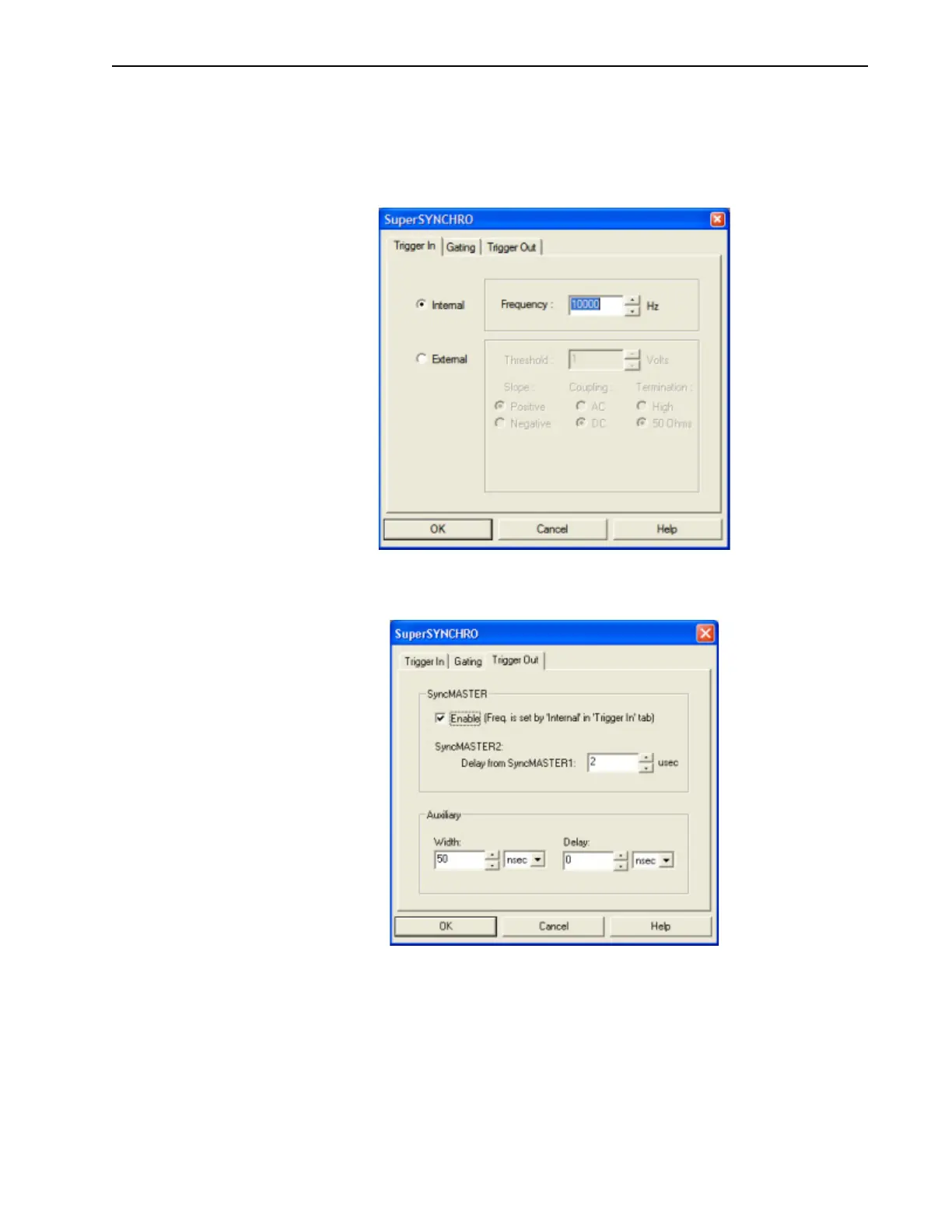
9. Click on the Trigger In tab, and select Internal or External triggering.
When using External triggering, verify the trigger characteristics match the active
trigger edge, etc., for the trigger pulse being used.
See Figure 10-19.
Figure 10-19:WinX SuperSYNCHRO Dialog: Trigger In Tab
10.
If required, click on the Trigger Out tab to configure output triggers. See Figure 10-20.
Figure 10-20:WinX SuperSYNCHRO Dialog: Trigger Out Tab
11.
Click OK to dismiss the SuperSYNCHRO dialog and download the gating sequence to
the SuperSYNCHRO.
12. When the experiment is ready, click on the ACQ button, or select Acquire on the
Acquisition menu, to start image acquisition.



 To Next Page