Chapter 5 Gate Mode Operation 79
WinX and Partial Frame ROI Binning
Regardless of the type of array (i.e., full-frame or interline,) when setting up a partial frame ROI,
keep in mind that for the PI-MAX4
the number of pixels in the serial (horizontal)
direction must be evenly divisible by 4, even after binning
.
Depending on the specific software application, the horizontal
axis may be referred to as either X or Wavelength.
The following examples include partial frame ROIs both with and without binning. The
terminology is based on the
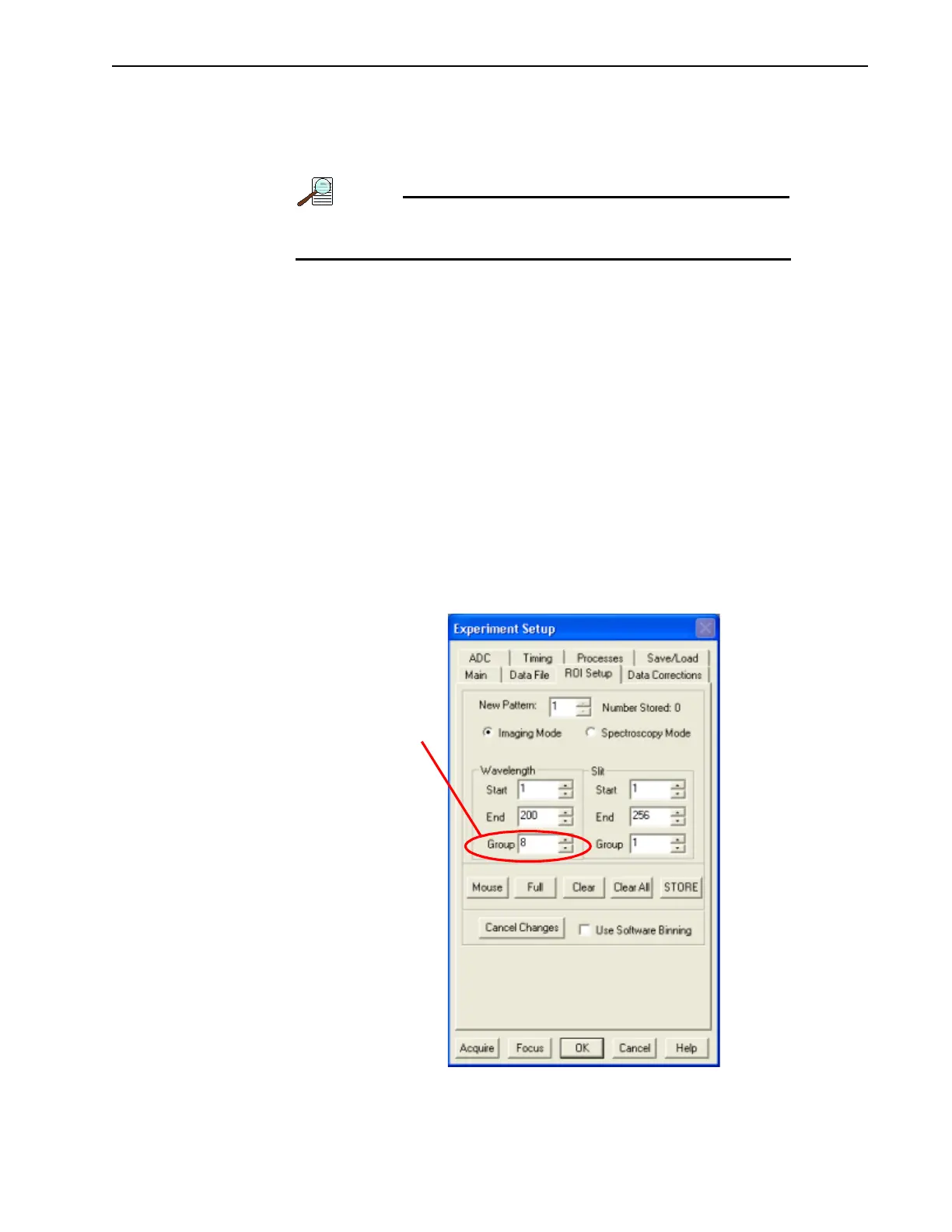
ROI Setup tab illustrated in Figure 5-14.
•X Start to End = 200 pixels, no grouping (binning.) Since 200/4=50, this is a valid
ROI setup.
•X Start to End = 200 pixels and grouping (binning) is by 8. The resulting number
of super pixels is 25. Since 25/4=6.25, this is not a valid ROI setting for the
horizontal direction.
•X Start to End = 240 pixels, no grouping (binning.) Since 240/4=60 this is a valid
ROI setup.
•X Start to End = 240 pixels and grouping (binning) is by 3. The resulting number
of super pixels is 80. Since 80/4=20, this is a valid ROI setup.
• X Start to End = 240 pixels and grouping (binning) is by 16. The resulting number
of super pixels is 15. Since 15/4=3.75, this is not a valid ROI setting for the
horizontal direction.
Figure 5-14: Experiment Setup: ROI Configuration Dialog
NOTE THAT A VALUE OF 8
IS NOT VALID FOR AN X
S
TART-END OF 200.
4411-0139_0034



 To Next Page