Chapter 7 WinX and Gated Operation 141
n. Click on Focus.
• If Readout Mode has been configured to Use Region of Interest, data
acquisition will immediately begin.
• If, however, Readout Mode has been configured to Use Full Chip, the
system will display a pop-up dialog asking if this setting should be changed
to
Use Region of Interest before entering focus mode. Click Yes and the
camera will momentarily begin acquiring data.
o. Once it has been verified that the camera is operating properly and is in focus, halt
data acquisition.
p. Proceed configuring the system for the desired experiment.
13. Perform the following procedure to configure Pulsers as required:
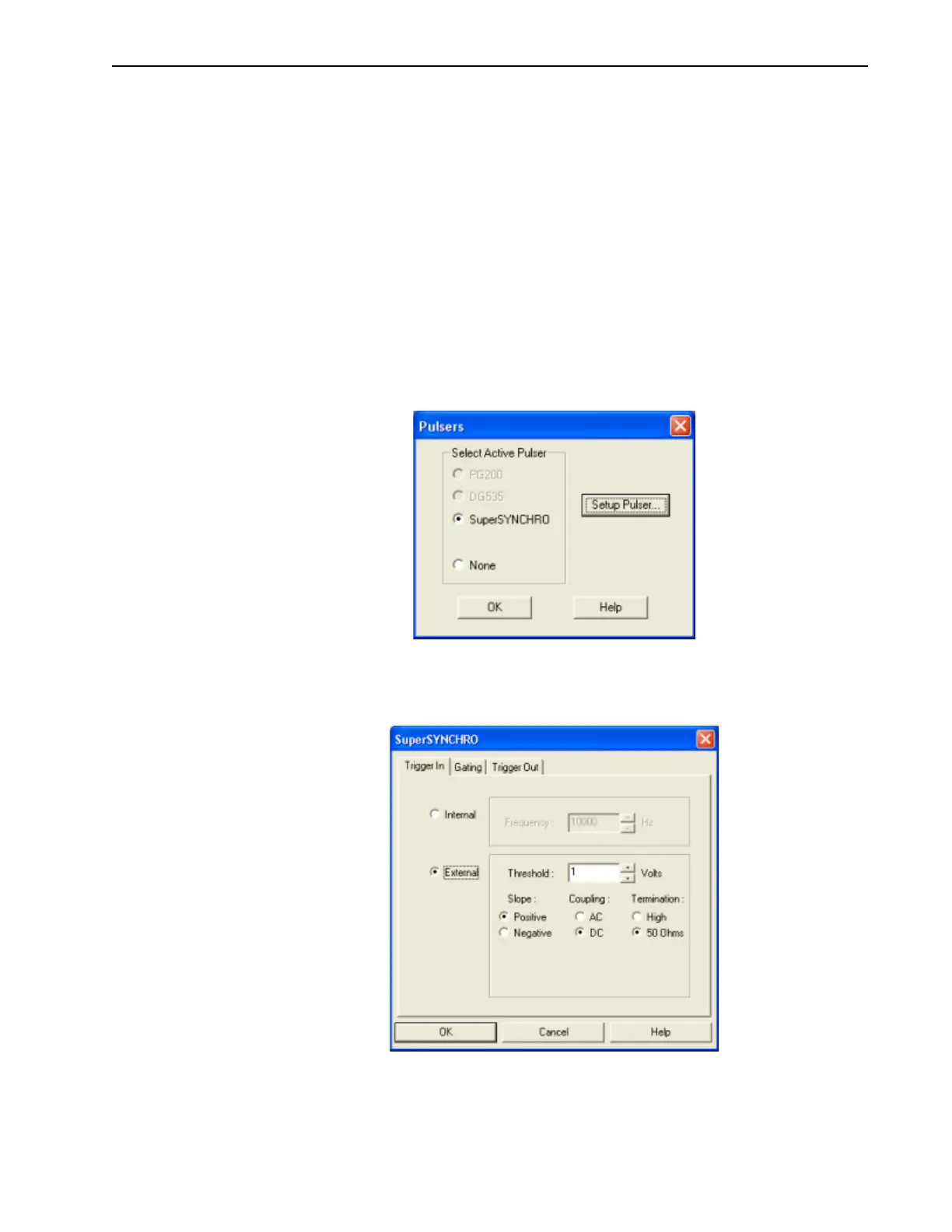
a. From the Setup pull-down menu, select Pulsers.
The
Pulsers dialog is displayed, similar to that shown in Figure 7-14.
Figure 7-14: Typical WinX Pulsers Dialog
b.
Select the SuperSYNCHRO radio button, and then click on the Setup Pulser…
button. The
SuperSYNCHRO dialog is displayed, as shown in Figure 7-15.
Figure 7-15: Typical SuperSYNCHRO Dialog: Trigger In Tab
Click on the External radio button and modify the configuration as necessary.



 To Next Page