Chapter 14 PI-MAX4: EM Family 239
14.4.1 Configuring the High Speed Camera
Perform the following procedure to configure a PI-MAX4: 512 EM/1024 EM camera for
high speed operation:
1. Click on the Add-ins tab and open the High Speed Camera expander.
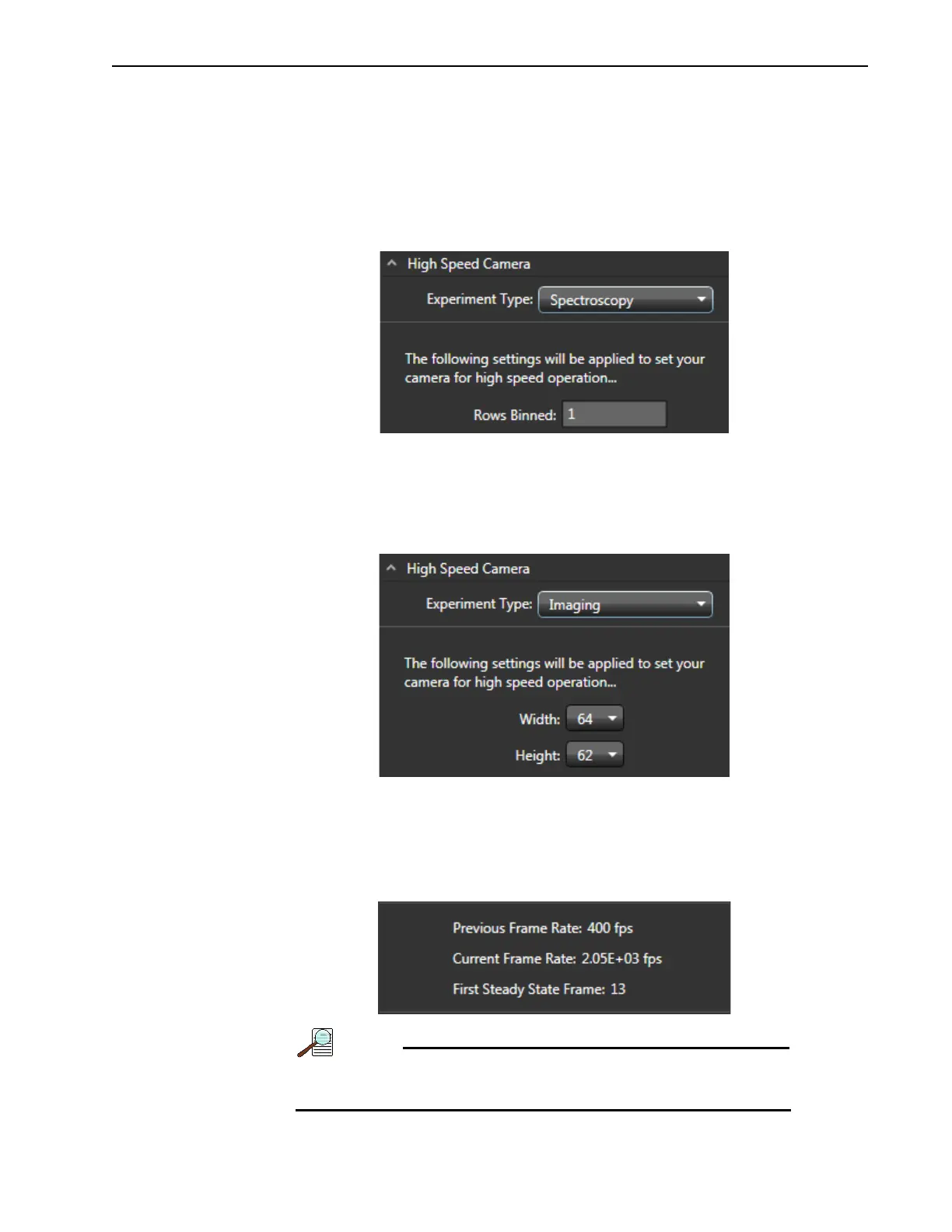
• When Experiment Type is selected to be Spectroscopy, specify the number of
rows to be binned. See Figure 14-21.
Figure 14-21:Typical High Speed Camera Spectroscopy Settings
•
When Experiment Type is selected to be Imaging, select the desired width and
height values from the respective pull-down menu of available options to achieve
the highest possible speed. Note that additional settings may be modified when the
width and/or height are changed. See Figure 14-22.
Figure 14-22:Typical High Speed Camera Imaging Settings
2.
Click on the Apply High Speed button to replace the current experiment settings with
the high speed settings.
Note that both
Previous and Current frame rate information are reported near the
bottom of the
Add-in tab, similar to that shown in Figure 14-23.
Figure 14-23:Typical Previous and Current Frame Rate Information
If the Restore to Defaults button is clicked, all experiment
settings revert to the camera’s default values.



 To Next Page