174 PI-MAX
®
4 System Manual Issue 9
10.3 Timing Modes
The following two DIF timing/readout modes are available in WinX:
• Single Trig. Mode
Two shot, one trigger for both shots.
• Dual Trig. Mode
Two shot, each shot requires a trigger.
The trigger(s) can be generated by an external source connected to the PI-MAX4 or the
PI-MAX4 can generate the trigger(s) internally. In WinX, DIF readout is selected on the
Hardware Setup —> Controller/Camera tab. The timing mode (single or dual trigger) is
selected on the
Acquisition —> Experiment Setup… —> Timing tab.
10.4 Configure a Single Trigger DIF Experiment
This section describes the configuration of a single trigger DIF experiment.
10.4.1 Hardware
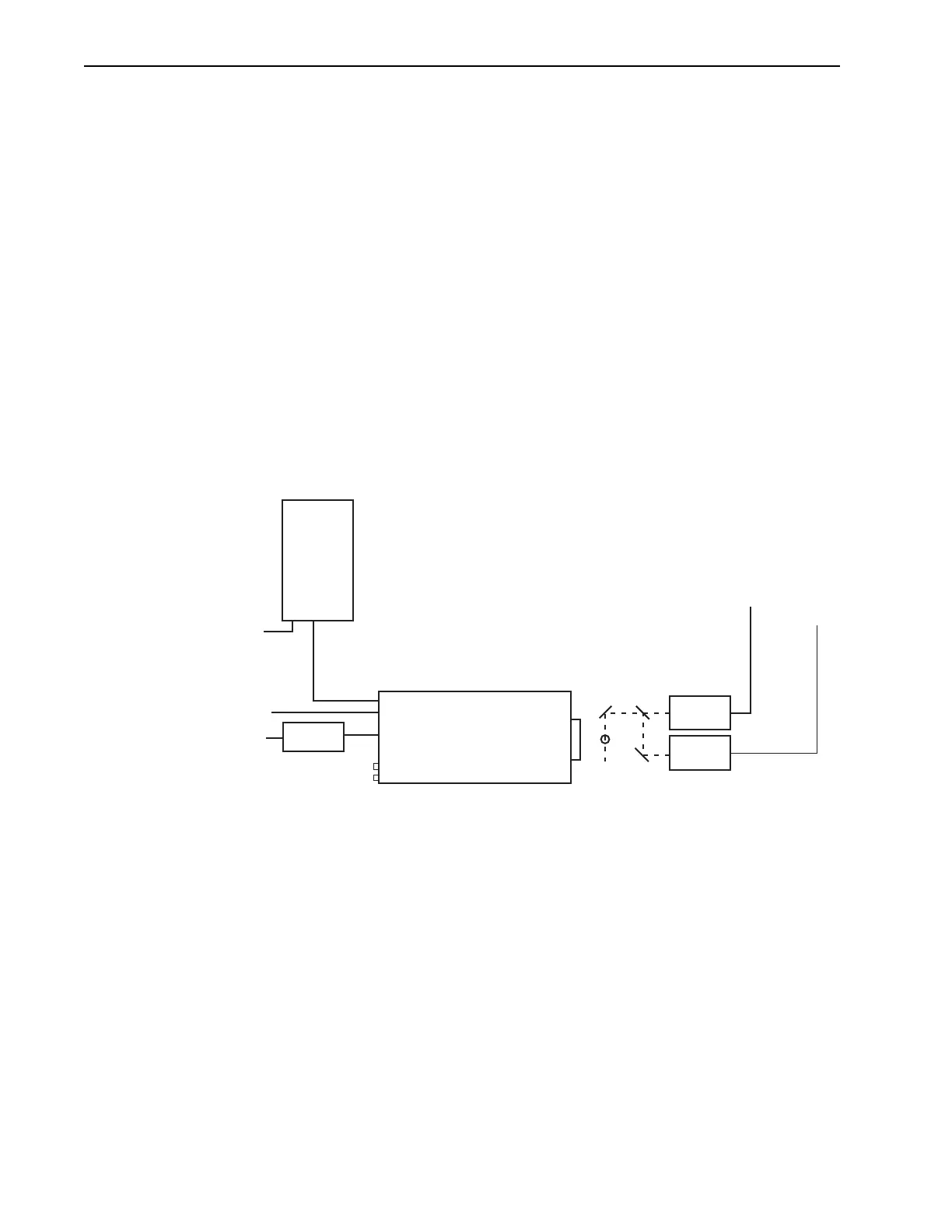
Figure 10-1 illustrates a block diagram of the equipment setup.
Figure 10-1: Block Diagram: DIF Experiment
10.4.2 Software
For the purposes of this experiment, it is assumed that either WinView or WinSpec is being
used to control the system.
LASER 1
LASER 2
Trigger 1
Trigger 2
100-240
100-240
GiGE
Trigger In
Power
Supply
PI-MAX4
Computer
4411-0139_0090
* SPECTROGRAPH, COOLANT CIRCULATOR, AND DRY
NITROGEN TANK CONNECTIONS ARE OPTIONAL



 To Next Page