198 PI-MAX
®
4 System Manual Issue 9
13.3.3 Gating Mode
LightField supports three Gating Modes for RF experiments:
• Repetitive;
•Sequential;
•Custom.
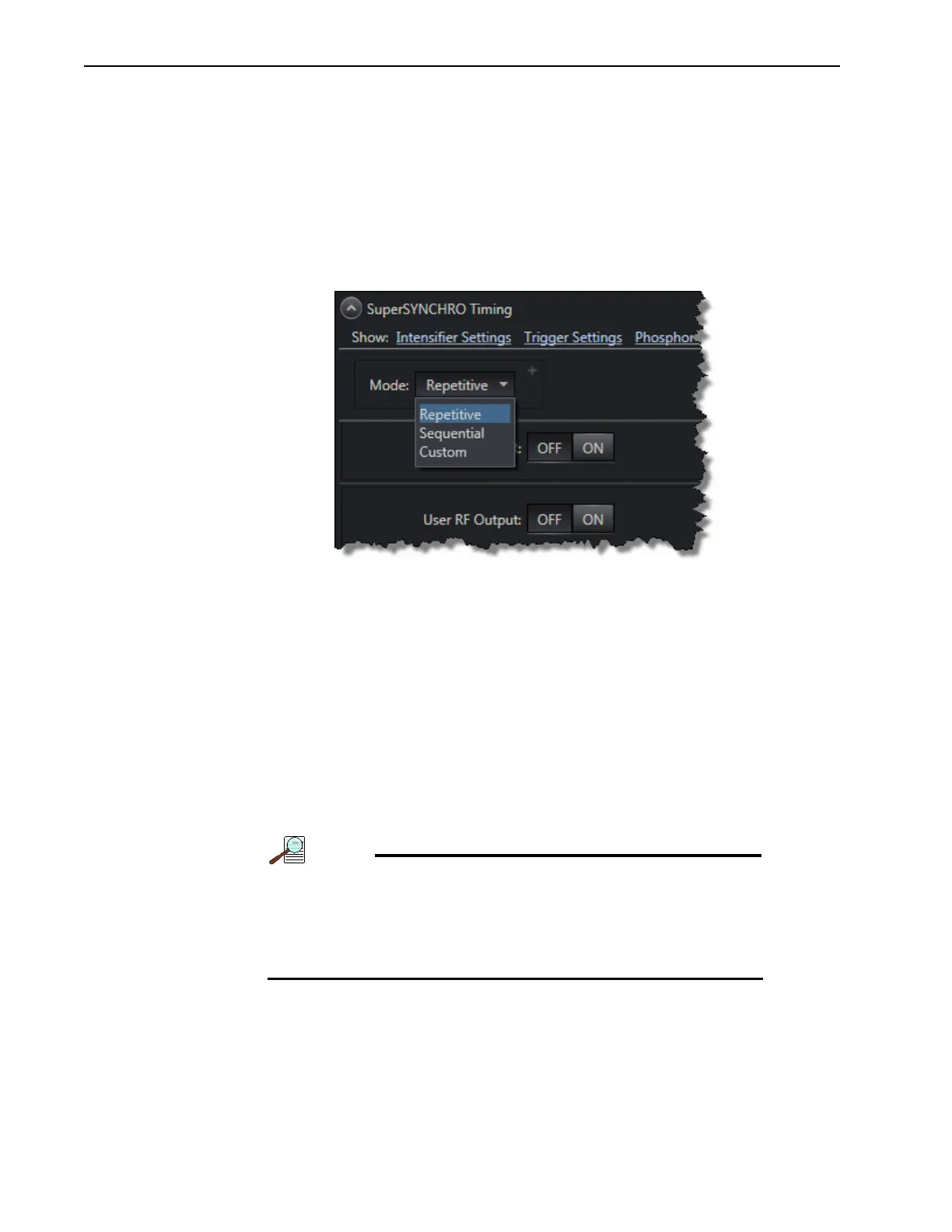
The desired option is selected from the
Mode drop down list on the SuperSYNCHRO
Timing
panel. See Figure 13-2.
Figure 13-2: SyperSYNCHRO Timing: RF Mode Options
Each mode has its own set of configuration parameters which are described in the following
sections.
13.3.3.1 Repetitive
Perform the following procedure to configure Repetitive Gating Mode:
1. The first requirement is that the PI-MAX4: 1024i-RF camera be aligned and focused on
the area of interest in the experiment. This is best accomplished while the camera is
operating in Full Frame readout mode. Verify that the
Phosphor Decay Delay is
appropriate to the phosphor used by your camera: the phosphor decay delay time
entered in LightField can be viewed or changed after clicking on the
Advanced button
on the
Common Acquisition Settings expander. The procedure for initial focus is
described in Chapter 4, First Light.
The Phosphor Decay Delay setting tells LightField how long to
wait after the gate pulse to shift the image. If there is some
residual image from the first frame in the second frame, simply
increase the
Phosphor Decay Delay setting to allow more time
for the phosphor emission to decay before shifting the image.
2. After the alignment and focus, the PI-MAX: 1024i-RF system needs to be put into RF
modulation mode. Configure the following parameters on the
Common Acquisitions
Settings
expander
• Select Use RF Modulation.



 To Next Page